



Fold-Away Hidden 3-Port Charging Dock for Tesla Model 3 Highland / Model Y Juniper / Model Y L

Check the selected Tesla model, model year, and option before checkout. If this product has a Car Model or Compatible Model selector, choose the option that matches your vehicle.
- Use the product images and variant name to confirm the correct version.
- If you are unsure about fitment, contact Tesstudio with your Tesla model and production year before ordering.
Tesstudio installation support is available for Tesla owners who need help choosing, installing, or troubleshooting accessories.
Most Tesstudio accessories are designed for straightforward DIY installation. For powered upgrades, wiring, lighting, or large exterior parts, professional installation may be recommended.
Local installation and technical support
- Address: 14761 Franklin Ave # G, Tustin, CA 92780
- Technical support: +1 (657) 543-9876 or +1 (657) 565-1007
- Support hours: Monday-Friday, 8:30 AM-5:30 PM
The phone numbers above are for technical installation support only. For orders, shipping, returns, or general customer service, contact:
- Email: support@tesstudio.com
- WhatsApp: +1 714 317 9647
Tesstudio checks fit, material, and daily-use durability before listing products for Tesla owners.
- Eligible products include warranty support for non-human damage issues.
- If a product arrives damaged or does not fit as expected, keep the packaging and contact us with photos so we can help quickly.
In-stock items are usually processed within 1-2 business days. Delivery time depends on destination, product size, and stock status.
- Orders over $99 qualify for free standard shipping where available.
- Oversized, remote-area, pre-order, and special-market items follow the terms shown on the product page.
- Tracking is provided after dispatch.
Need help before or after purchase?
Contact Tesstudio support:
WhatsApp
+1 714 317 9647
Choose options
Tesstudio Hidden Fold-Away Charging Dock For Tesla
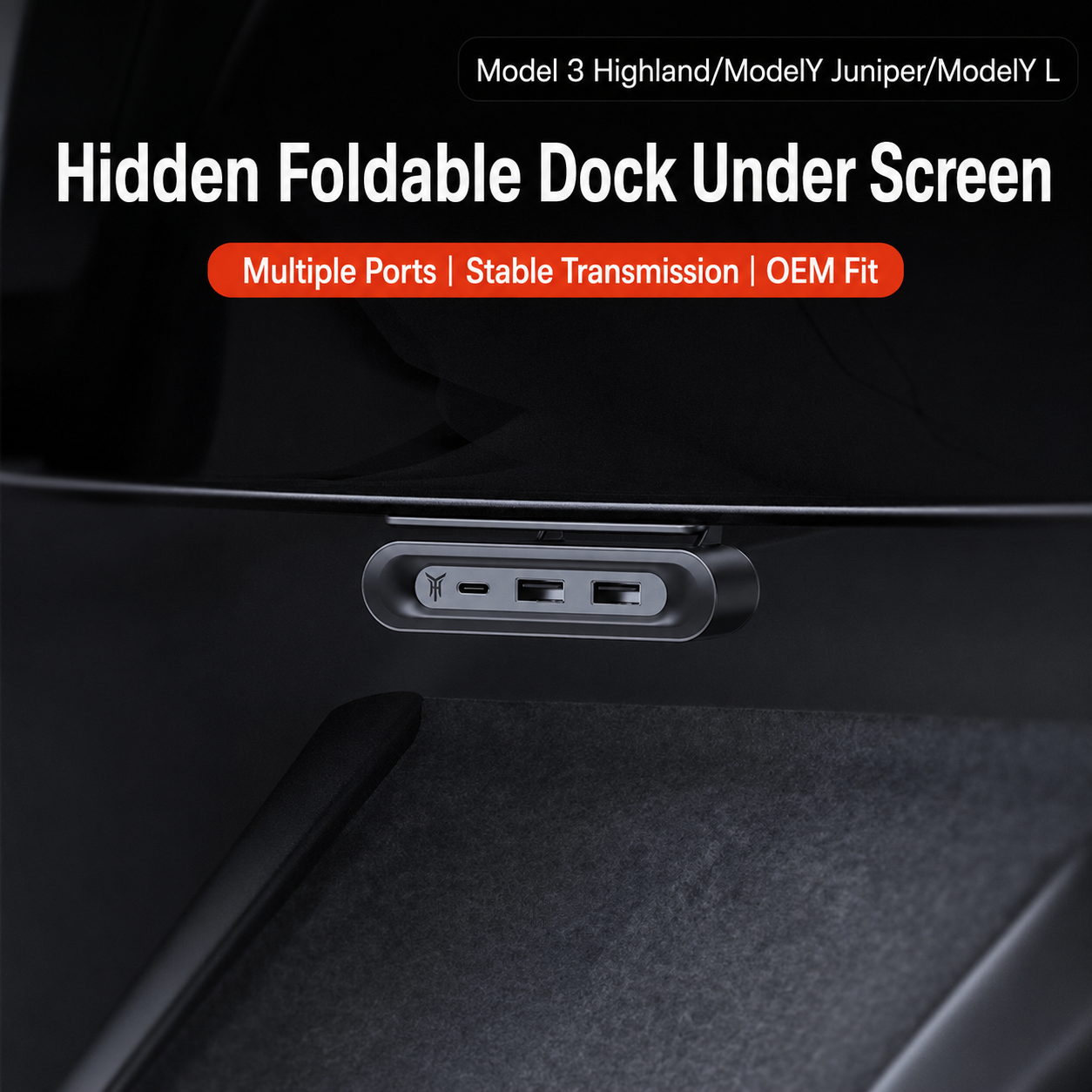
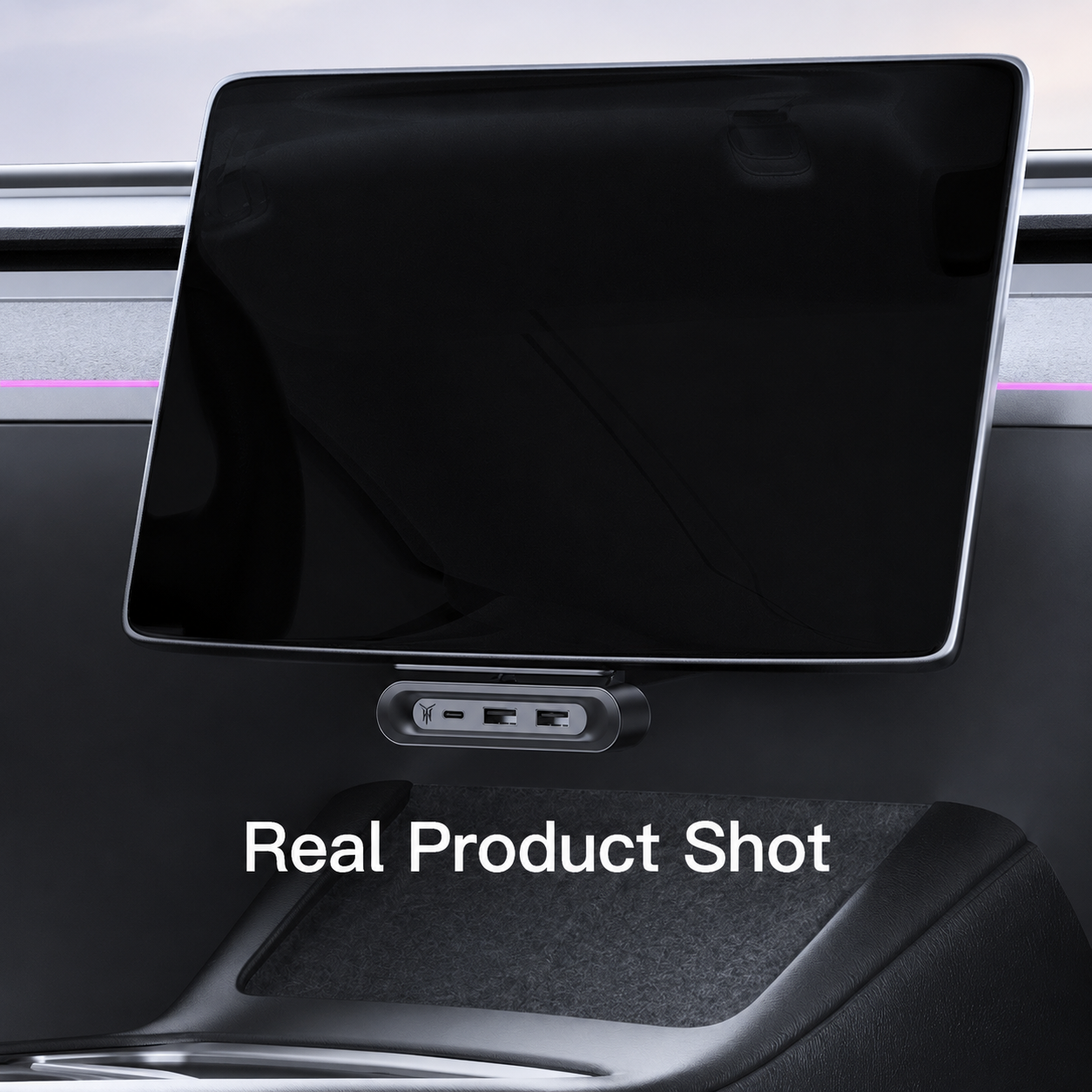
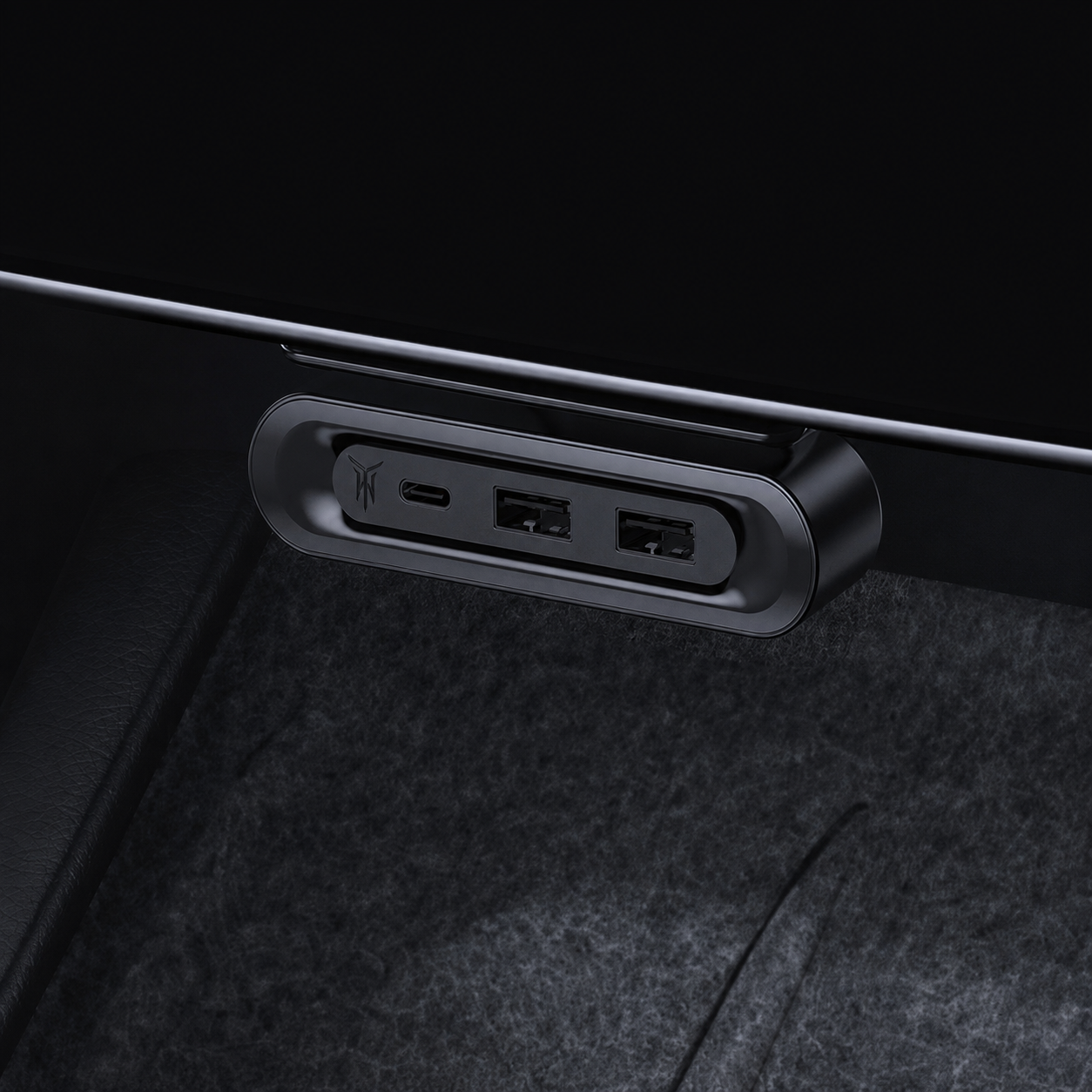
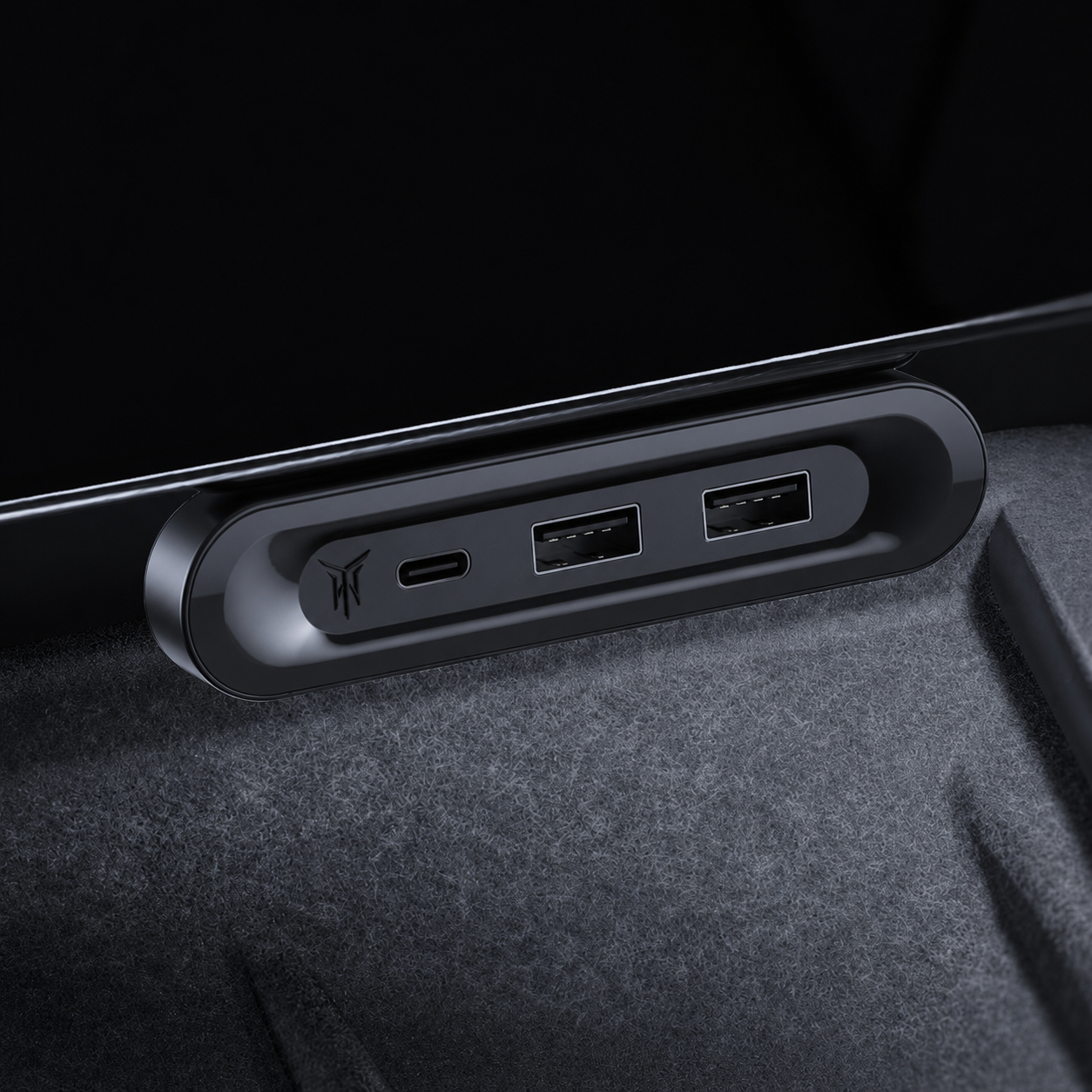
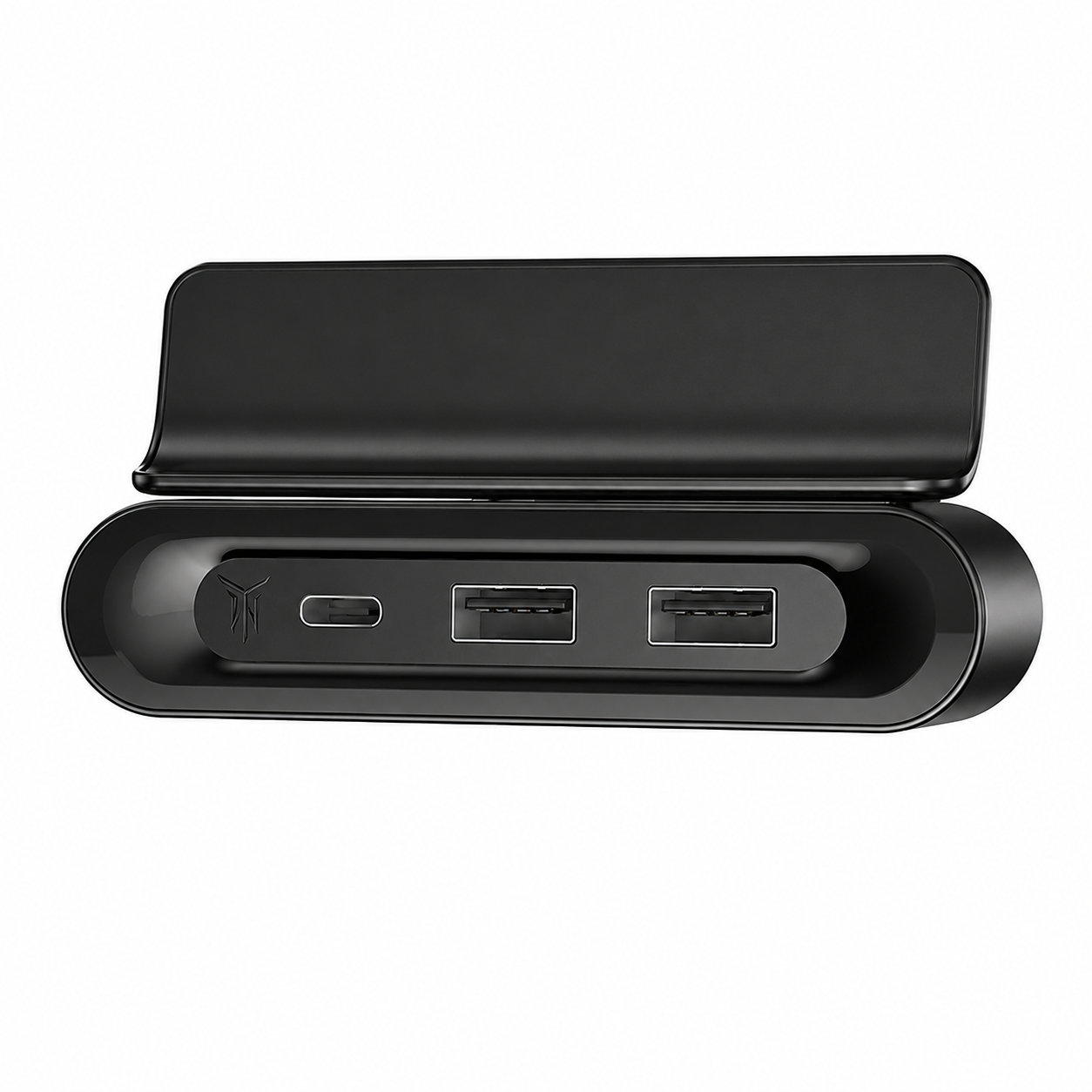
Add quick-access ports under your Tesla center screen without cluttering the console. This hidden fold-away charging dock gives Model 3 Highland, Model Y Juniper and Model Y L owners a cleaner way to connect phones, USB drives and daily devices while keeping the dock tucked away when not in use.
Key Features
- Hidden Under-Screen Design: Mounts neatly below the Tesla center screen for quick front-row access.
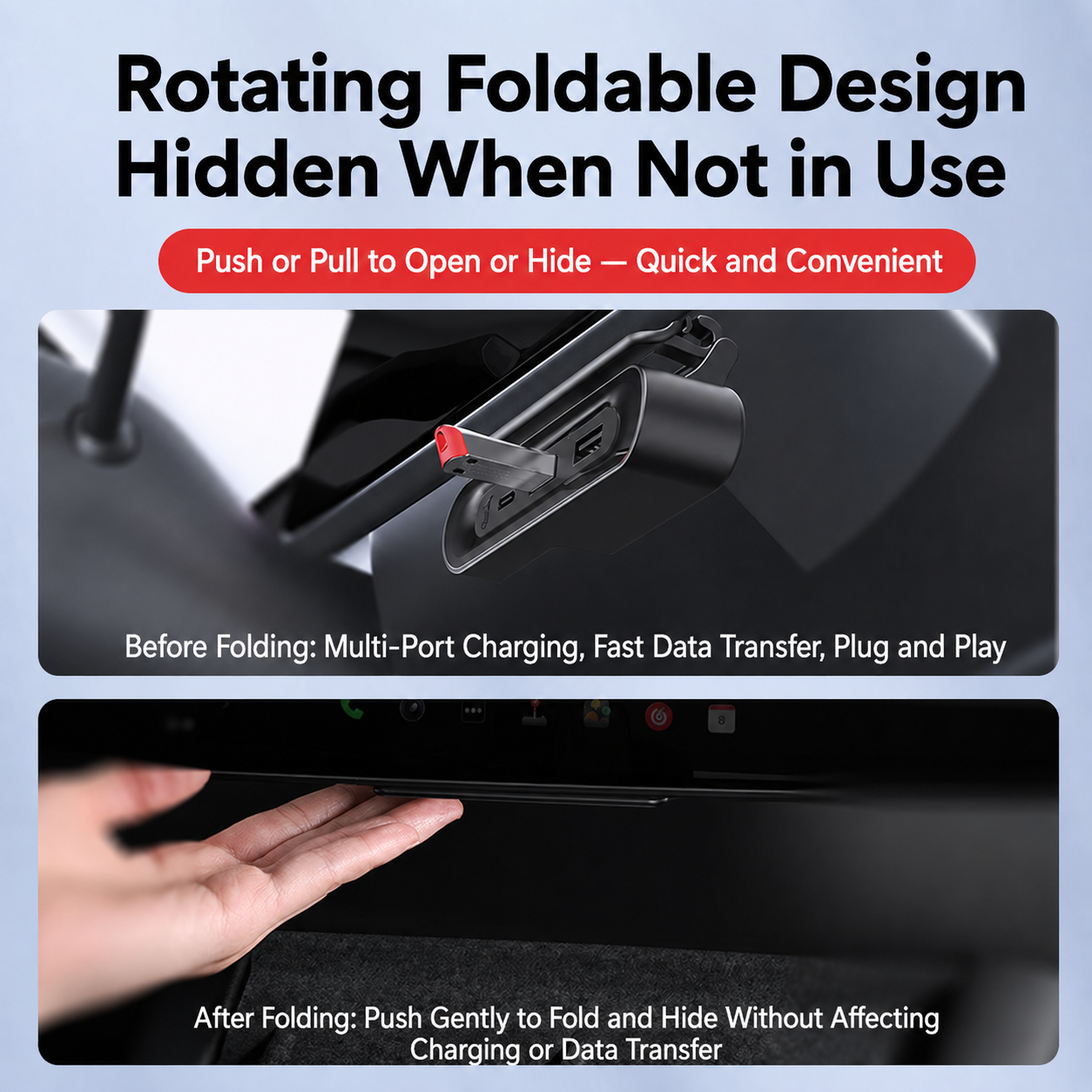
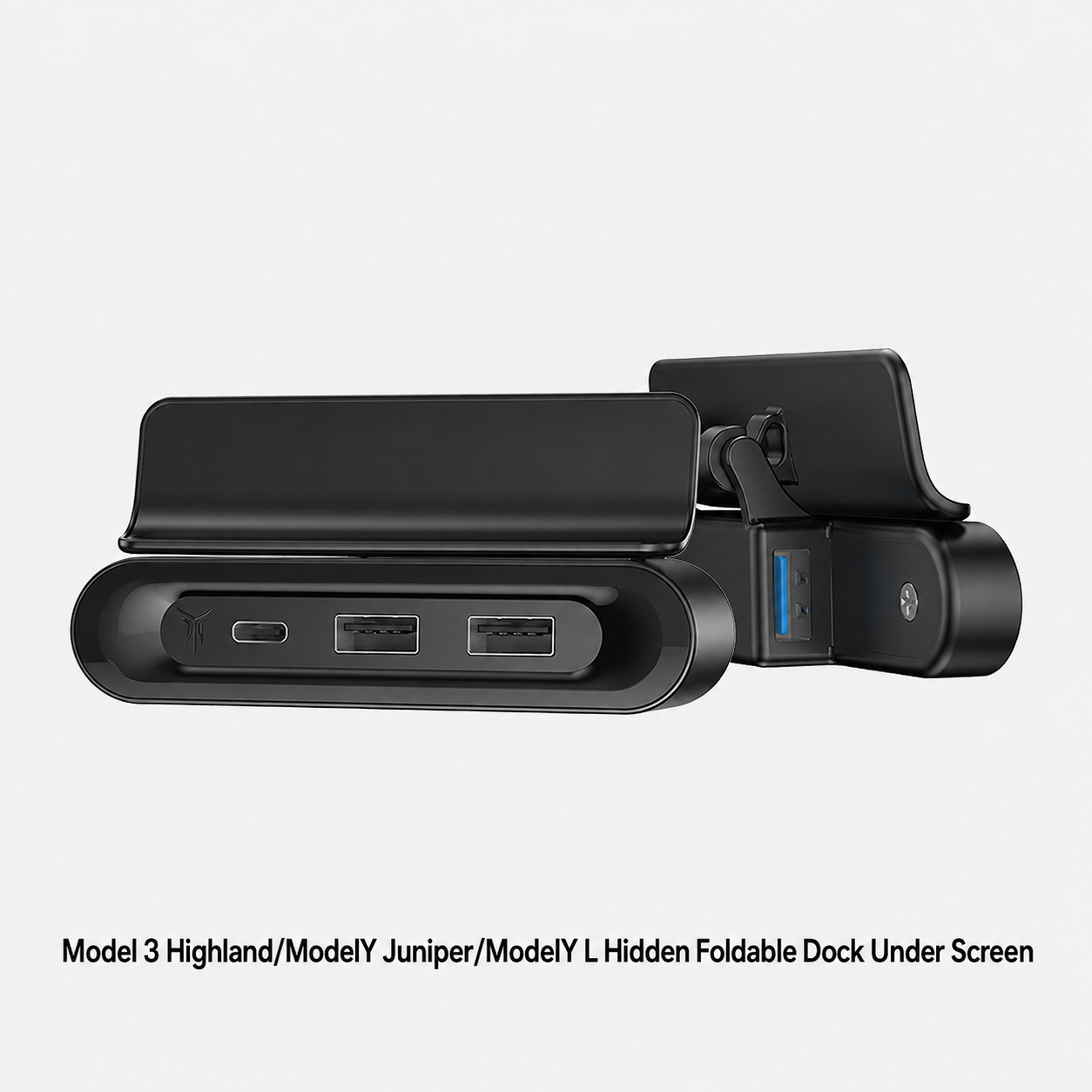
- Fold-Away Structure: Push or pull to open, then fold it away when not in use for a cleaner cabin look.
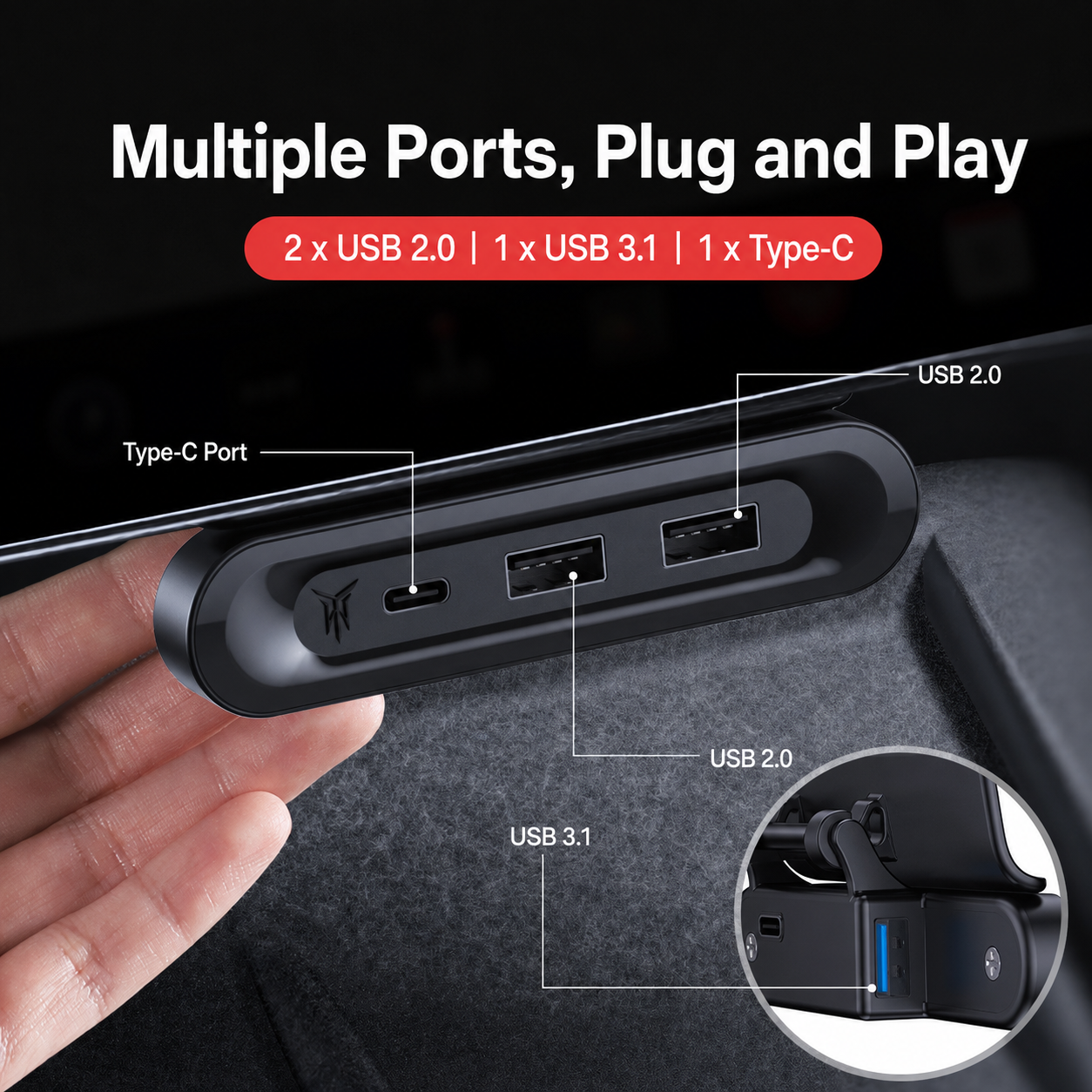
- Multiple Port Expansion: Adds USB-C and USB ports for daily charging, USB drives and compatible data devices.
- Stable Data Transfer: Designed for cleaner device connection and stable transmission in the front cabin.
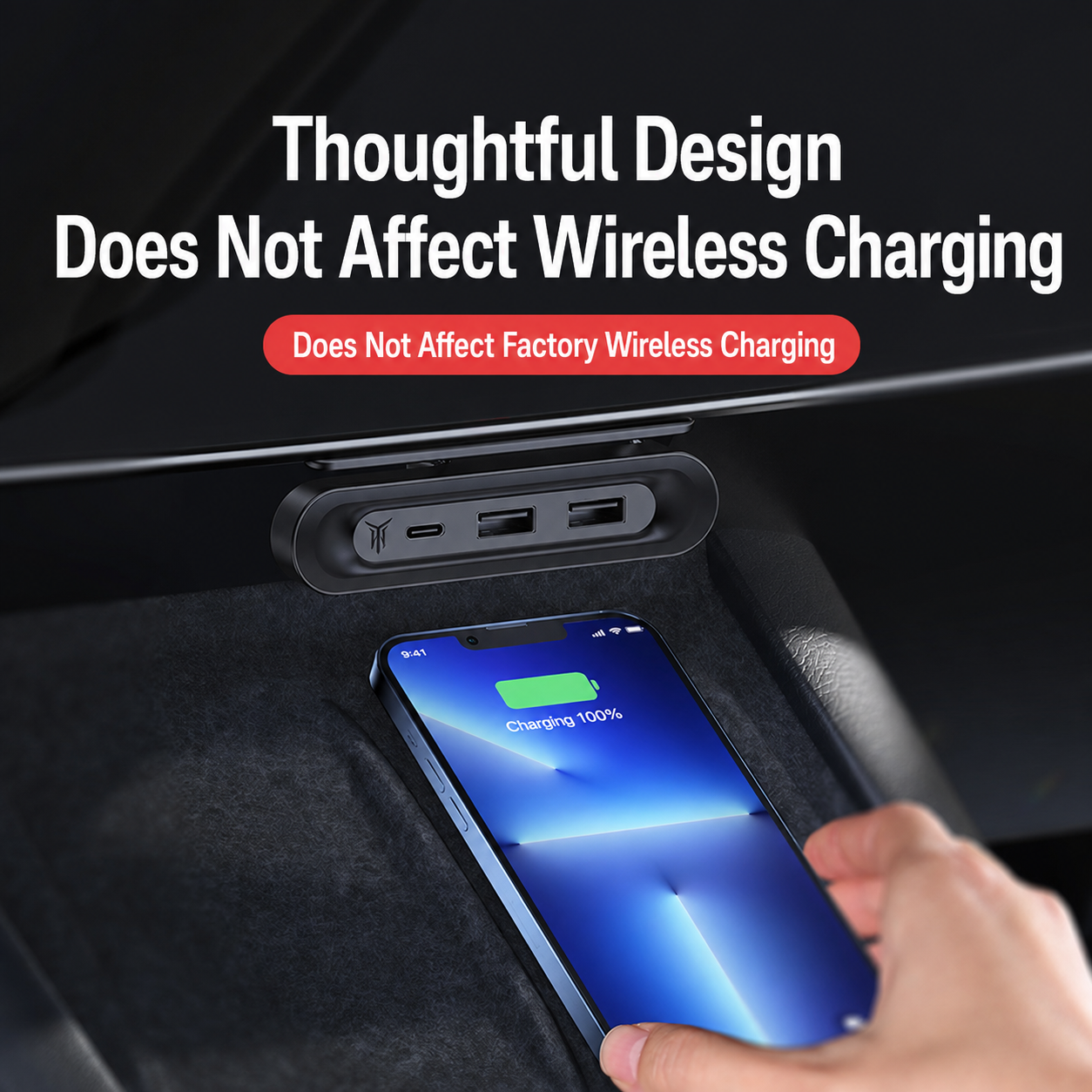
- Does Not Block Wireless Charging: Under-screen placement keeps the factory wireless charging area usable.
- OEM-Style Fitment: Designed for Model 3 Highland, Model Y Juniper and Model Y L interiors.
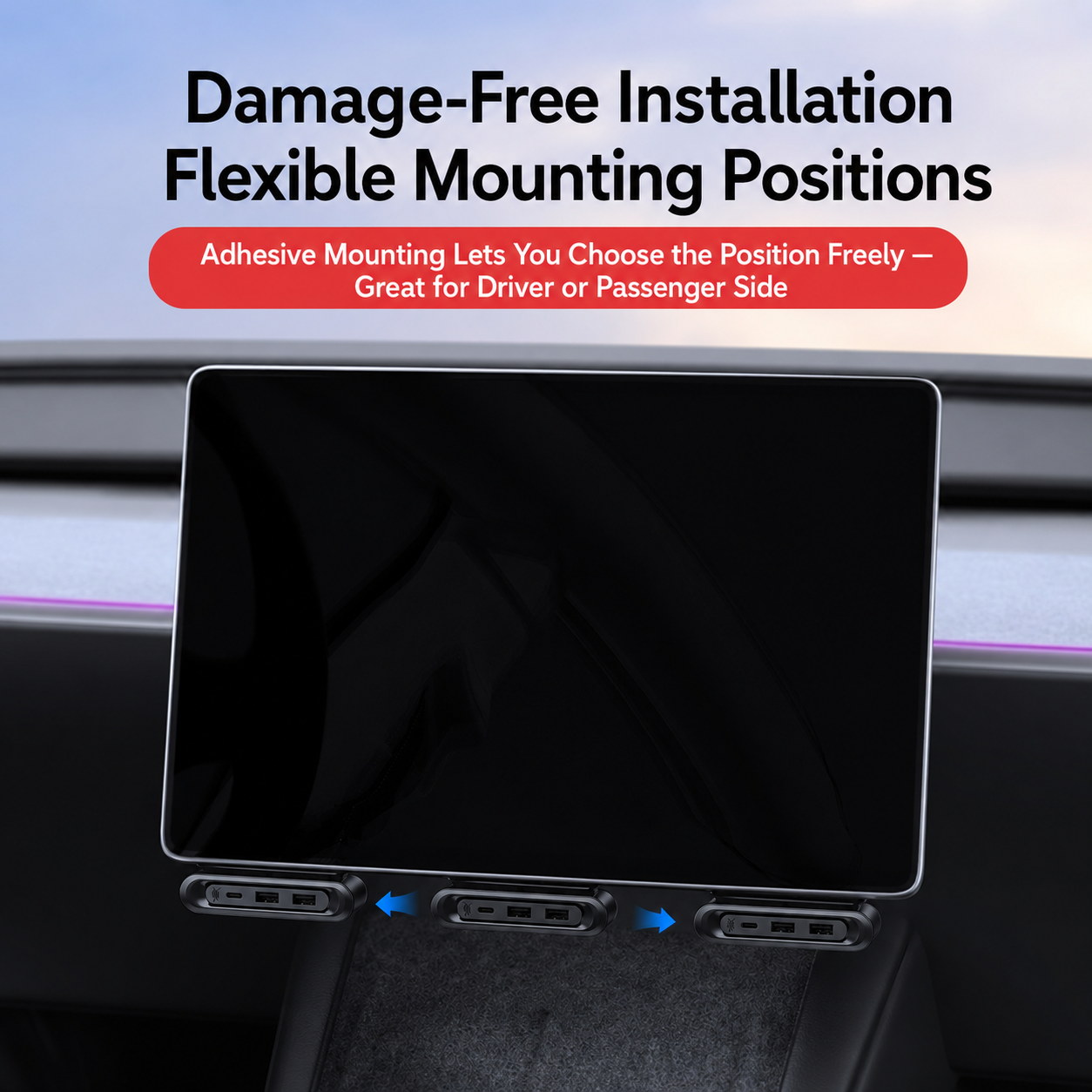
- Damage-Free Mounting: Adhesive mounting allows flexible positioning without drilling or wiring modification.
Move Useful Ports To A More Convenient Place
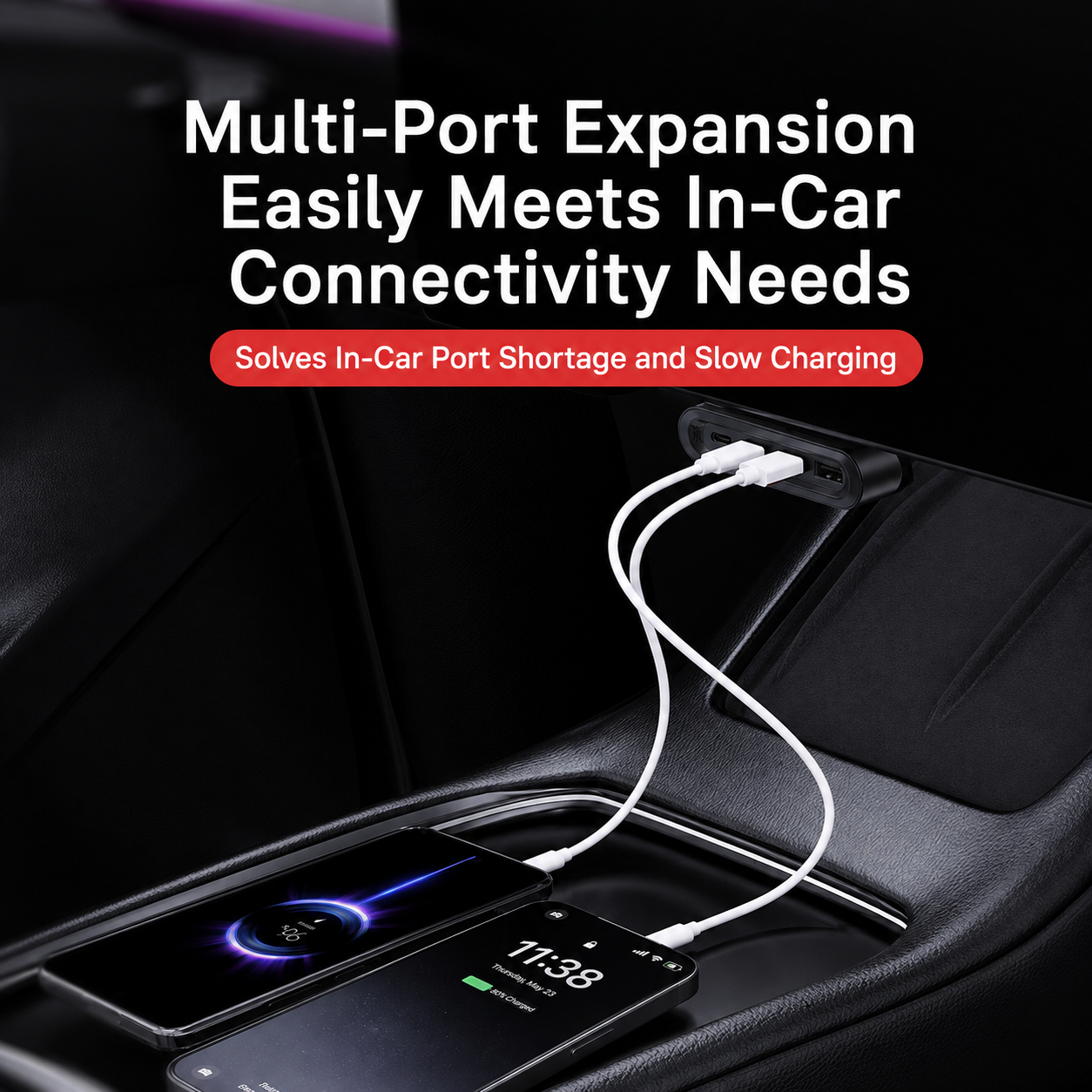
Tesla’s clean interior is beautiful, but front-row ports can feel limited when driver and passenger both need to connect devices. This dock creates a more convenient under-screen connection point without placing extra adapters in the cup holder or console storage area.
- Phone Charging: Connect a cable without digging through the console.
- USB Drives: Useful for compatible USB storage or data-transfer needs.
- Passenger Convenience: Front passenger can access ports more easily.
- Cleaner Cabin: Keeps expansion ports positioned near the screen instead of scattered around the console.
Does Not Block Factory Wireless Charging
Many center console adapters occupy valuable charging or storage space. This dock sits under the screen area, so the original wireless charging pad can still be used normally when the dock is installed correctly.
Built For Multi-Device Daily Use
Modern Tesla owners often carry a phone, earbuds, USB drive, passenger device, dashcam storage, tablet or small USB accessory. A hidden multi-port dock makes the front cabin easier to use without adding a bulky visible hub.
- Daily Commute: Keep phone charging access closer to the screen area.
- Road Trips: Driver and passenger can connect devices more conveniently.
- USB Accessories: Useful for compatible USB storage or low-power USB devices.
- Clean Setup: Avoids a loose adapter sitting inside the center console.
Secure Plug-In Feel During Normal Use
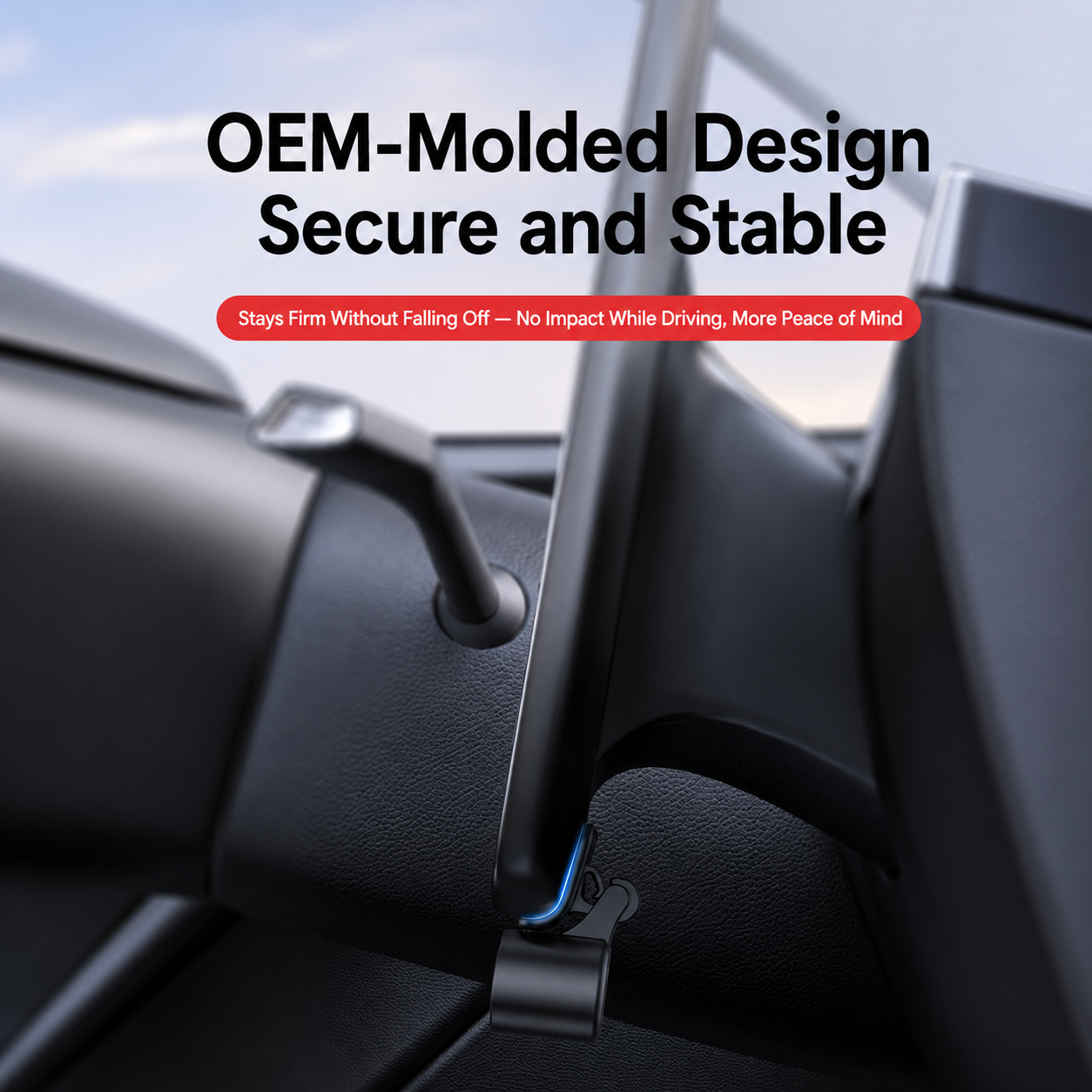
A good under-screen dock should not feel loose every time you plug in or unplug a cable. The product images show a secure plug-in design intended to stay firm during normal daily use.
Fold Away When You Want The Cabin Clean
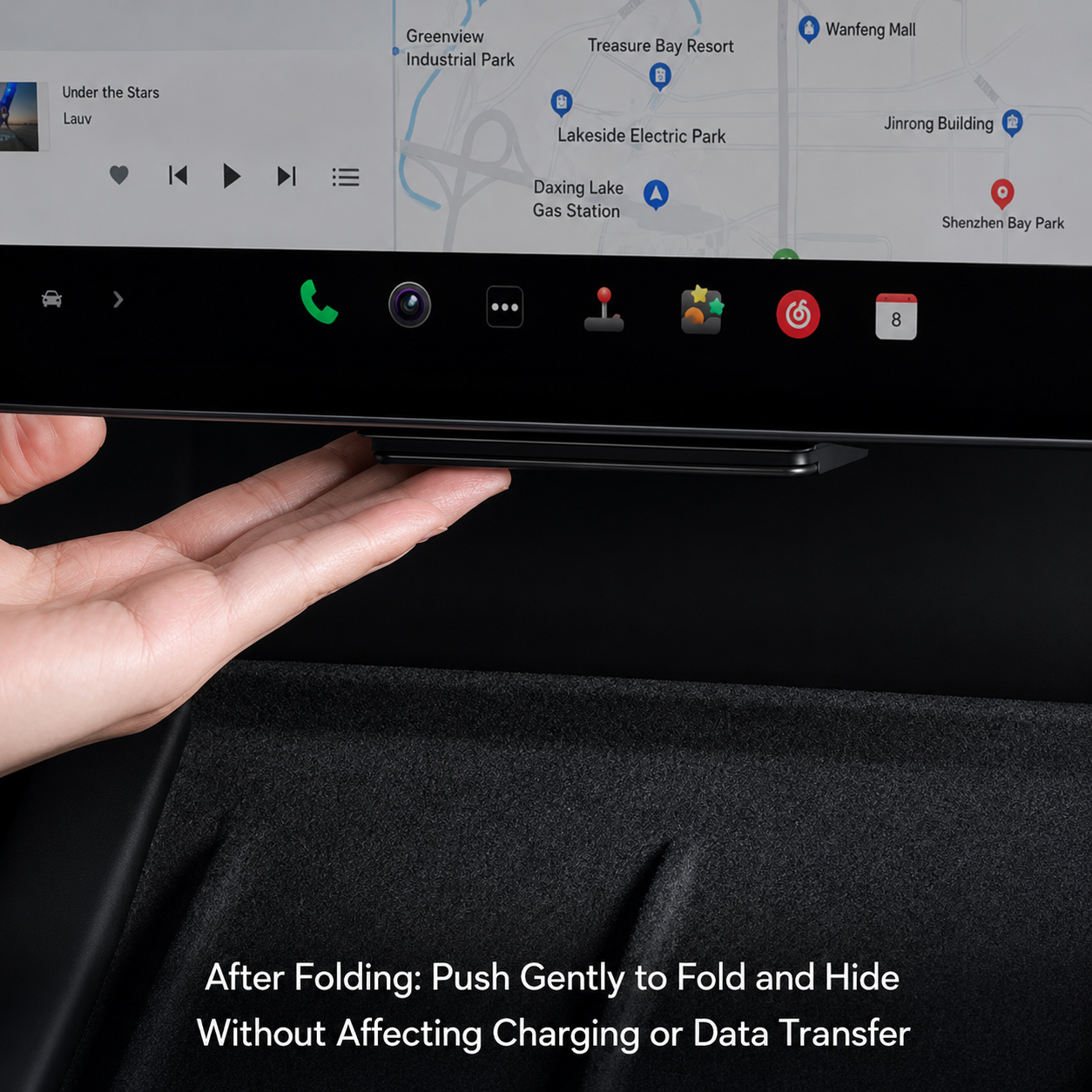
The rotating foldable design lets the dock open when you need access and hide when you want the dashboard area to look clean. This is especially useful for Tesla owners who prefer a minimalist interior and dislike exposed adapters.
- Open: Use ports for charging or data transfer.
- Fold: Push gently to hide the dock when not in use.
- Clean Look: Keeps the under-screen area more factory-like.
OEM-Molded Look For Tesla Interiors
The dock is designed to sit visually close to the original screen area instead of looking like a universal clip-on adapter. A better factory-style shape makes the upgrade feel more natural in Model 3 Highland, Model Y Juniper and Model Y L cabins.
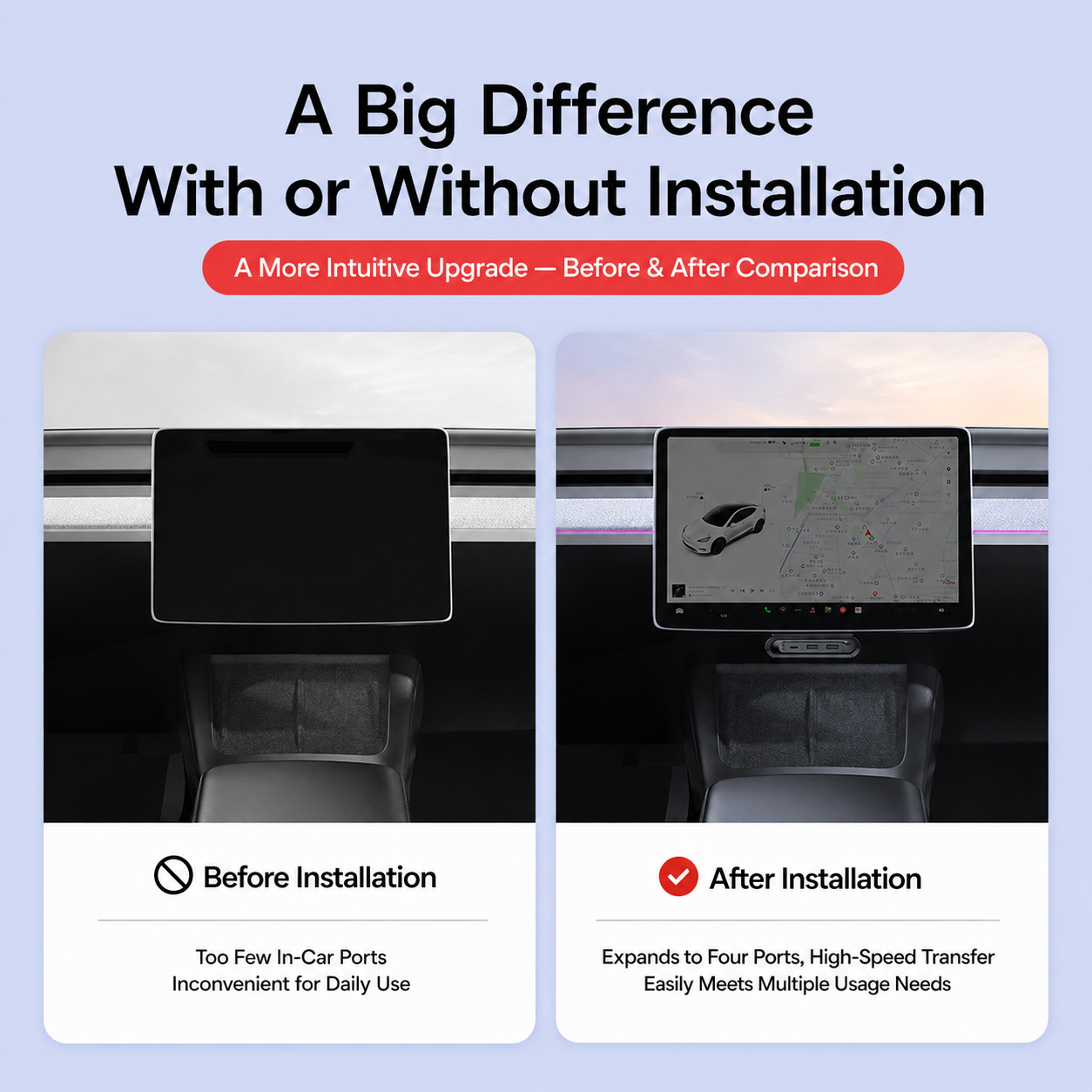
Before vs After: More Useful Front-Row Ports
Before installation, front-row port access can feel limited for daily charging and data needs. After installation, the dock adds a visible and intuitive under-screen port area while keeping the console cleaner.
Smart Temperature Control & Heat Dissipation
The product images highlight a smart chip for temperature control and heat dissipation. This matters because customers often worry about heat when using compact in-car charging docks.
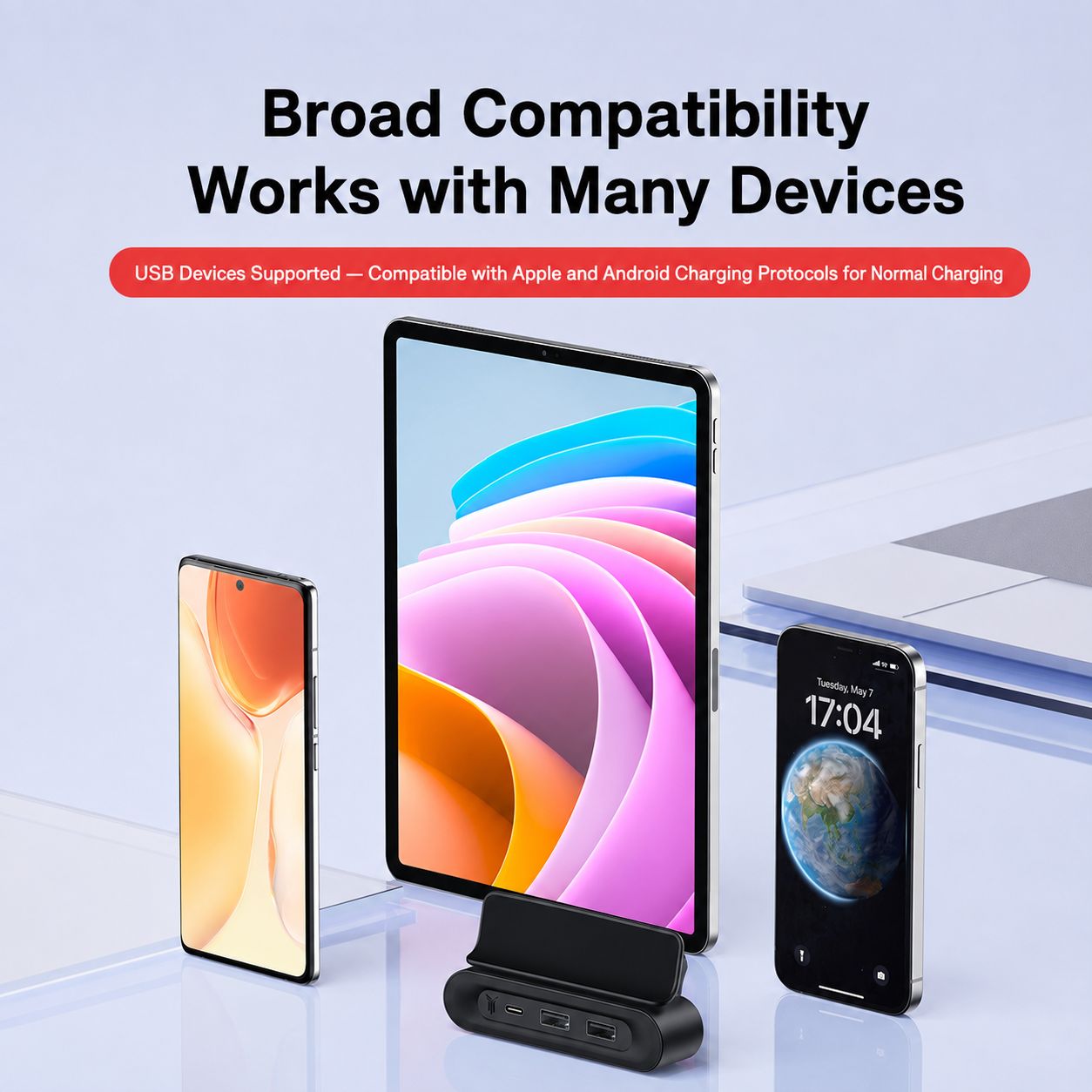
Works With Common USB Devices
The dock is positioned for normal charging and device connection needs across common Apple and Android devices, USB drives and small USB accessories. It is best presented as a clean connectivity upgrade rather than a high-watt power station.
Damage-Free Adhesive Mounting
The product images describe flexible adhesive mounting positions. This gives customers more freedom to place the dock in a convenient location under the screen area, including driver-side, center or passenger-side positions.
- Step 1: Choose the preferred under-screen position before removing the adhesive backing.
- Step 2: Clean the mounting surface and remove dust, oil and interior dressing residue.
- Step 3: Test-fit the dock and make sure it does not block the screen, wireless charging area or driver view.
- Step 4: Peel the adhesive backing and press the dock firmly into place.
- Step 5: Wait for the adhesive to bond before pulling cables or folding the dock repeatedly.
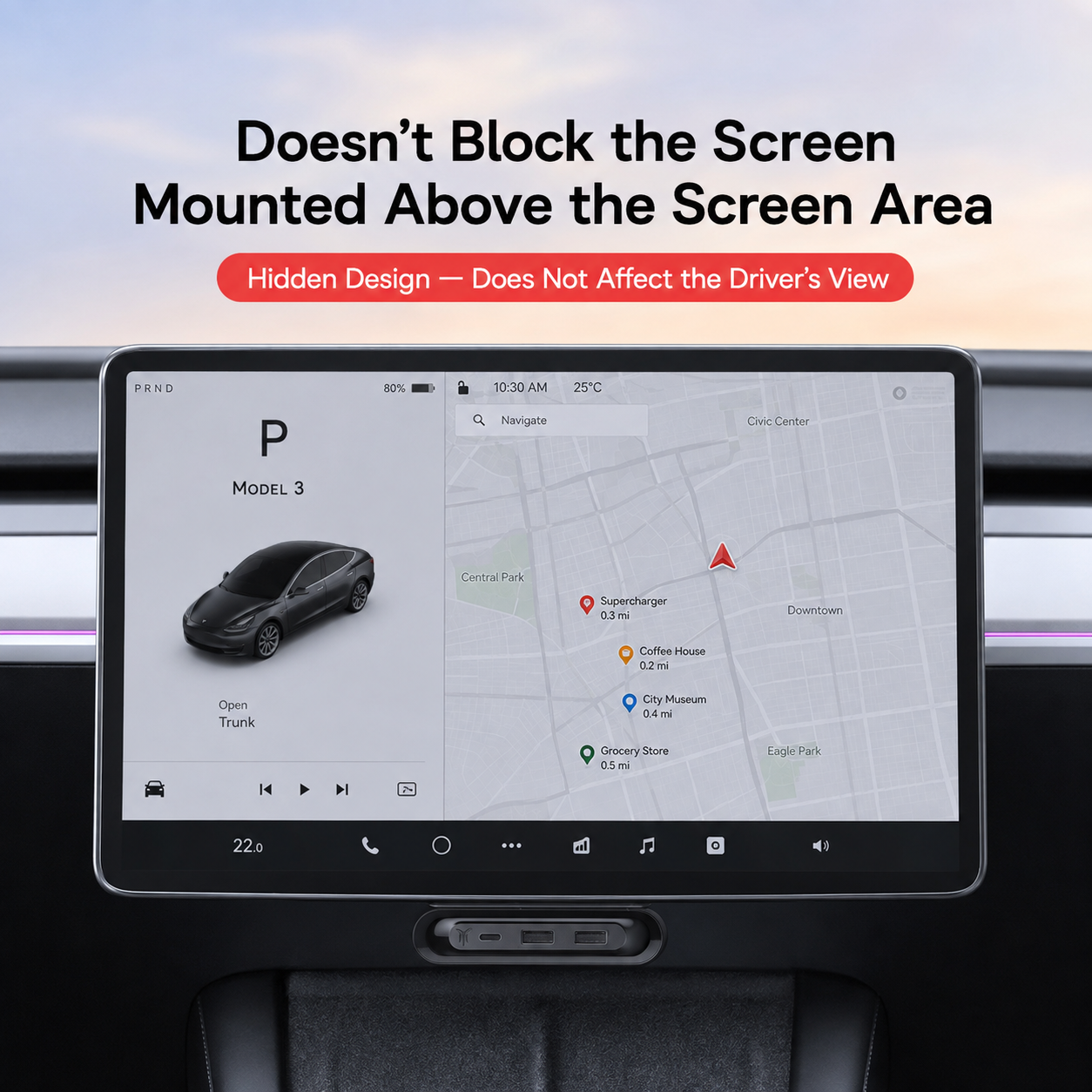
Hidden Design That Does Not Block The Screen
The dock is mounted below the screen area and is designed not to block the driver’s view or the touchscreen display when installed correctly.
Choose The Correct Tesla Model
This dock is model-specific. Select the correct vehicle option before checkout so the mounting area and screen layout match your Tesla interior.
- Model 3 Highland: 2023.08+
- Model Y Juniper: 2025.03+
- Model Y L: 2025.11+
Why Add A Hidden Fold-Away Charging Dock?
| Scenario | With Tesstudio Fold-Away Dock | Without Extra Dock |
|---|---|---|
| Front-row ports | Quick-access USB-C and USB ports under the screen | Port access can feel limited or less convenient |
| Cabin look | Fold-away hidden design keeps the interior cleaner | Loose adapters and cables can look messy |
| Wireless charging | Does not occupy the factory wireless charging pad | Small items and adapters may crowd the console area |
| Data use | Supports stable transmission for compatible USB devices | May require plugging into less convenient locations |
| Installation | Adhesive mounting, no drilling or wiring modification | No added connection point |
Built For Everyday Tesla Tech Use
- Daily Commute: Keep phone charging and USB access closer to the front cabin.
- Road Trips: Give driver and passenger more convenient device connection options.
- USB Storage: Useful for compatible USB drives and data-transfer needs.
- Clean Interior Builds: Fold the dock away when you want the cabin to look minimal.
- Family Use: Helps reduce fights over limited front-row ports.
Frequently Asked Questions
Which Tesla models does this dock fit?
The current product page offers options for Model 3 Highland 2023.08+, Model Y Juniper 2025.03+, and Model Y L 2025.11+. Please choose the correct model before checkout.
How many ports does it have?
The page title says 3-Port, while the product image shows USB-C, two USB 2.0 ports and one USB 3.1 side port. Confirm the actual port count on the final product option before ordering.
Does it affect factory wireless charging?
No. The product image states that it does not affect factory wireless charging when installed correctly.
Can it fold away when not in use?
Yes. The dock uses a rotating foldable design and can be pushed or pulled open or hidden when not in use.
Does it block the center screen?
It is designed to mount below the screen area and should not block the screen or driver view when installed correctly.
Does installation require drilling or wiring?
No. The product images show damage-free adhesive mounting with flexible placement options. No drilling or wiring modification is required.
Can I choose the mounting position?
Yes. The product images show flexible mounting positions under the screen, including driver-side, center or passenger-side placement. Always test-fit before applying adhesive.
Does it support fast charging?
The page currently emphasizes multiple ports, stable transmission and normal charging compatibility. Do not assume a specific fast-charging wattage unless Tesstudio lists an exact output specification.
Will it get hot during use?
The product images mention smart temperature control and heat dissipation. Avoid covering the dock and do not connect high-power devices beyond the product’s intended use.
Is the Tesla vehicle or cable included?
No. This product includes the fold-away charging dock only. Tesla vehicle, phone, tablet, cable, USB drive and other accessories shown in images are not included.
Q&A
We provide assistance through email, live chat, and detailed installation guides. Additionally, we offer step-by-step tutorial videos featuring influencers to help you with the process.
We offer a one-year warranty (two years for some products).
Yes, the product can be removed after installation without affecting the original wiring harness of the vehicle.
We offer free returns and exchanges if there are any quality issues with the product upon receipt by the customer.

Subscribe
Join Us - Enjoy our latest news and exclusive discounts & gifts.