F96C CarPlay Screen Dashboard Touchscreen Display For Tesla Model Y L

Check the selected Tesla model, model year, and option before checkout. If this product has a Car Model or Compatible Model selector, choose the option that matches your vehicle.
- Use the product images and variant name to confirm the correct version.
- If you are unsure about fitment, contact Tesstudio with your Tesla model and production year before ordering.
Tesstudio installation support is available for Tesla owners who need help choosing, installing, or troubleshooting accessories.
Most Tesstudio accessories are designed for straightforward DIY installation. For powered upgrades, wiring, lighting, or large exterior parts, professional installation may be recommended.
Local installation and technical support
- Address: 14761 Franklin Ave # G, Tustin, CA 92780
- Technical support: +1 (657) 543-9876 or +1 (657) 565-1007
- Support hours: Monday-Friday, 8:30 AM-5:30 PM
The phone numbers above are for technical installation support only. For orders, shipping, returns, or general customer service, contact:
- Email: support@tesstudio.com
- WhatsApp: +1 714 317 9647
Tesstudio checks fit, material, and daily-use durability before listing products for Tesla owners.
- Eligible products include warranty support for non-human damage issues.
- If a product arrives damaged or does not fit as expected, keep the packaging and contact us with photos so we can help quickly.
In-stock items are usually processed within 1-2 business days. Delivery time depends on destination, product size, and stock status.
- Orders over $99 qualify for free standard shipping where available.
- Oversized, remote-area, pre-order, and special-market items follow the terms shown on the product page.
- Tracking is provided after dispatch.
Need help before or after purchase?
Contact Tesstudio support:
WhatsApp
+1 714 317 9647
Choose options
Product Installation & Review
See how it fits, installs, and performs before you buy.
Tesstudio Tesla Model Y L CarPlay Dashboard Display
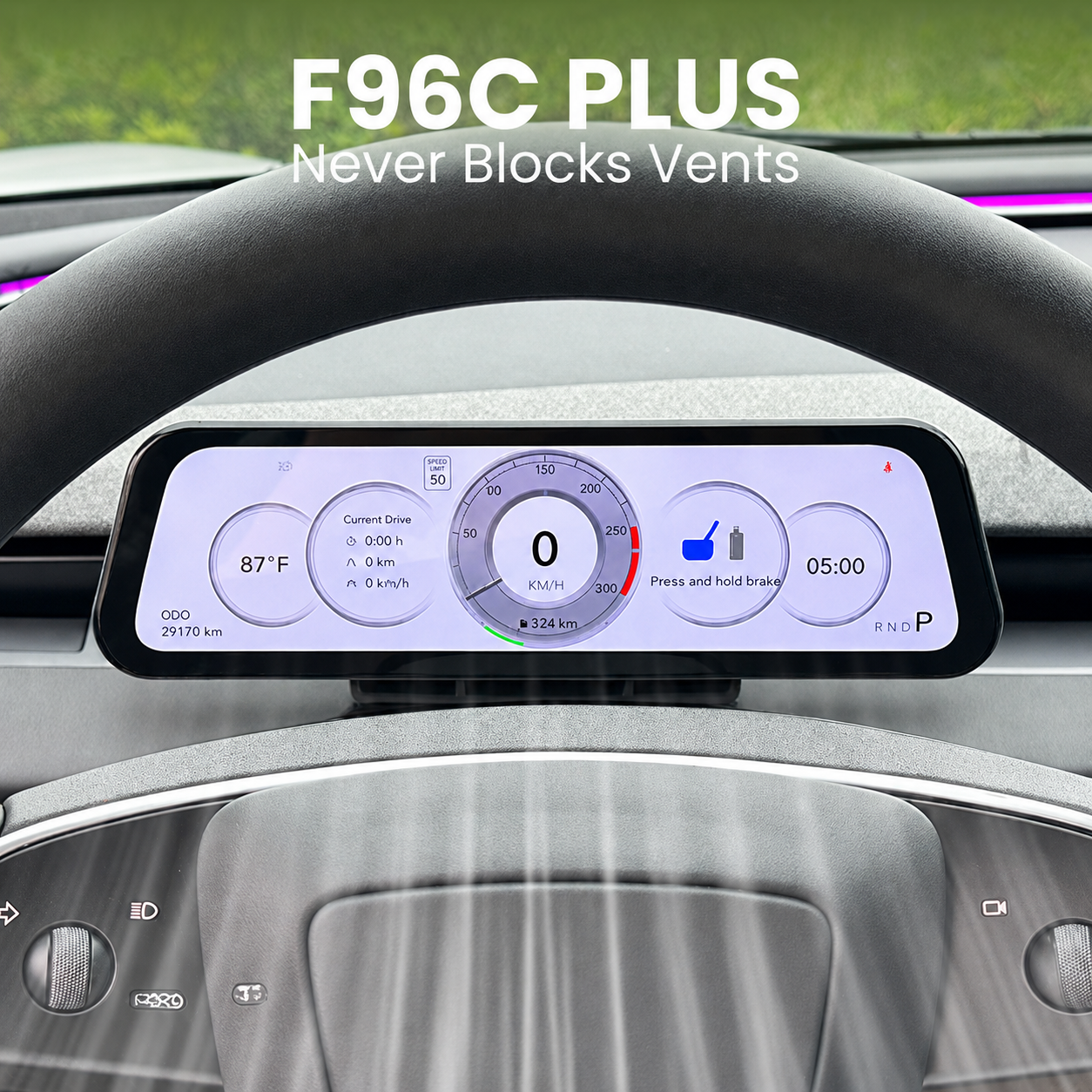
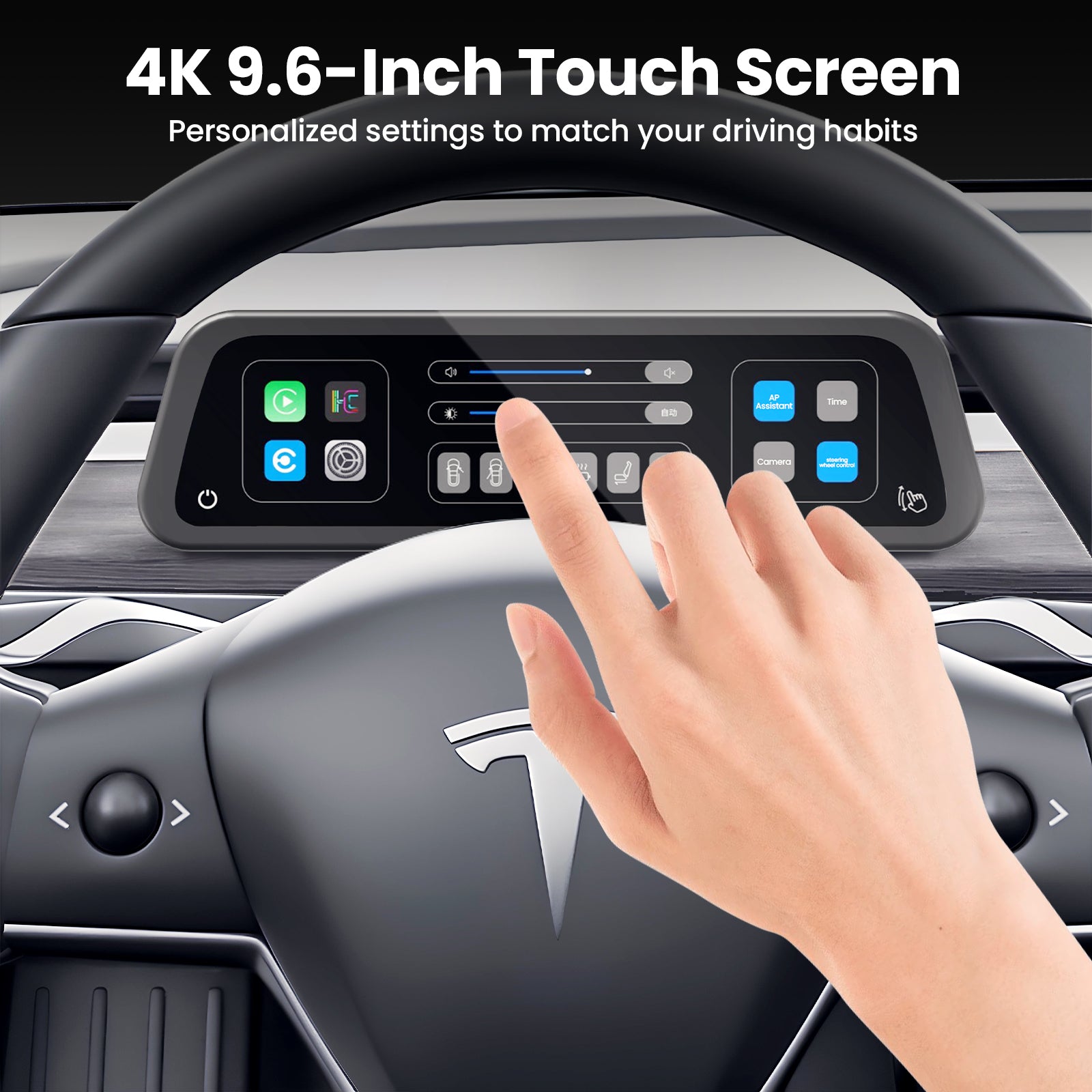
Upgrade your Tesla Model Y L with a driver-side dashboard touchscreen display designed for CarPlay, Android Auto, AP safety alerts, personalized UI themes and a cleaner instrument-style driving view.
Key Features
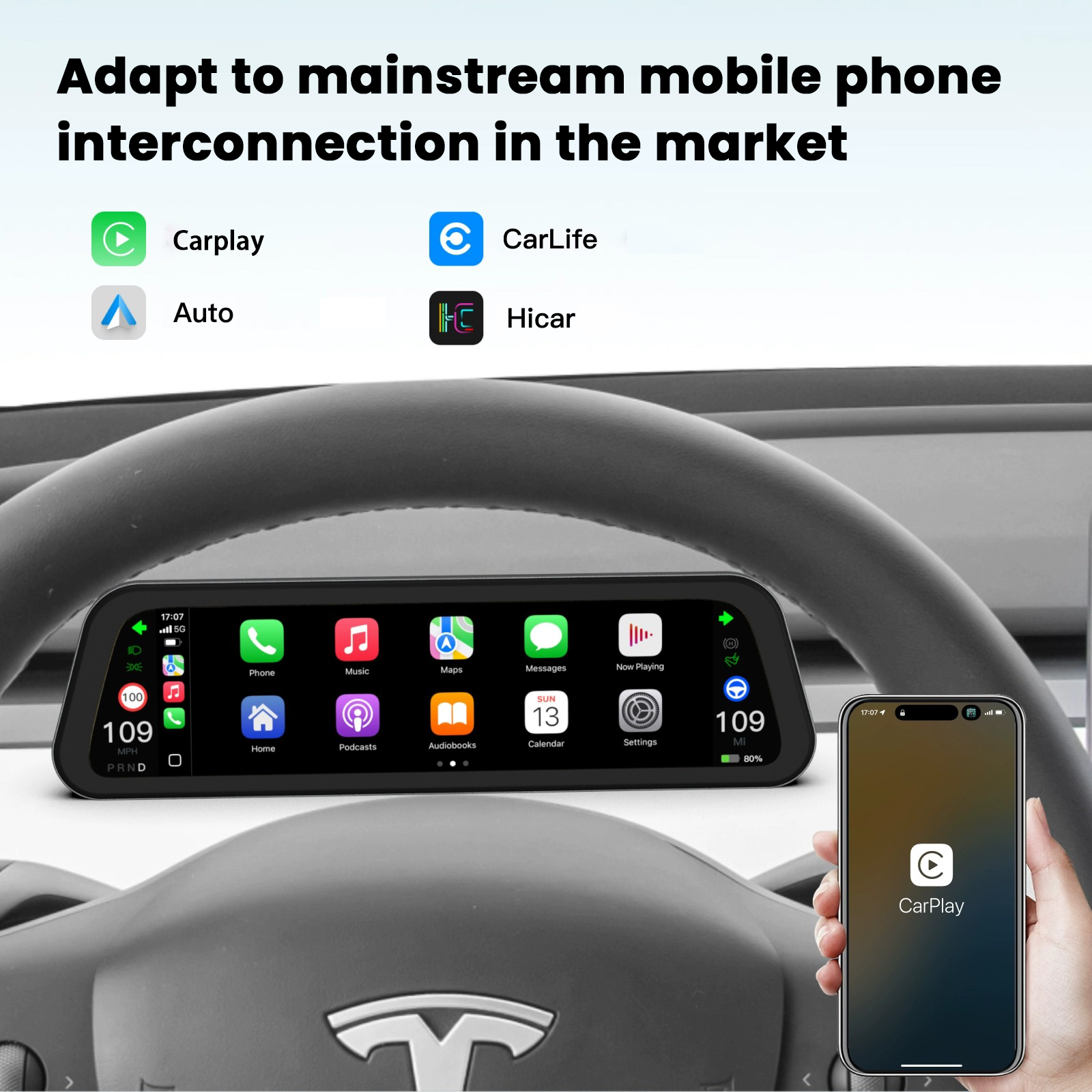
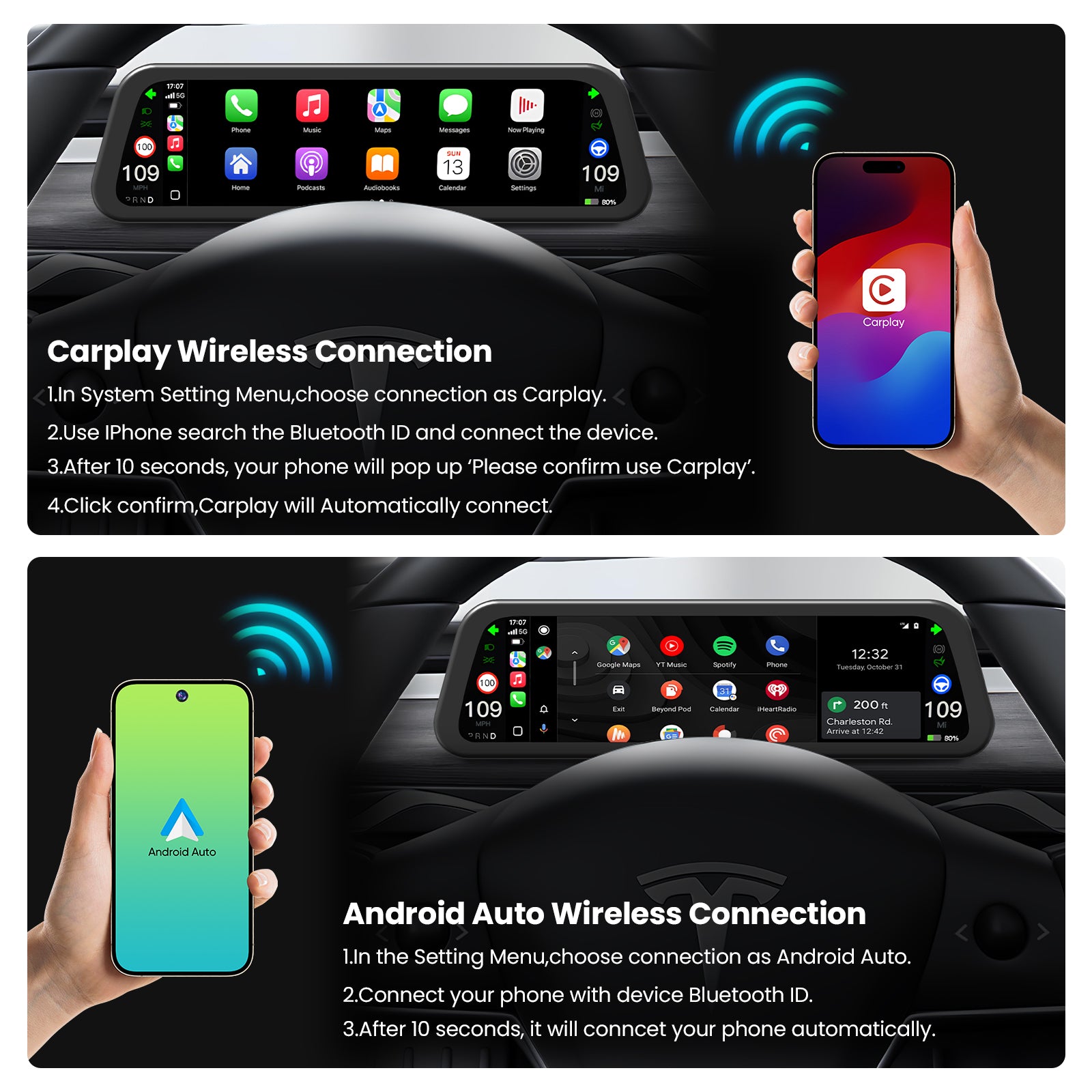
- CarPlay & Android Auto Integration: Bring phone navigation, music and app access into a dedicated dashboard display.
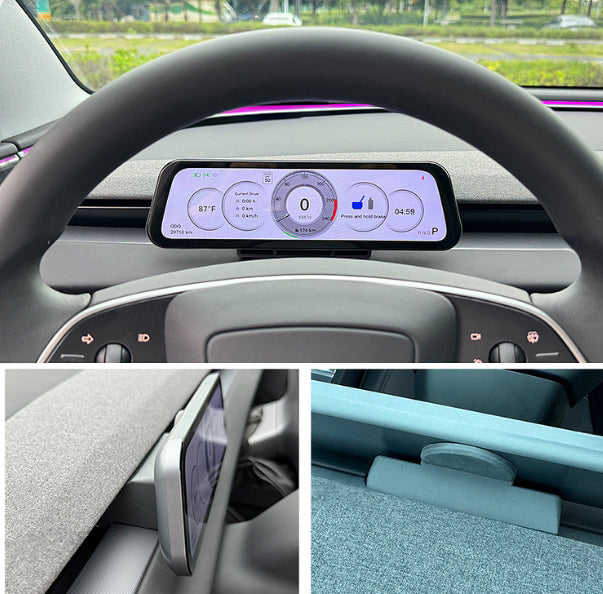
- Driver-Side Screen View: Adds a screen closer to the driver’s natural sightline instead of relying only on the center display.
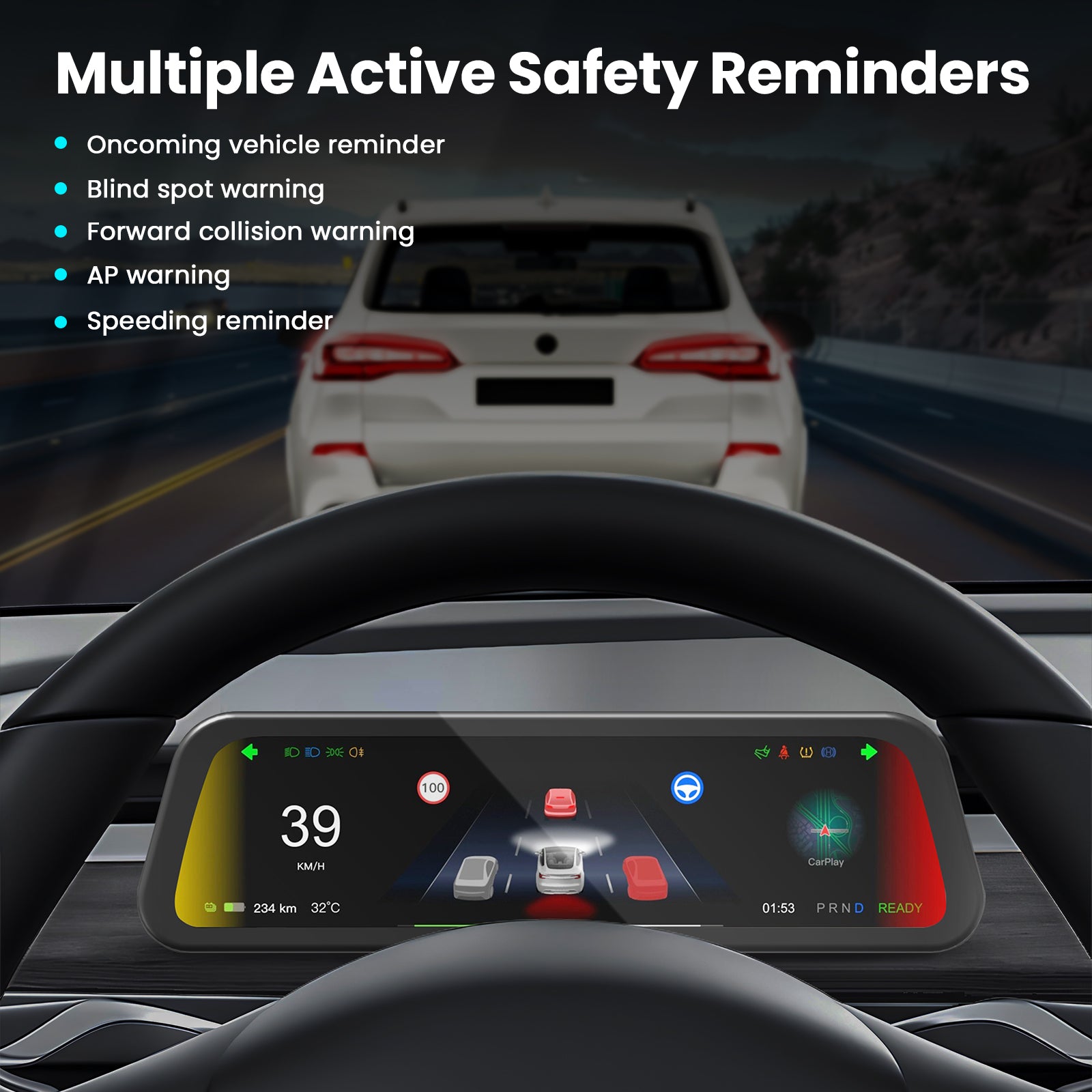
- AP Safety Alerts: Shows driving-related alerts and AP notifications for a more informative driver view.
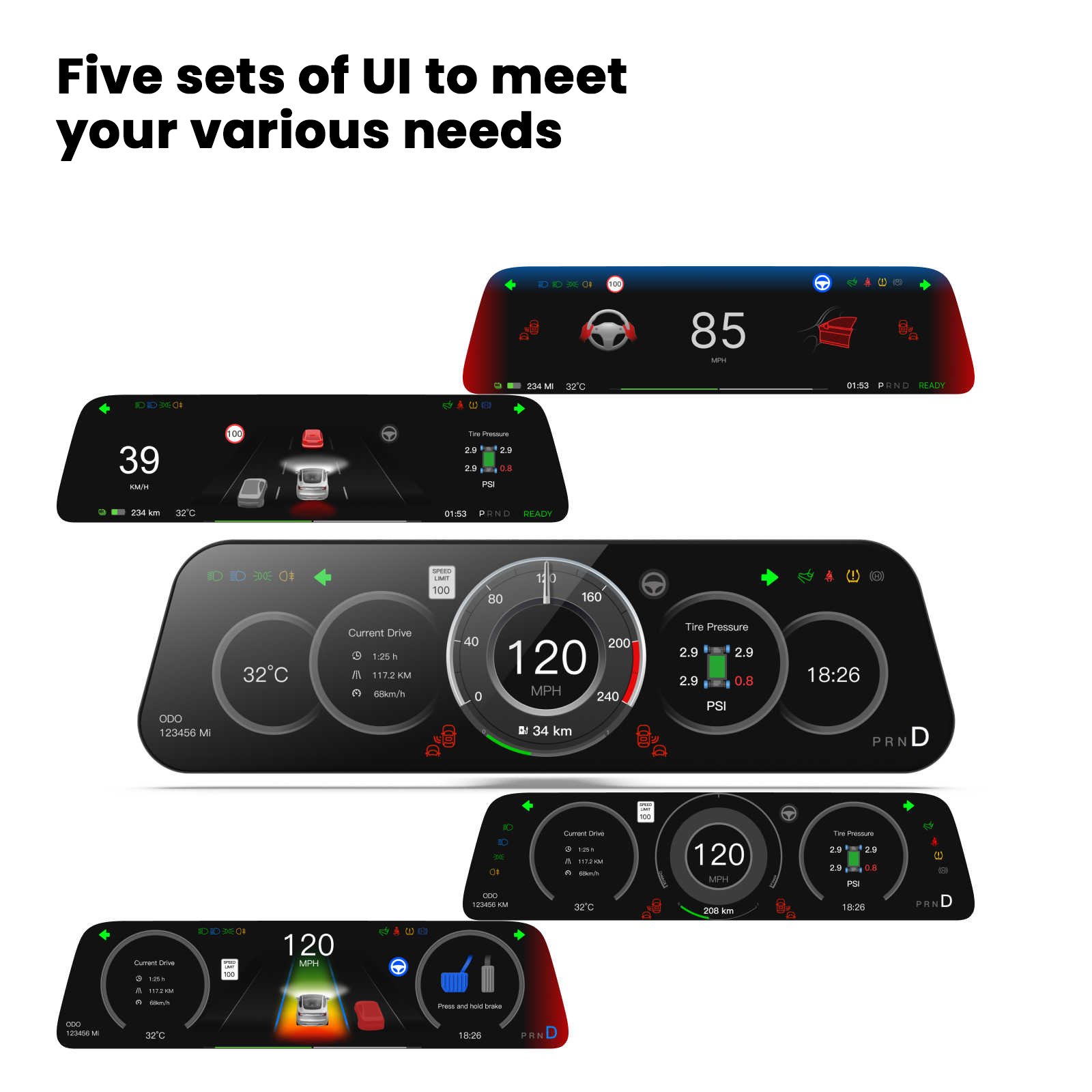
- 5 UI Themes: Personalize the dashboard look to match your preferred driving style and cabin aesthetic.
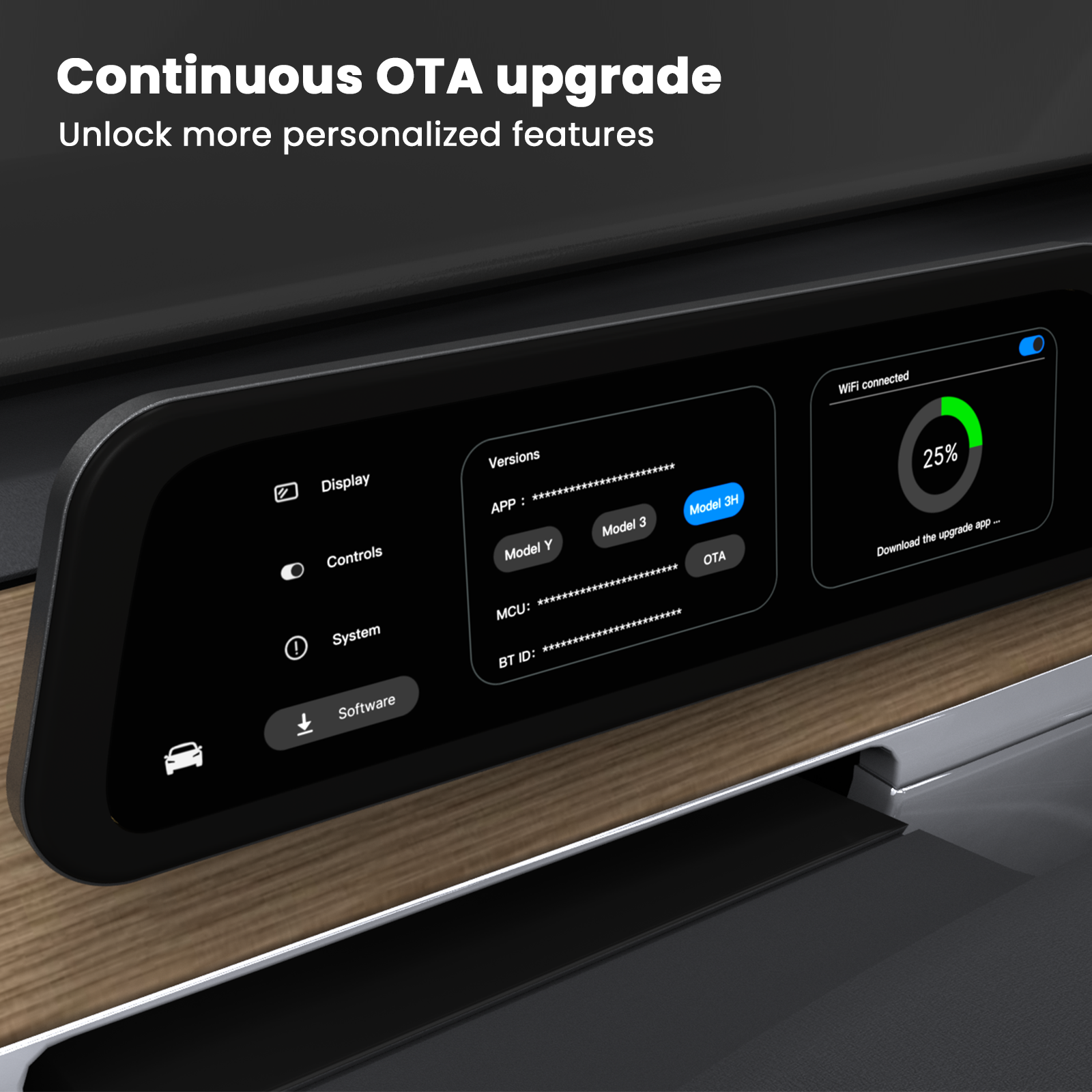
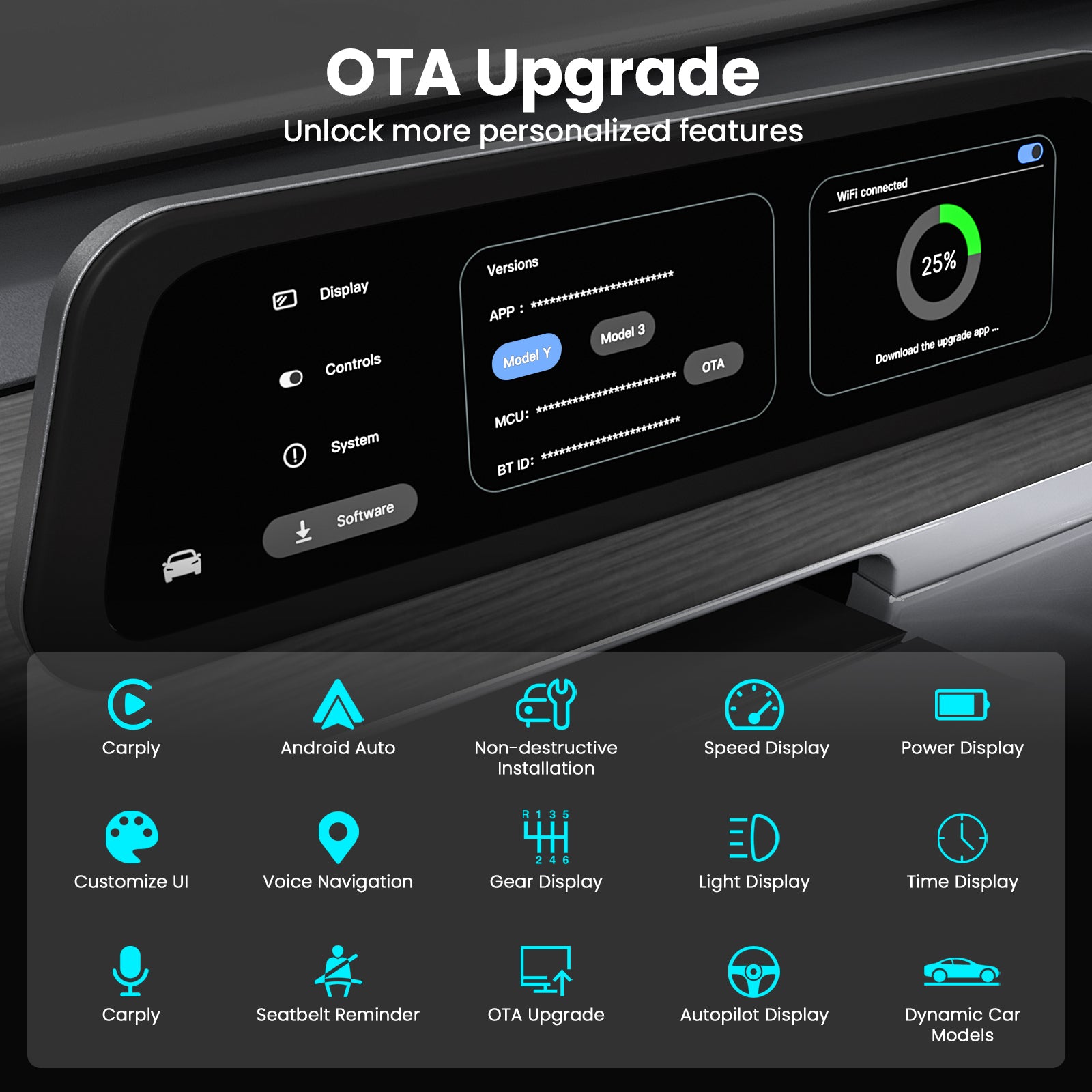
- OTA Updates: Software update support helps improve functions and interface experience over time.
- Front Camera Version Available: Choose with front camera or without front camera based on your vehicle setup and needs.
- LHD / RHD Options: Left-hand drive and right-hand drive versions are available for different markets.
CarPlay Where Tesla Drivers Want It
Tesla’s original center screen is powerful, but many drivers still prefer CarPlay for familiar navigation, music, calls and phone-based apps. This dashboard display gives Model Y L owners a cleaner way to access that ecosystem closer to the driver.
- Navigation: View familiar map guidance on a dedicated dashboard screen.
- Music & Calls: Access phone-based media and call functions more conveniently.
- Daily Driving: Keep key phone features visible without fully replacing the Tesla center screen experience.
Also Supports Android Auto Users
The display is designed to support Android Auto as well, making it a stronger upgrade for households or drivers who use Android phones, Google navigation, and Android-based media apps.
Designed For A Cleaner Tesla Installation
The dedicated wiring harness is designed for vehicle-specific installation. For the best result, confirm the correct version before checkout and follow the installation guide carefully.
- Choose The Correct Version: Machine model, camera option and drive-side version must match your order.
- Protect Original Interior: Use proper trim tools and avoid pulling interior panels by force.
- Professional Install Recommended: For powered displays and wiring work, professional installation is recommended if you are not familiar with Tesla interior disassembly.
Better Visibility For Different Driving Conditions
A driver-facing display should be readable in different lighting conditions. Brightness adjustment helps improve the viewing experience during day driving, night driving and changing road environments.
A More Natural Driver-Side Information View
A dashboard screen helps place key information closer to the driver’s forward view. This is especially useful for navigation prompts, music control, CarPlay or Android Auto guidance and driving-related alerts.
Voice Assistant Convenience
Voice assistant support can make it easier to handle calls, navigation and media requests without reaching for your phone during daily driving.
OEM-Style Dashboard Integration
The display is designed to sit cleanly in the Model Y L dashboard area, adding extra driving information without making the cabin feel messy or overloaded.
Choose The Correct Version Before Checkout
This product has several variant combinations. Selecting the right version is the most important step to reduce installation issues and returns.
| Option | What It Means | Before You Buy |
|---|---|---|
| Machine Model | F96C PLUS / F9 Pro / F10C | Choose the product configuration you want before checkout. |
| Model | Model Y L 2026.03+ | Confirm your vehicle is Model Y L and matches the listed production timing. |
| Front Camera | With front camera / Without front camera | Select based on whether you want the front camera function and matching kit. |
| Drive Side | Left-hand drive / Right-hand drive | Choose based on your market and vehicle cabin layout. |
Why Add A Dedicated Dashboard Display?
| Feature | Tesstudio Dashboard Display | Original Center Screen Only |
|---|---|---|
| CarPlay / Android Auto | Dedicated display support | Not native in the Tesla center screen experience |
| Driver View | Information closer to the driver’s forward line of sight | Information stays on the center display |
| Personalization | Multiple UI themes | Limited to the original interface |
| Driving Alerts | Can display AP and safety alert information | Only shown through original Tesla interface |
| Cabin Upgrade | OEM-style tech-focused upgrade | Factory minimalist layout |
Built For Daily Model Y L Driving
- Commuting: Keep navigation and phone-based media more visible during regular driving.
- Road Trips: Useful for long-distance route guidance, music and passenger phone integration.
- Family Use: Helps separate driving information from the center screen used by passengers.
- Tech Upgrade Builds: Adds a modern cockpit-style display while keeping the Tesla cabin clean.
Frequently Asked Questions
Which Tesla model does this display fit?
This listing is for Tesla Model Y L 2026.03+ only. Please confirm your vehicle model and production timing before ordering.
Does it support Apple CarPlay?
Yes. The product page lists seamless CarPlay integration, and the product images show wireless Apple CarPlay in use.
Does it support Android Auto?
Yes. The product page lists Android Auto integration, and the product images show Android Auto navigation on the dashboard display.
What machine models can I choose?
The product page lists F96C PLUS, F9 Pro and F10C machine model options. Choose the configuration that matches your needs before checkout.
Should I choose with front camera or without front camera?
Select the version based on whether you want the front camera function and matching kit. If you are unsure, confirm with Tesstudio support before ordering.
How do I choose left-hand drive or right-hand drive?
Choose left-hand drive for LHD vehicles and right-hand drive for RHD vehicles. US and Canada vehicles are usually LHD, while Australia and New Zealand vehicles are commonly RHD, but you should confirm your actual vehicle layout.
Will it replace the Tesla center screen?
No. It is an additional dashboard touchscreen display. It does not replace the original Tesla center screen.
Does it support OTA updates?
Yes. The product page lists OTA updates for continuous improvement.
Is professional installation recommended?
For powered screen upgrades and wiring work, professional installation is recommended if you are not comfortable with Tesla interior trim removal and harness connection.
Is the Tesla vehicle or phone included?
No. This product includes the dashboard touchscreen display kit only. Tesla vehicle, phone and other accessories shown in images are not included.
Q&A
We provide assistance through email, live chat, and detailed installation guides. Additionally, we offer step-by-step tutorial videos featuring influencers to help you with the process.
We offer a one-year warranty (two years for some products).
Yes, the product can be removed after installation without affecting the original wiring harness of the vehicle.
We offer free returns and exchanges if there are any quality issues with the product upon receipt by the customer.

Subscribe
Join Us - Enjoy our latest news and exclusive discounts & gifts.