Tesla Model Y L (2025.11+) F11 CarPlay Smart Instrument Display

안녕하세요,
2 영업일 이내에 답변을 받지 못하셨다면, 지연에 대해 진심으로 사과드립니다.
더 빠른 답변을 원하시면 WhatsApp (+1 (626) 412-7352 , +86 191 2063 1131 또는 +86 190 2201 1181) 으로 문의해 주세요. 위 번호로 직접 문자 메시지를 보내주셔도 됩니다.
귀하의 인내와 이해에 감사드립니다!
귀찮으시다면, "Tesstudio 공식 설치 서비스"를 위해 남부 캘리포니아 공식 매장을 방문하세요. 저희 전문가가 귀하의 Tesla 액세서리를 완벽하게 설치해 드립니다.
주소:
14761 Franklin Ave unit G, Tustin, CA 92780, 미국
친절히 알려드립니다: 저희는 제품 판매를 전문으로 하며, 전문가에게 설치를 의뢰하실 것을 권장합니다. 부적절한 설치로 인해 발생한 문제는 애프터서비스에 포함되지 않습니다. 양해해 주셔서 감사합니다.
1년 보증을 제공합니다. (인적 손상이 아닌 제품 문제에 대해서는 1년간 애프터 서비스를 제공합니다.)
모든 주문은 FedEx, USPS, UPS, SF Express 등 신뢰할 수 있는 운송업체를 통해 배송됩니다.
모든 주문에 무료 배송 혜택을 누리세요! 재고가 있는 상품은 1~2 영업일 이내에 처리 및 발송되며, 미국 국내 배송은 일반적으로 2~9 영업일이 소요됩니다.
사전 주문 상품이나 일시적으로 품절된 상품의 경우, 배송은 상품 페이지에 제공된 기간에 따라 진행됩니다.
옵션 선택
Put Key Driving Information Closer to Your Natural View
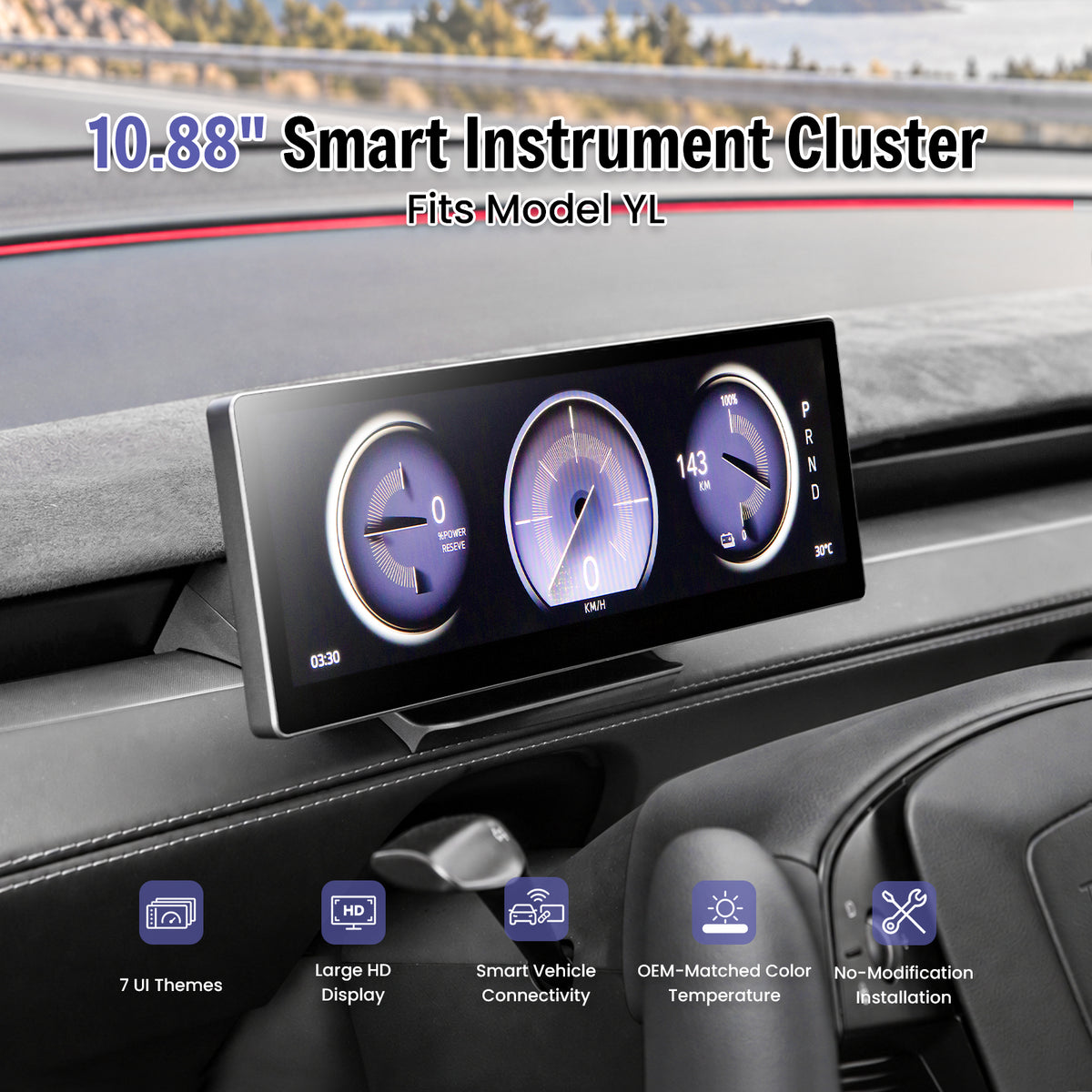
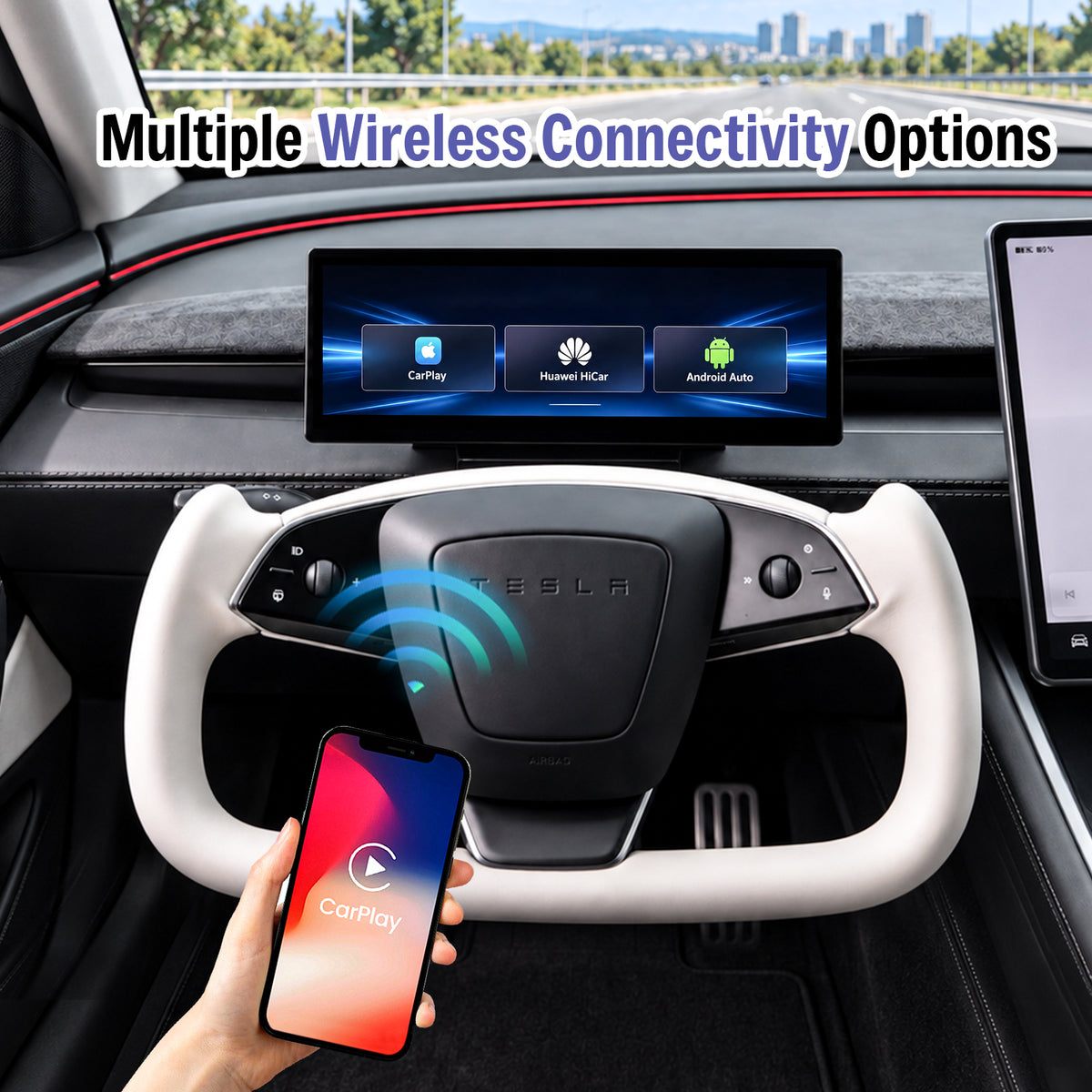
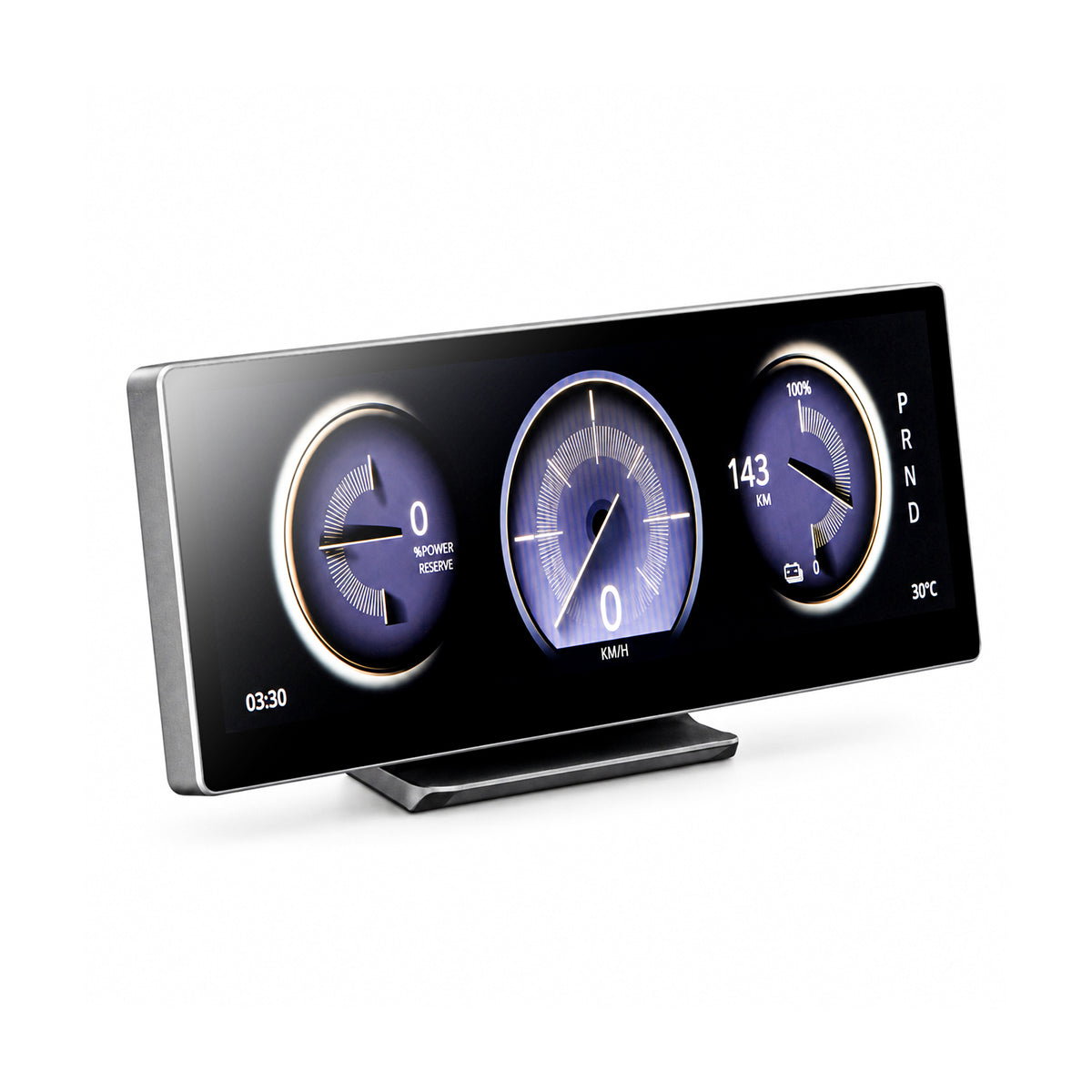
The F11 adds a 10.88-inch ultra-wide driver display with wireless CarPlay, Android Auto and synchronized Tesla vehicle information for Model Y L.

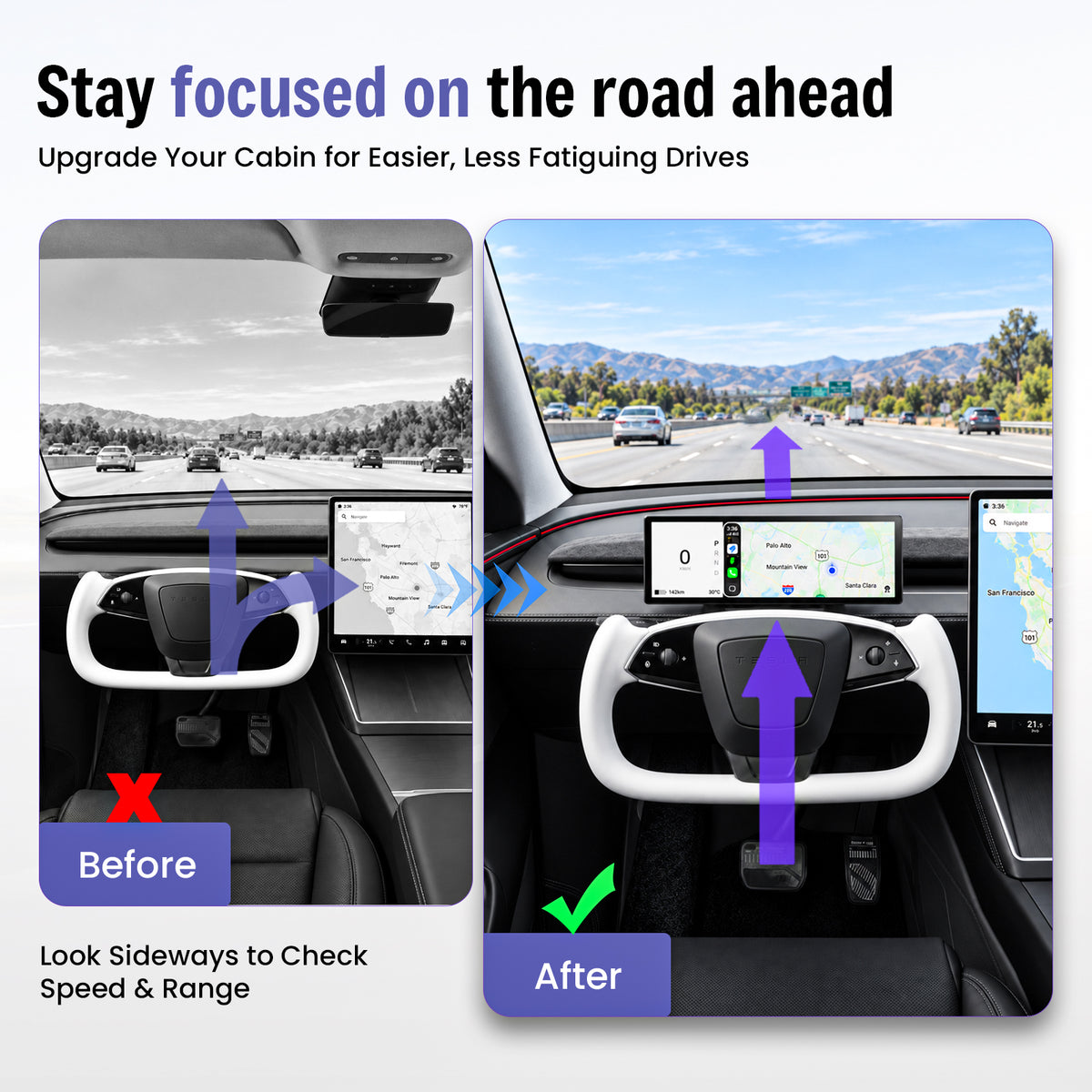
Less Looking Sideways for Everyday Driving Information
Important Data Lives on the Center Screen
Speed, range, navigation and vehicle information are normally positioned away from the driver's forward viewing area.
Key Information Moves Closer to the Driver
The F11 adds a dedicated display behind the steering-wheel area while leaving the original Tesla center screen available.
One Display. Four Useful Upgrades.
Driver-Facing Data
View speed, range, gear position and compatible vehicle information closer to the driver's view.
Wireless Phone Integration
Bring compatible navigation, calls and media into the driver display.
Multiple Controls
Use touchscreen interaction plus supported steering-wheel and scroll-wheel controls.
Clean Integration
Add driver-facing information without replacing the original Tesla center display.
10.88 Inches of Driver-Focused Information
The ultra-wide format creates multiple information zones without using a tall screen that dominates the dashboard.
Bring Familiar Phone Features Into the Driver Display
Connect a compatible smartphone wirelessly for navigation, communication and media while keeping the original Tesla center screen available.
- Wireless Apple CarPlay
- Wireless Android Auto
- Huawei HiCar support
- Compatible wireless screen mirroring
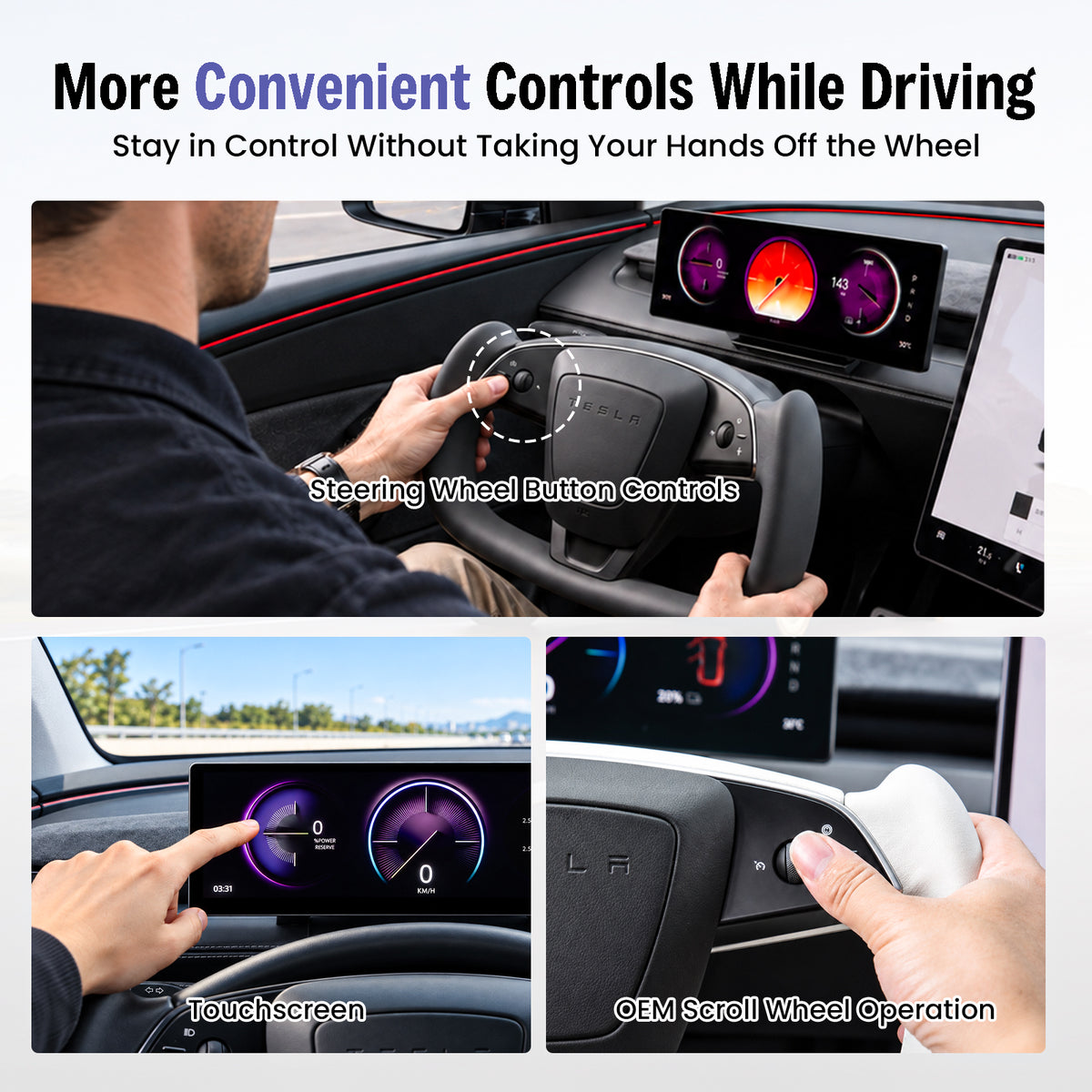
Touch the Screen or Use Familiar Tesla Controls
Multiple interaction methods let you choose the most convenient way to control supported F11 functions.
- Touchscreen interaction
- Steering-wheel button control
- Supported OEM scroll-wheel operation
- Convenient driver-accessible controls
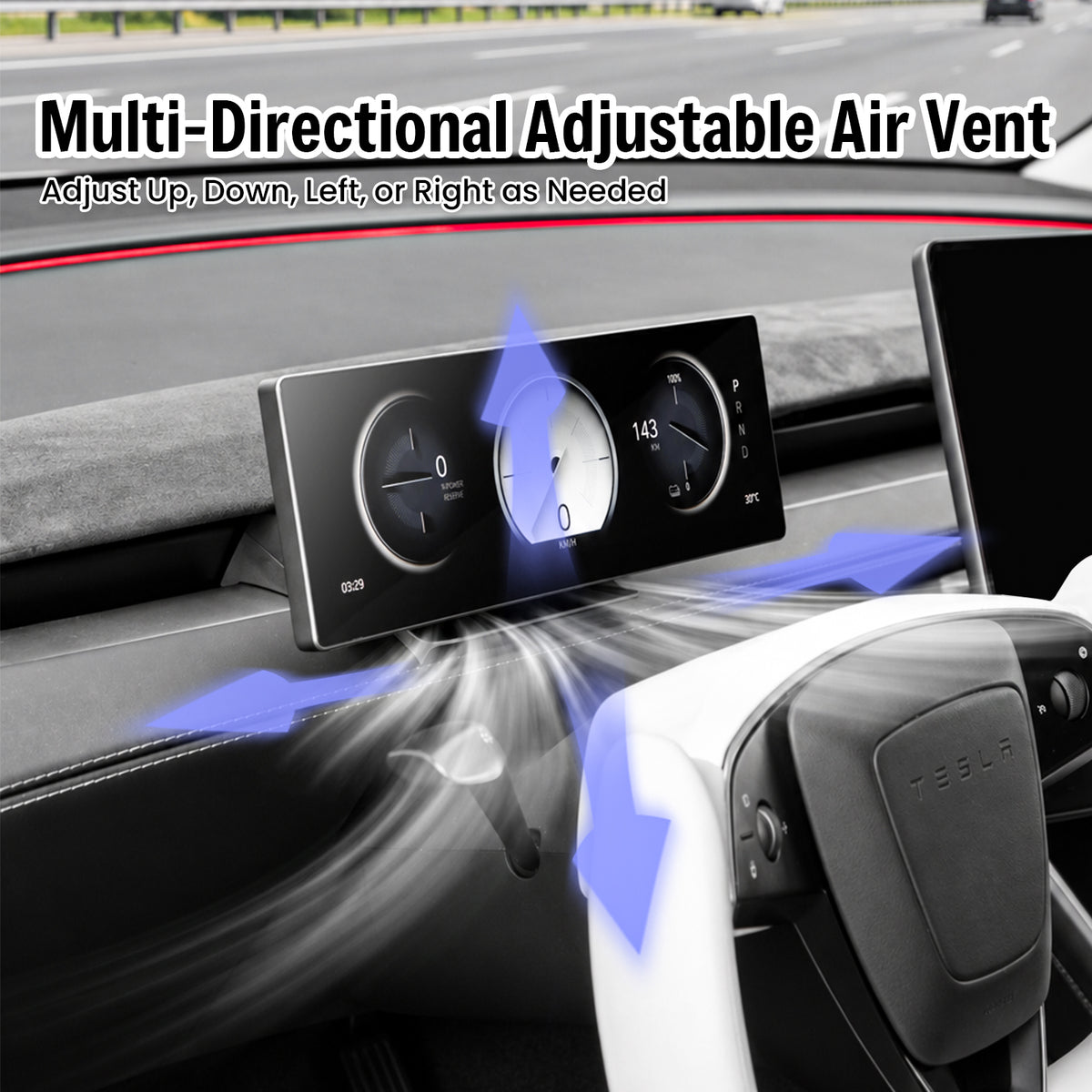
Keep the Dashboard Airflow Adjustable
The display position is designed around the updated Tesla dashboard layout so the air outlet remains usable after installation.
- Airflow remains accessible
- Up and down adjustment
- Left and right adjustment
- Low-profile display position
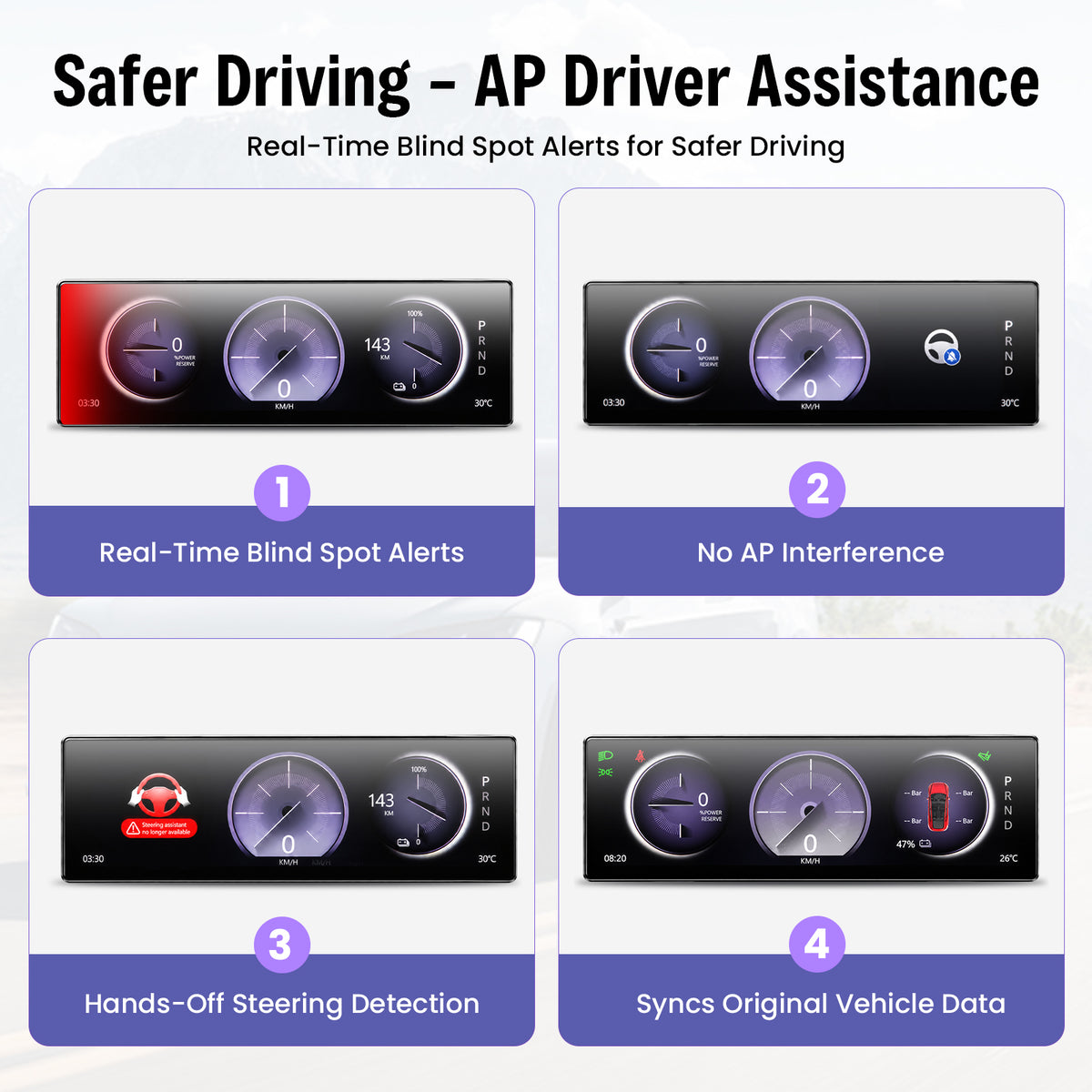
Additional Visual Cues in the Driver Display
The current feature set includes visual blind-spot warning information.
Compatible vehicle information can include hands-off steering alerts.
View compatible Tesla information including speed, range and gear position.
Always rely on your vehicle's original systems, mirrors, cameras and direct observation when driving.
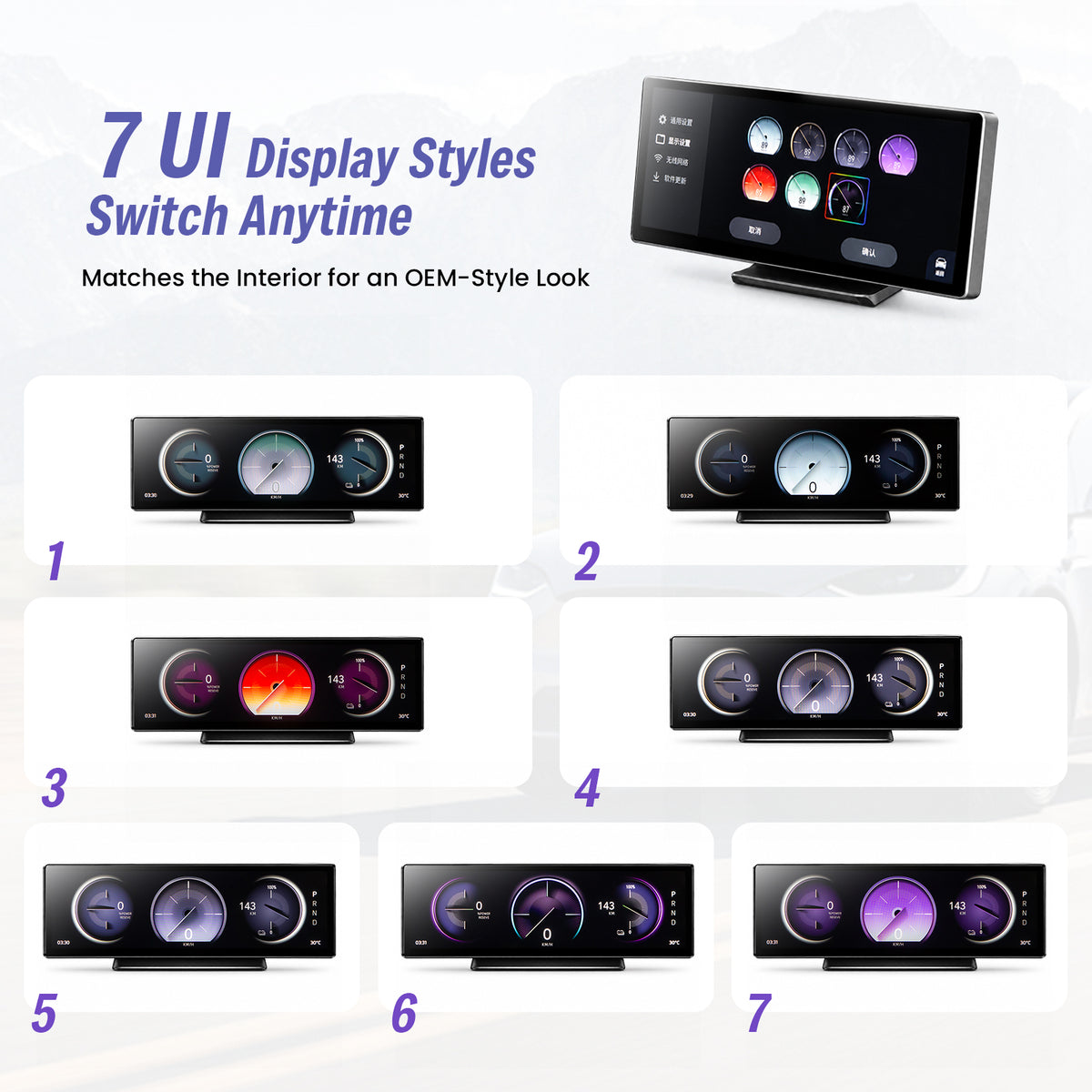
Seven UI Themes for Different Cabin Styles
Choose from the listed interface themes while keeping the same ultra-wide display layout.
- 7 selectable UI themes
- Multiple gauge designs
- Different color treatments
- Tesla-oriented vehicle graphics
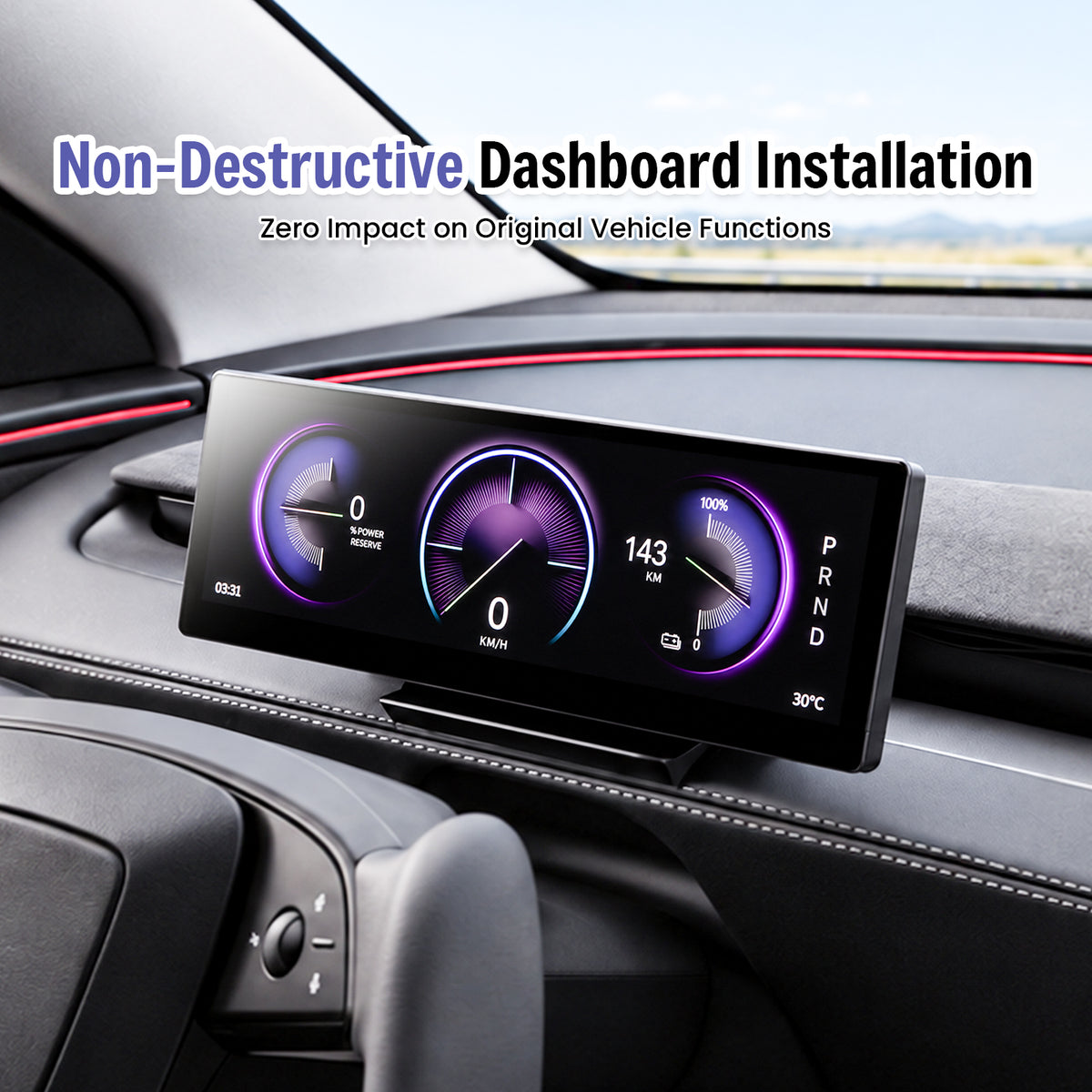
Designed for a No-Cut, No-Drill Upgrade
The current F11 installation design is intended to avoid drilling the dashboard or cutting the factory wiring harness. Confirm your vehicle version before starting.
Confirm Fitment
Match your exact Tesla model and production period first.
Connect & Mount
Follow the supplied harness-routing and mounting instructions.
Test Functions
Confirm display, controls, vehicle information and phone connection before completing reassembly.
Select the Version That Matches Your Tesla
Production timing matters for electronic upgrades. Select the exact vehicle option before ordering.
Current selector: 2025.11+
Complete the Driver-Focused Tesla Cockpit
Three complementary upgrades for newer Tesla interiors. Confirm the exact vehicle version on each product page.
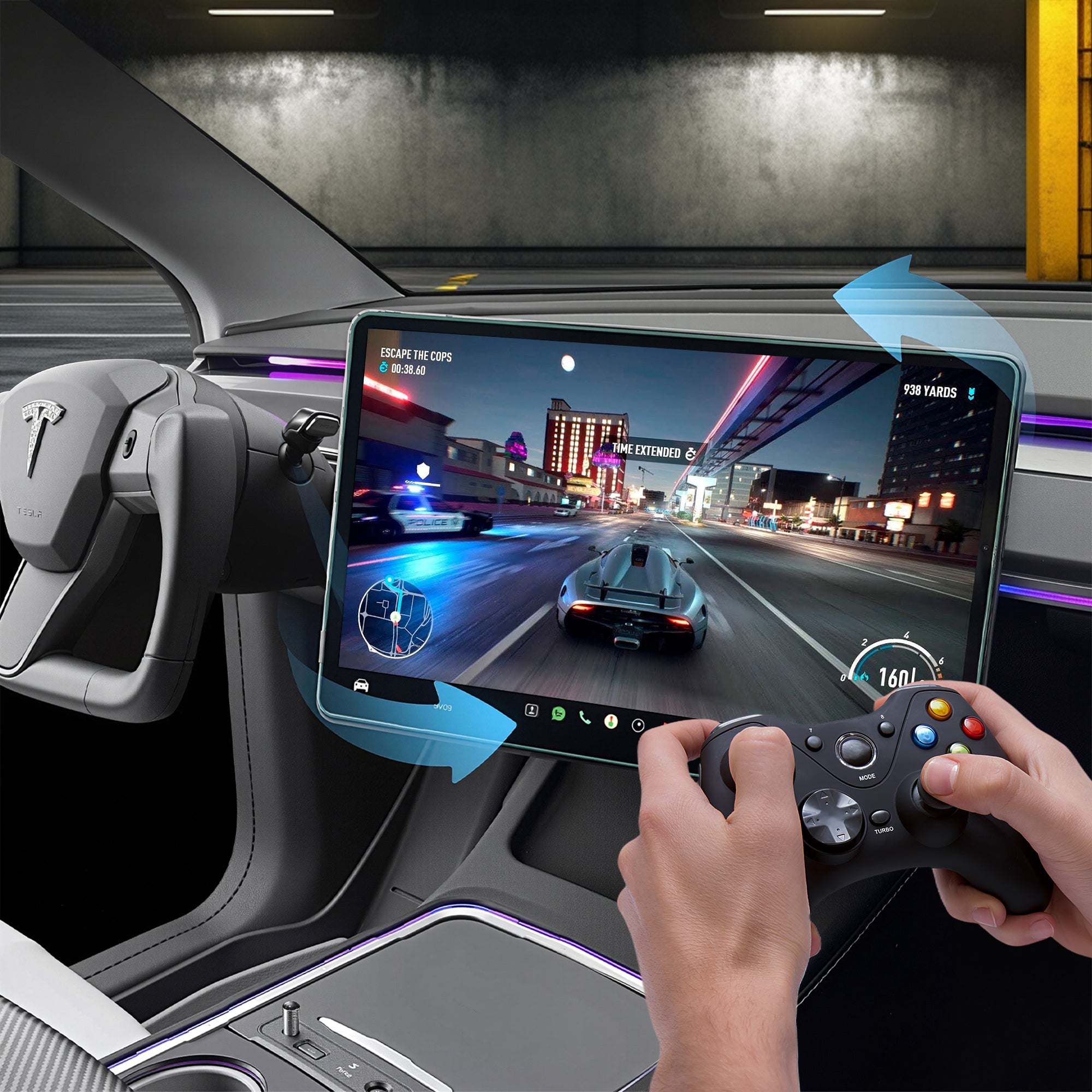
Center Screen Swivel Mount
Adjust the original Tesla center display toward the driver or passenger.
View product →
120W Retractable USB Hub
Add retractable charging cables and additional USB access.
View product →
Turn Signal & Gear Stalk
Restore familiar physical turn-signal and gear controls on compatible Tesla configurations.
View product →Confirm Your Tesla Before Ordering
Send Tesstudio your Tesla model, production month/year and a clear dashboard photo if you are unsure which F11 version matches your vehicle.
Contact Tesstudio →F11 Smart Instrument Display Questions
Which Tesla models does the F11 currently fit?
Current options include Model Y L 2025.11+. Select the exact vehicle version before checkout.
What size and resolution is the display?
The F11 is listed with a 10.88-inch ultra-wide display and 1920 × 532 resolution.
Does it support wireless Apple CarPlay?
Yes. The current feature set lists wireless Apple CarPlay, Android Auto and Huawei HiCar.
Can the F11 display Tesla vehicle information?
The current product configuration is designed to display compatible vehicle information such as speed, range, gear position and other listed status data.
Does the display block the dashboard air vent?
The mounting position is designed so the corresponding dashboard airflow remains accessible and adjustable.
How can I control the F11?
Supported interaction includes touchscreen control, steering-wheel buttons and compatible OEM scroll-wheel operation.
Are the blind-spot and steering alerts a replacement for Tesla safety systems?
No. Treat F11 indicators as supplemental information. Always rely on the vehicle's original systems, mirrors, cameras and direct observation.
Does installation require cutting factory wires or drilling?
The product is designed for installation without cutting the factory wiring harness or drilling the dashboard. Follow the supplied installation instructions.
Does the F11 offer different interface themes?
Yes. The current product page lists seven selectable UI themes.
Will installing an aftermarket display affect my Tesla warranty?
Warranty treatment can vary by market and by the cause of a specific claim. The F11 is designed for no-cut installation, but check the warranty terms that apply to your vehicle if needed.
질문과 답변
이메일, 실시간 채팅, 그리고 자세한 설치 가이드를 통해 도움을 드립니다. 또한, 인플루언서들이 직접 출연하는 단계별 튜토리얼 영상을 제공하여 설치 과정을 도와드립니다.
당사는 1년 보증을 제공합니다(일부 제품은 2년).
네, 설치 후 제품을 제거해도 차량의 원래 배선 하네스에 영향을 미치지 않습니다.
고객이 제품을 받은 후 품질에 문제가 있는 경우 무료로 반품 및 교환해 드립니다.

Subscribe
Join Us - Enjoy our latest news and exclusive discounts & gifts.