
Owner Explainer: Tesla Keep Climate On, Pet Mode and Camp Mode
Owner Explainer · Current Tesla Primary Documentation

Tesla Keep Climate On is for holding cabin temperature during a short parked stop. Tesla Pet Mode adds a cabin-temperature display and app monitoring for a pet, but it still requires active owner supervision. Tesla Camp Mode is for occupants remaining inside and keeps climate, media and low-voltage outlets available while changing several security behaviors. All three consume battery energy and can stop under defined conditions.
30-Second Brief
- This November 4 Owner Explainer summarizes current Tesla documentation; it is not a new feature announcement.
- Keep Climate On, Pet Mode and Camp Mode are available only in Park and use the high-voltage battery.
- Pet Mode is for short periods with active app monitoring, cellular coverage and enough time to return to the vehicle.
- Tesla says the app warns if parked climate turns off; for Pet Mode, one listed trigger is battery charge dropping below 20%.
- Camp Mode keeps climate, the touchscreen and low-voltage outlets active, but disables Sentry Mode and the vehicle alarm while Walk-Away Door Lock is inactive.
- Tesla says never to leave a child unattended and warns that Pet Mode does not replace owner responsibility or local-law checks.
What Happened
Tesla's current U.S. Model 3 and Model Y manuals document three parked-climate choices that can look similar in the climate menu but serve different jobs. The decision is not only temperature: Pet Mode adds monitoring and public-facing messaging, while Camp Mode changes security and locking behavior because it is designed for people who stay inside.
This explainer enters Tesstudio's mandatory fallback ladder after more than five hours without a publication and with the current Los Angeles daily count below four. It is current owner guidance, not breaking news.
What Is Confirmed
- Park only: Tesla documents Keep Climate On, Pet Mode and Camp Mode as parked settings.
- Keep Climate On: The mode maintains the selected cabin setting for a short stop, subject to battery and Low Power Mode limits.
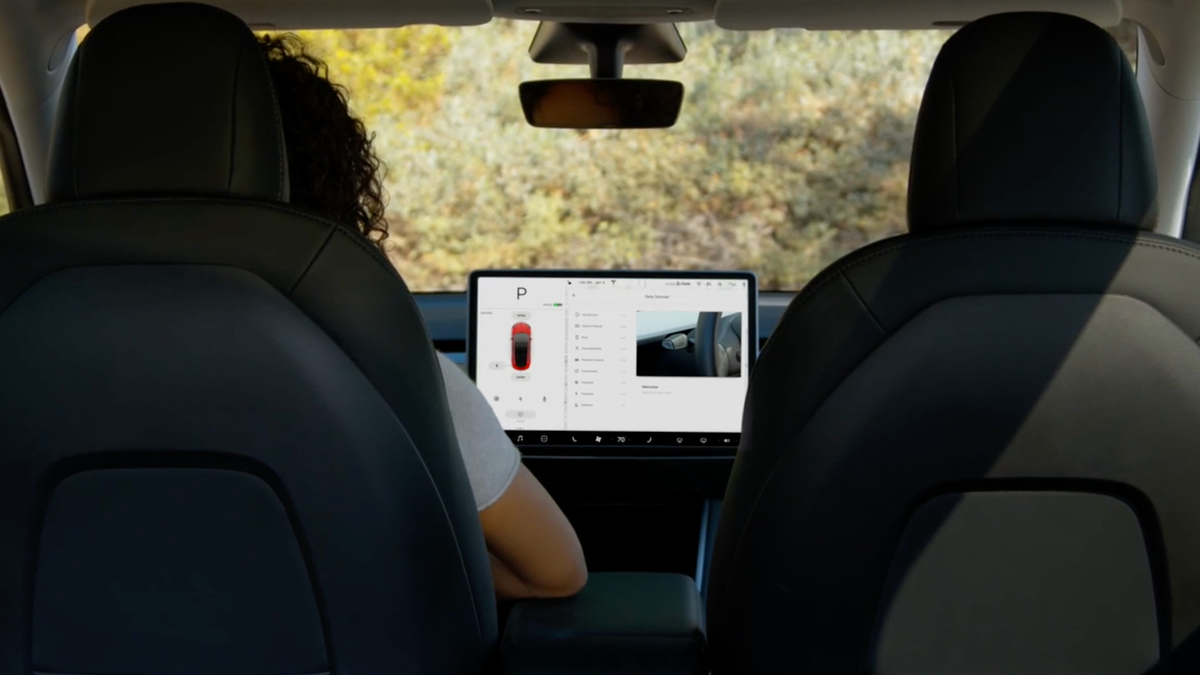
- Pet Mode: The touchscreen shows cabin temperature while the owner actively monitors the vehicle through the app. Tesla says it is not intended for people.
- Pet Mode alerts: Tesla lists Low Power Mode, battery charge below 20%, climate-system issues and significant temperature changes among app-notification conditions.
- Camp Mode: Climate, the touchscreen, media, USB ports and the low-voltage outlet can remain available for occupants staying inside.
- Security change: While Camp Mode is active, Sentry Mode and the vehicle alarm are disabled, and Walk-Away Door Lock is inactive.
- Update conflict: Tesla says software updates cannot be performed while any of these three parked-climate settings is active.
What Remains Unconfirmed
Tesla does not promise that any parked-climate mode can maintain temperature indefinitely. Battery state, Low Power Mode, climate-system health, connectivity, outside conditions and manual shutdown can end operation. The exact feature names, camera support and interface can also vary by model, market, hardware and software version.
This article is scoped to current U.S. Model 3 and Model Y documentation. Owners should use the manual displayed in their own vehicle because Tesla says that source is tailored to configuration, market and software version.
Why It Matters
Choosing the wrong parked-climate setting can create two kinds of risk. First, owners may overestimate how long temperature can be maintained. Second, Camp Mode can leave security behavior different from an ordinary parked vehicle. A useful setup therefore checks battery, connectivity, app alerts, locking and the time needed to return.
Pet Mode's display is helpful, but it is not a safety guarantee. Tesla's own warnings make active monitoring, close proximity and local-law compliance part of the workflow.
What Tesla Owners Should Know
- Choose the job. Use Keep Climate On for a short temperature hold, Pet Mode for a monitored pet stop, and Camp Mode when occupants remain inside.
- Check charge before enabling. Avoid all three settings when battery charge is low; for Pet Mode, Tesla identifies below 20% as an app-notification trigger.
- Confirm both connections. Pet monitoring depends on cellular connectivity for the vehicle and phone.
- Stay close enough to return. Do not treat the touchscreen message or live camera as a substitute for supervision.
- Lock deliberately in Camp Mode. Walk-Away Door Lock is inactive, and Sentry Mode plus the vehicle alarm are disabled.
- Watch for alerts. Return immediately if the app reports a shutdown, temperature change or climate fault.
- Never leave a child unattended. Tesla states this directly, and Cabin Overheat Protection is also not a child- or pet-safety system.
Tesstudio Analysis
Tesstudio scores this current owner explainer at 74. The operating steps and safety boundaries are directly verifiable in two current Tesla owner manuals and two Tesla support pages, but there is no same-window product change. It qualifies only because mandatory fallback is active and the daily minimum is unmet.
The most important distinction is purpose. Keep Climate On manages temperature for a short stop, Pet Mode adds monitoring duties, and Camp Mode trades normal parked security behavior for an occupied-cabin experience. Owners should treat battery, connectivity and the return path as part of the feature—not as optional checks.
Related Tesla News Resources
See Tesstudio's cold-weather preconditioning explainer for battery and cabin preparation before departure. No Related Gear placement is included because this is a vehicle-control and safety workflow.
Sources & Reporting Notes
- Tesla Model 3 Owner's Manual: Operating Climate Controls — current U.S. primary documentation for the three modes, alerts and warnings.
- Tesla Model Y Owner's Manual: Operating Climate Controls — current U.S. primary documentation and Camp Mode security boundaries.
- Tesla Support: Summer Driving Tips — feature selection, battery-use and app-control context.
- Tesla App Support — mobile-access and connectivity troubleshooting boundaries.
Reporting note: Every operational claim is limited to cited Tesla documentation. The article does not claim that Pet Mode guarantees animal safety or that parked climate can run indefinitely. X was not used because actual billing could not be verified.
Update & Correction Log
November 4, 2026: Initial Owner Explainer, published in mandatory fallback mode after more than five no-publication hours with the Los Angeles daily count below four.


댓글 남기기
이 사이트는 hCaptcha에 의해 보호되며, hCaptcha의 개인 정보 보호 정책 과 서비스 약관 이 적용됩니다.