F11 CarPlay Smart Instrument Display for Tesla Model 3 Highland / Model Y Juniper / Model Y L

Check the selected Tesla model, model year, and option before checkout. If this product has a Car Model or Compatible Model selector, choose the option that matches your vehicle.
- Use the product images and variant name to confirm the correct version.
- If you are unsure about fitment, contact Tesstudio with your Tesla model and production year before ordering.
Tesstudio installation support is available for Tesla owners who need help choosing, installing, or troubleshooting accessories.
Most Tesstudio accessories are designed for straightforward DIY installation. For powered upgrades, wiring, lighting, or large exterior parts, professional installation may be recommended.
Local installation and technical support
- Address: 14761 Franklin Ave # G, Tustin, CA 92780
- Technical support: +1 (657) 543-9876 or +1 (657) 565-1007
- Support hours: Monday-Friday, 8:30 AM-5:30 PM
The phone numbers above are for technical installation support only. For orders, shipping, returns, or general customer service, contact:
- Email: support@tesstudio.com
- WhatsApp: +1 714 317 9647
Tesstudio checks fit, material, and daily-use durability before listing products for Tesla owners.
- Eligible products include warranty support for non-human damage issues.
- If a product arrives damaged or does not fit as expected, keep the packaging and contact us with photos so we can help quickly.
In-stock items are usually processed within 1-2 business days. Delivery time depends on destination, product size, and stock status.
- Orders over $99 qualify for free standard shipping where available.
- Oversized, remote-area, pre-order, and special-market items follow the terms shown on the product page.
- Tracking is provided after dispatch.
Need help before or after purchase?
Contact Tesstudio support:
WhatsApp
+1 714 317 9647
Choisir les options
Put Key Driving Information Closer to Your Natural View
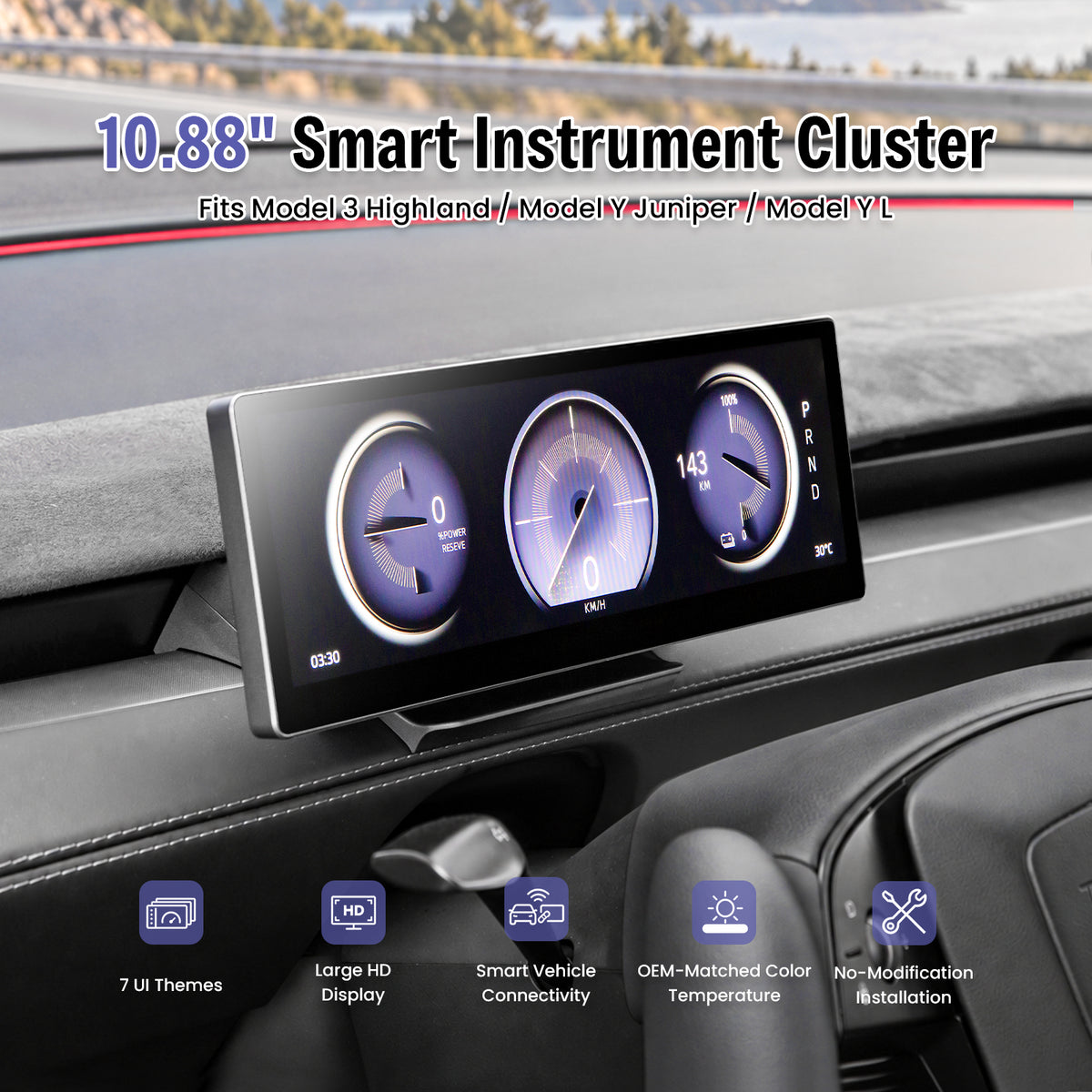
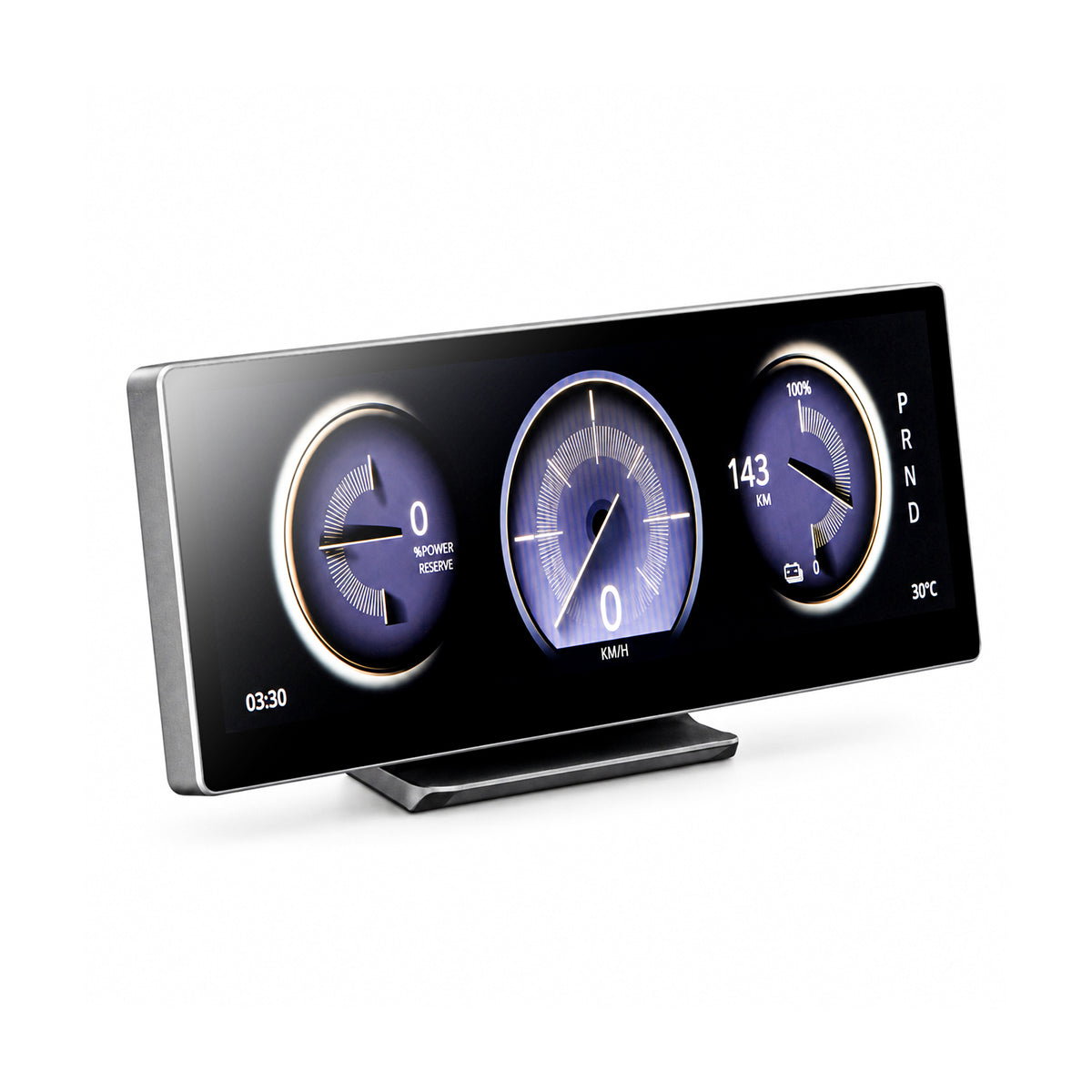
The F11 adds a 10.88-inch ultra-wide driver display with wireless CarPlay, Android Auto and synchronized Tesla vehicle information for Model 3 Highland, Model Y Juniper and Model Y L.
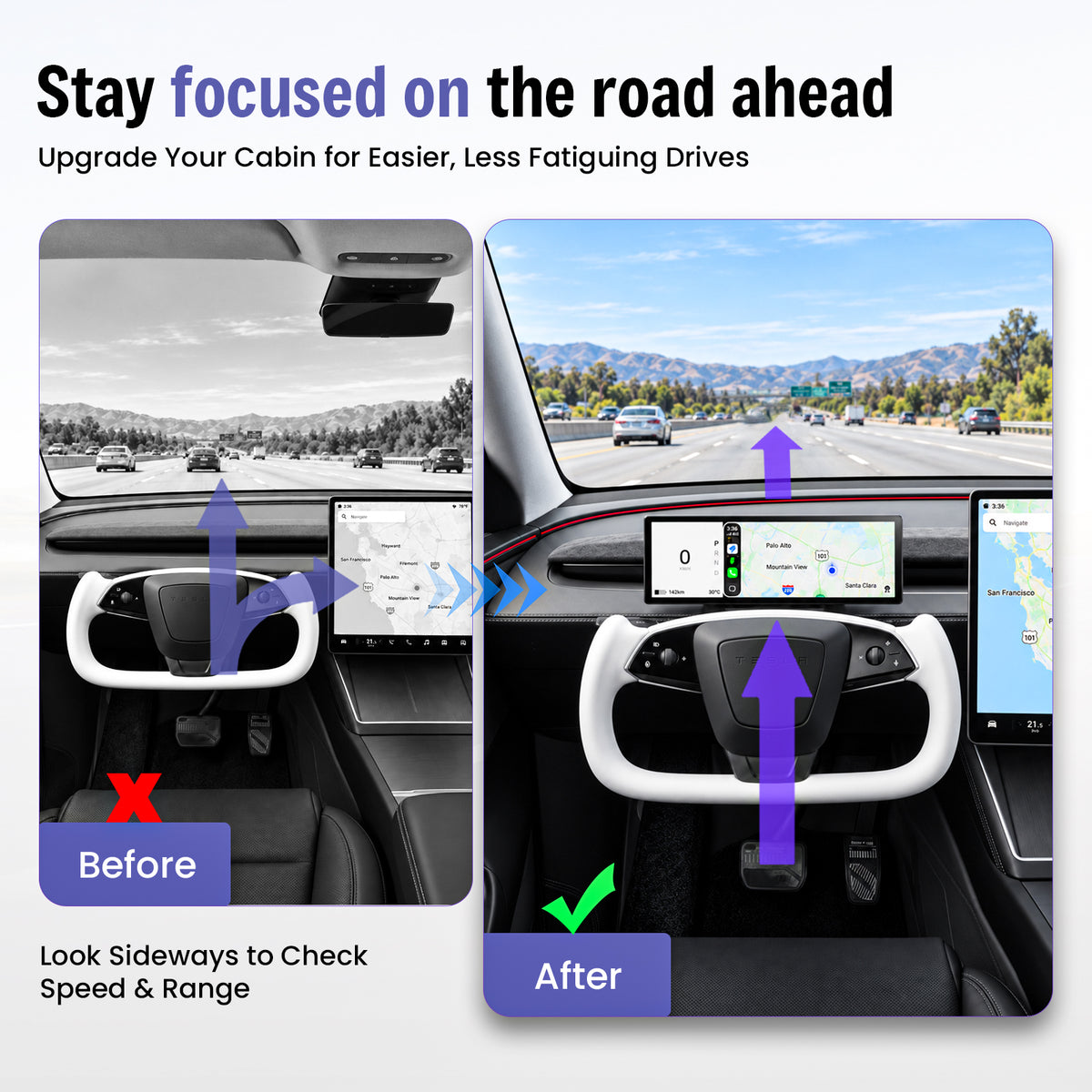
Less Looking Sideways for Everyday Driving Information
Important Data Lives on the Center Screen
Speed, range, navigation and vehicle information are normally positioned away from the driver's forward viewing area.
Key Information Moves Closer to the Driver
The F11 adds a dedicated display behind the steering-wheel area while leaving the original Tesla center screen available.
One Display. Four Useful Upgrades.
Driver-Facing Data
View speed, range, gear position and compatible vehicle information closer to the driver's view.
Wireless Phone Integration
Bring compatible navigation, calls and media into the driver display.
Multiple Controls
Use touchscreen interaction plus supported steering-wheel and scroll-wheel controls.
Clean Integration
Add driver-facing information without replacing the original Tesla center display.
10.88 Inches of Driver-Focused Information
The ultra-wide format creates multiple information zones without using a tall screen that dominates the dashboard.
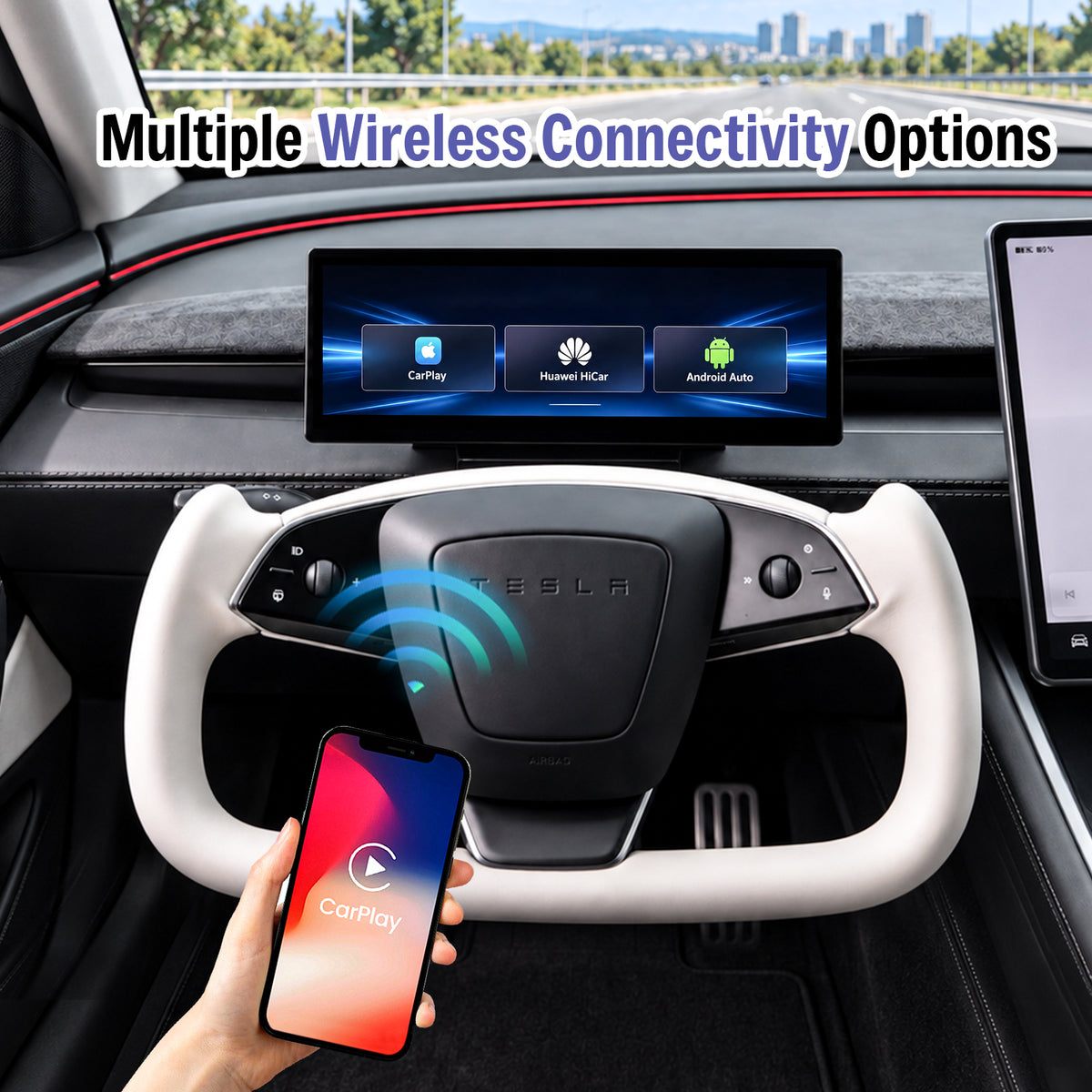
Bring Familiar Phone Features Into the Driver Display
Connect a compatible smartphone wirelessly for navigation, communication and media while keeping the original Tesla center screen available.
- Wireless Apple CarPlay
- Wireless Android Auto
- Huawei HiCar support
- Compatible wireless screen mirroring
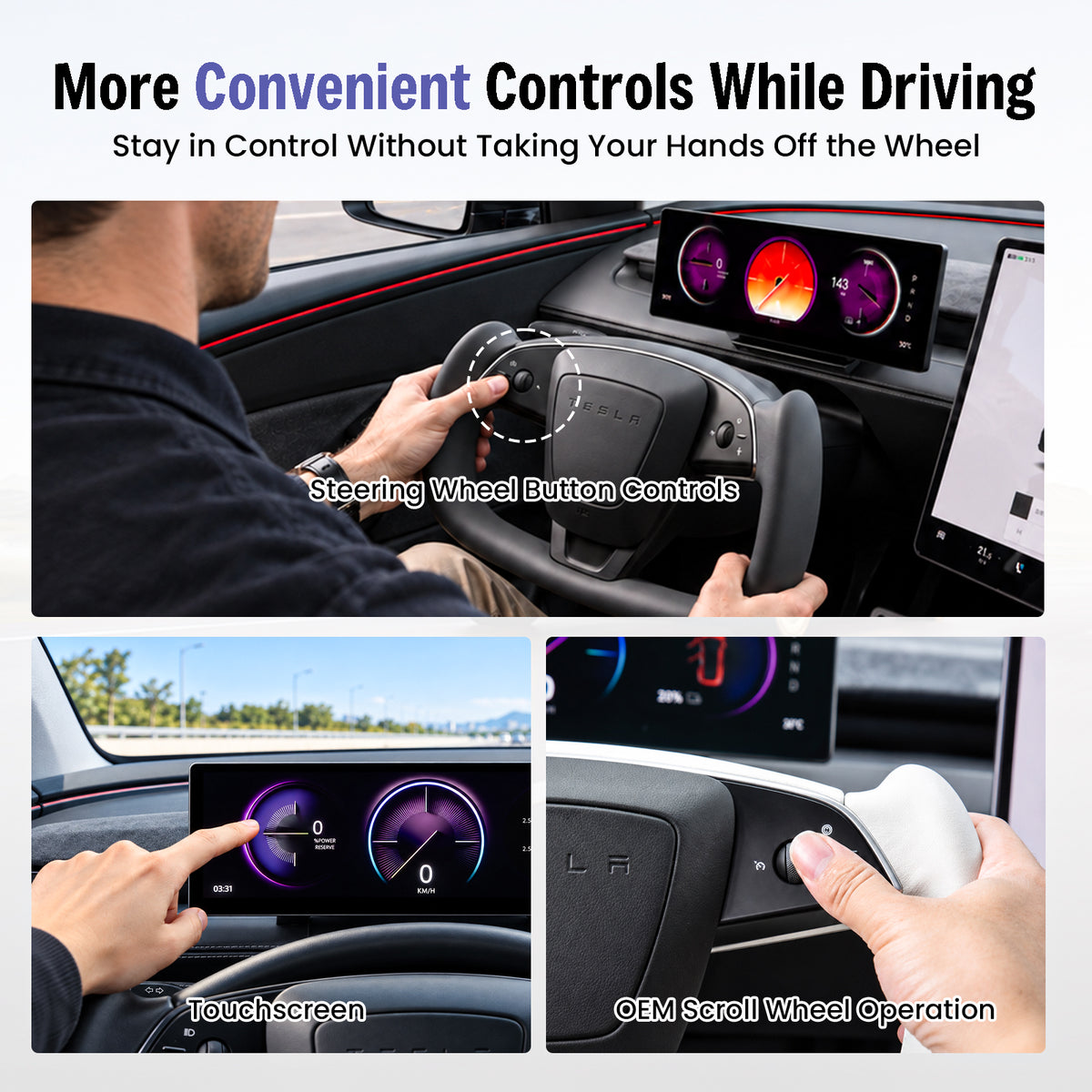
Touch the Screen or Use Familiar Tesla Controls
Multiple interaction methods let you choose the most convenient way to control supported F11 functions.
- Touchscreen interaction
- Steering-wheel button control
- Supported OEM scroll-wheel operation
- Convenient driver-accessible controls
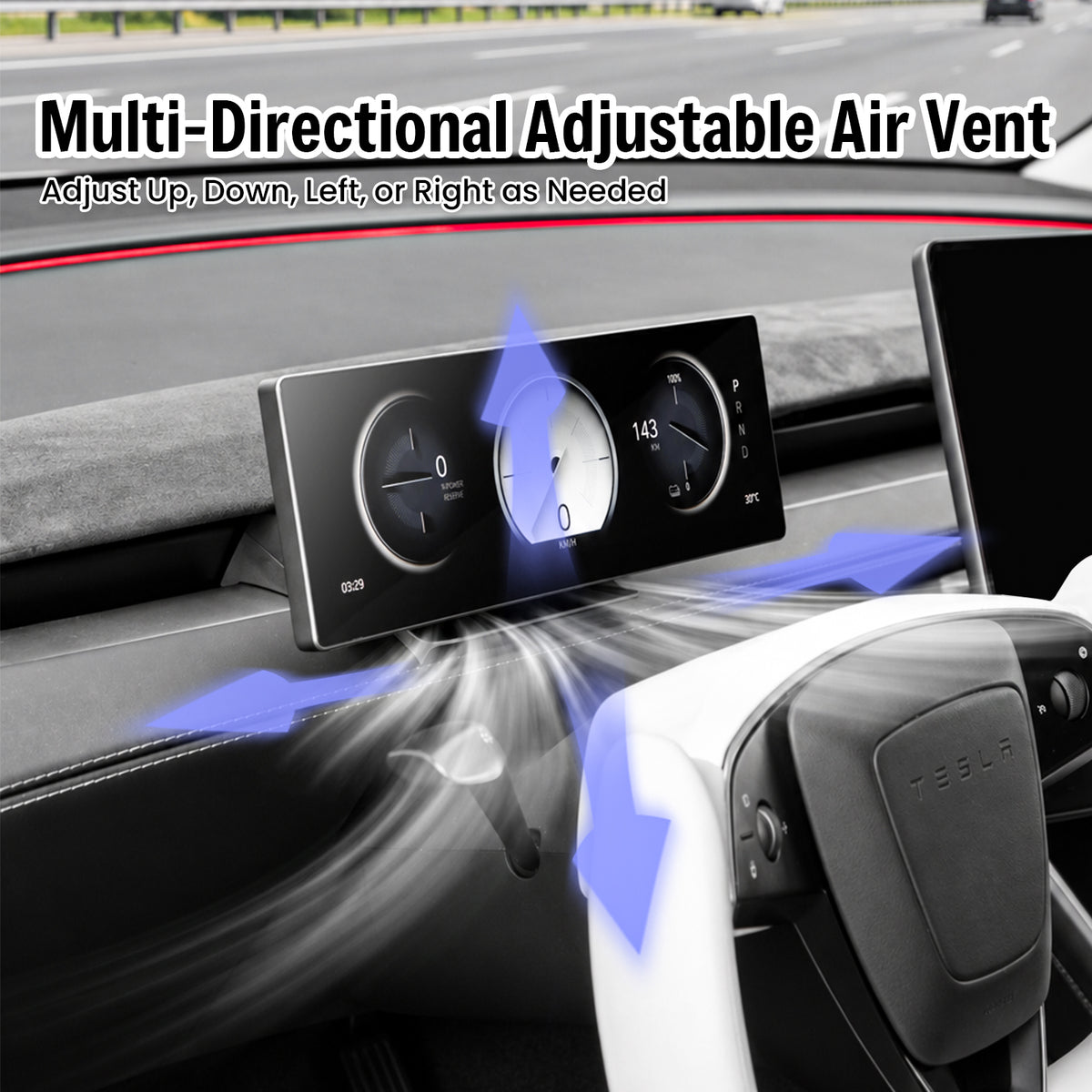
Keep the Dashboard Airflow Adjustable
The display position is designed around the updated Tesla dashboard layout so the air outlet remains usable after installation.
- Airflow remains accessible
- Up and down adjustment
- Left and right adjustment
- Low-profile display position
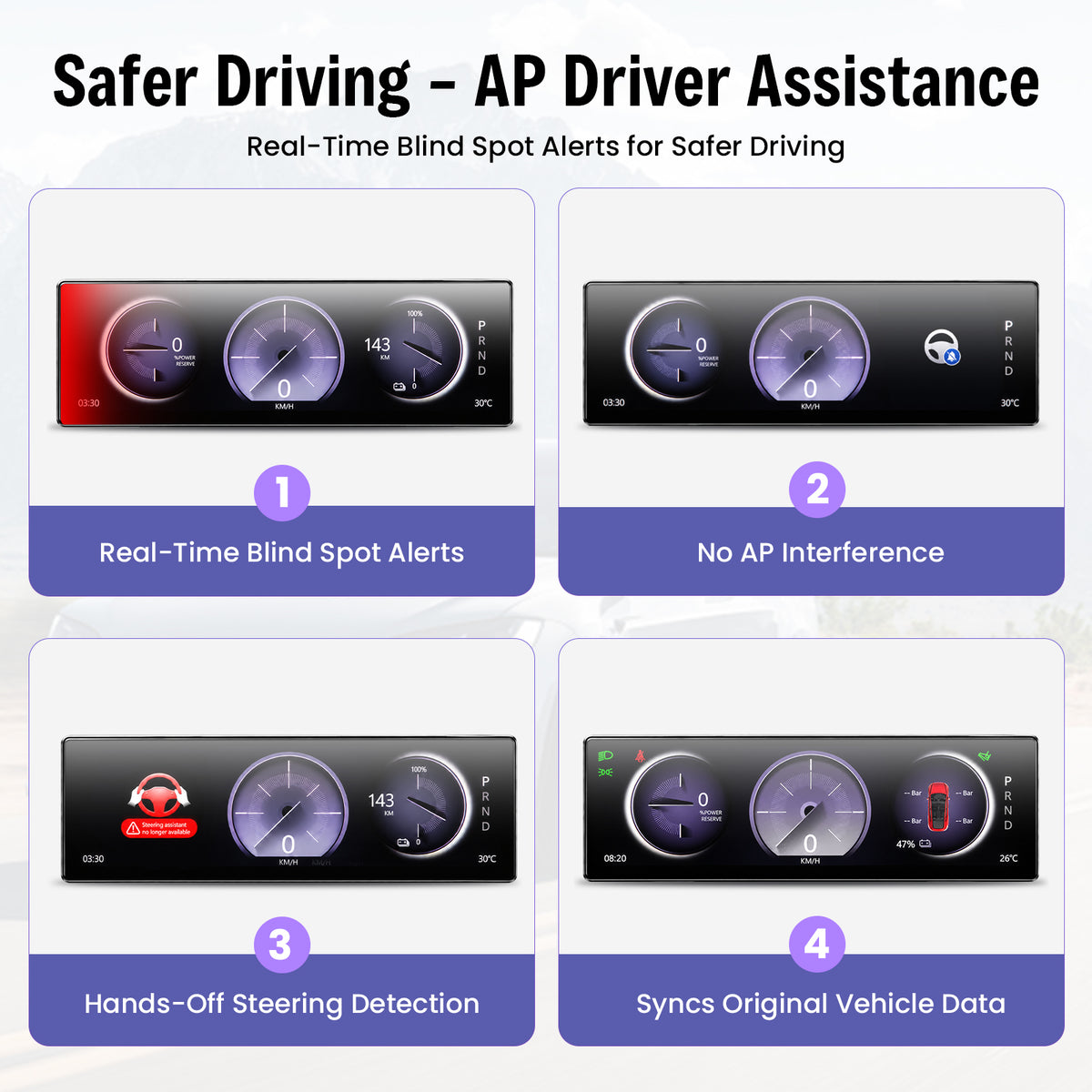
Additional Visual Cues in the Driver Display
The current feature set includes visual blind-spot warning information.
Compatible vehicle information can include hands-off steering alerts.
View compatible Tesla information including speed, range and gear position.
Always rely on your vehicle's original systems, mirrors, cameras and direct observation when driving.
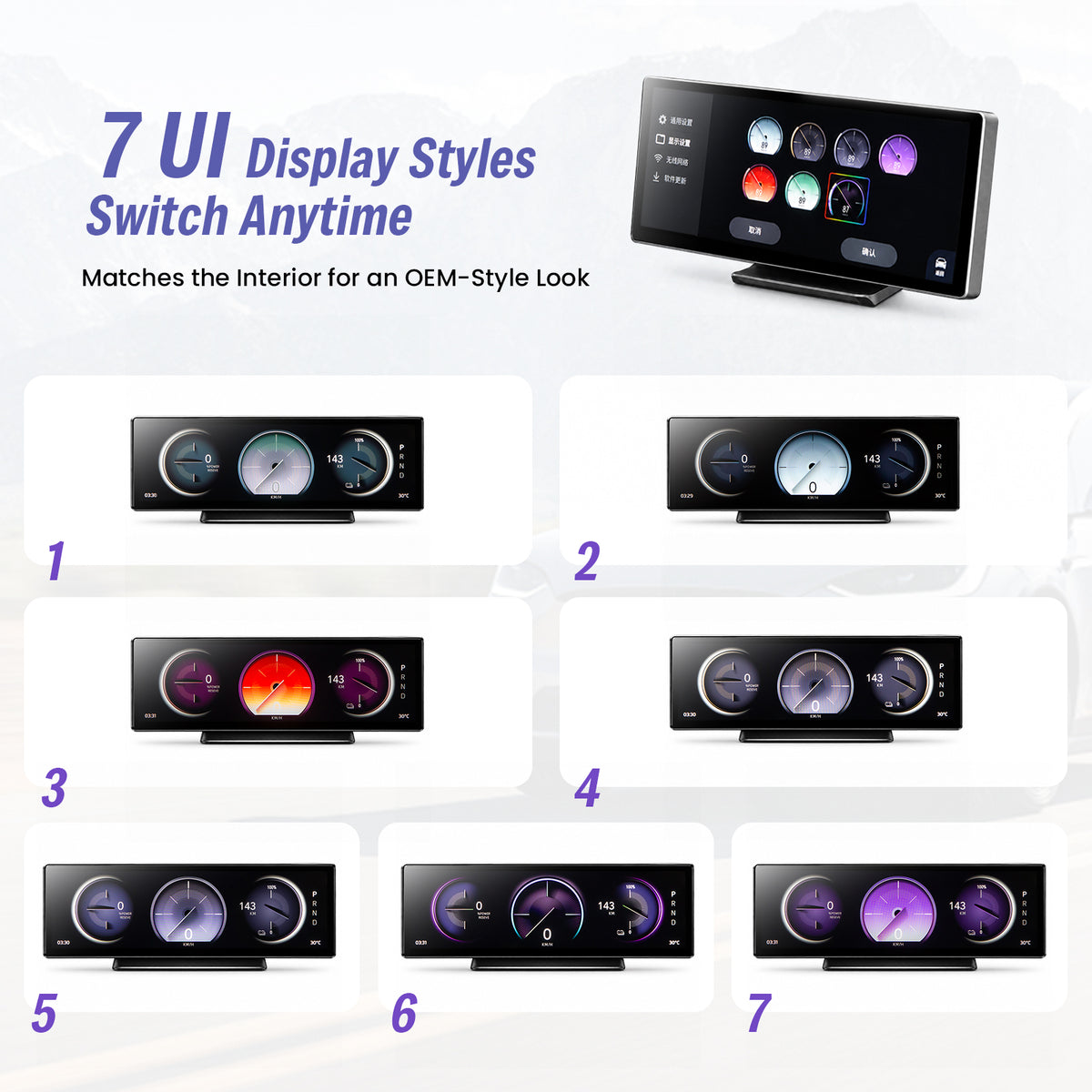
Seven UI Themes for Different Cabin Styles
Choose from the listed interface themes while keeping the same ultra-wide display layout.
- 7 selectable UI themes
- Multiple gauge designs
- Different color treatments
- Tesla-oriented vehicle graphics
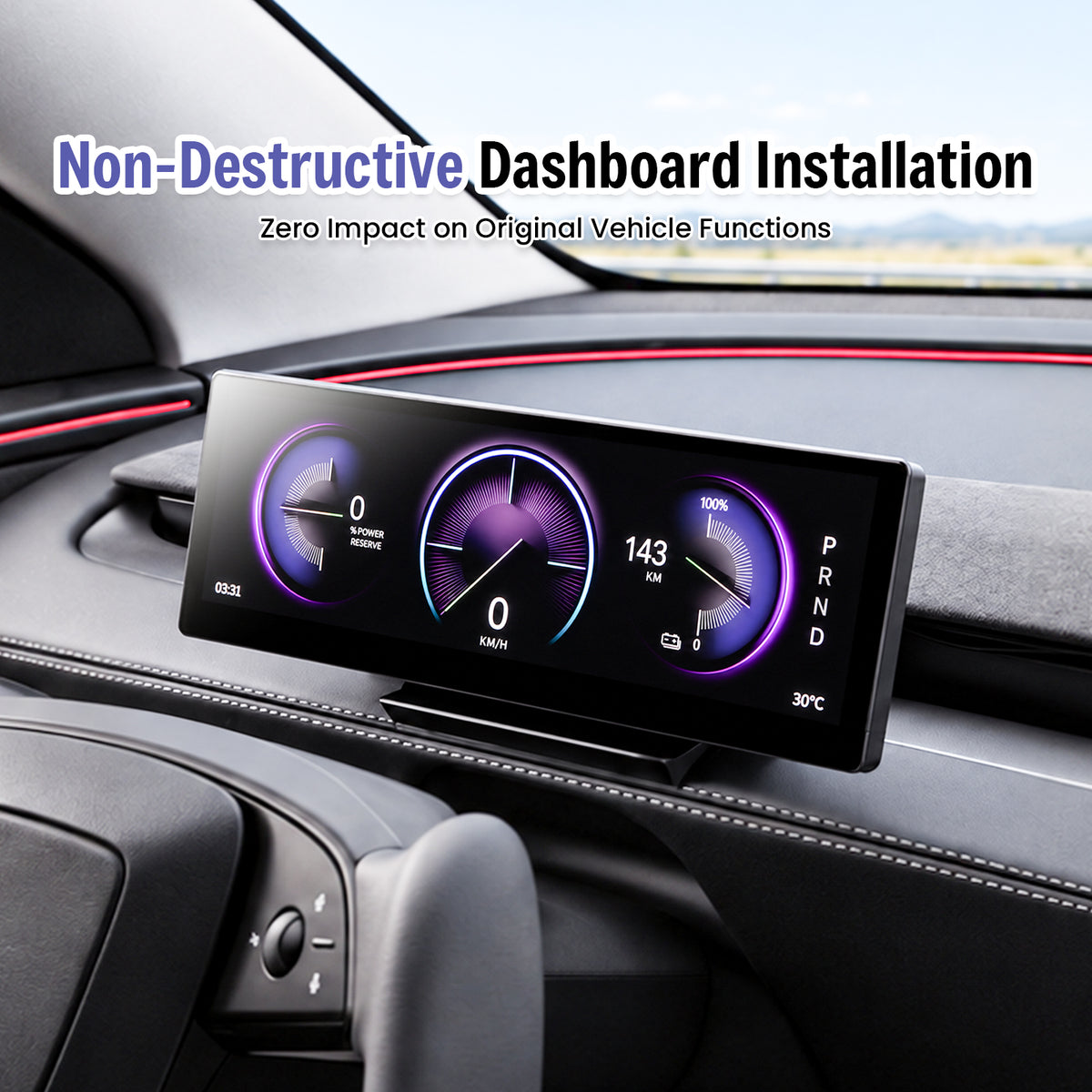
Designed for a No-Cut, No-Drill Upgrade
The current F11 installation design is intended to avoid drilling the dashboard or cutting the factory wiring harness. Confirm your vehicle version before starting.
Confirm Fitment
Match your exact Tesla model and production period first.
Connect & Mount
Follow the supplied harness-routing and mounting instructions.
Test Functions
Confirm display, controls, vehicle information and phone connection before completing reassembly.
Select the Version That Matches Your Tesla
Production timing matters for electronic upgrades. Select the exact vehicle option before ordering.
Current selector: 2023.08+
Current selector: 2025.03+
Current selector: 2025.11+
Complete the Driver-Focused Tesla Cockpit
Three complementary upgrades for newer Tesla interiors. Confirm the exact vehicle version on each product page.
Center Screen Swivel Mount
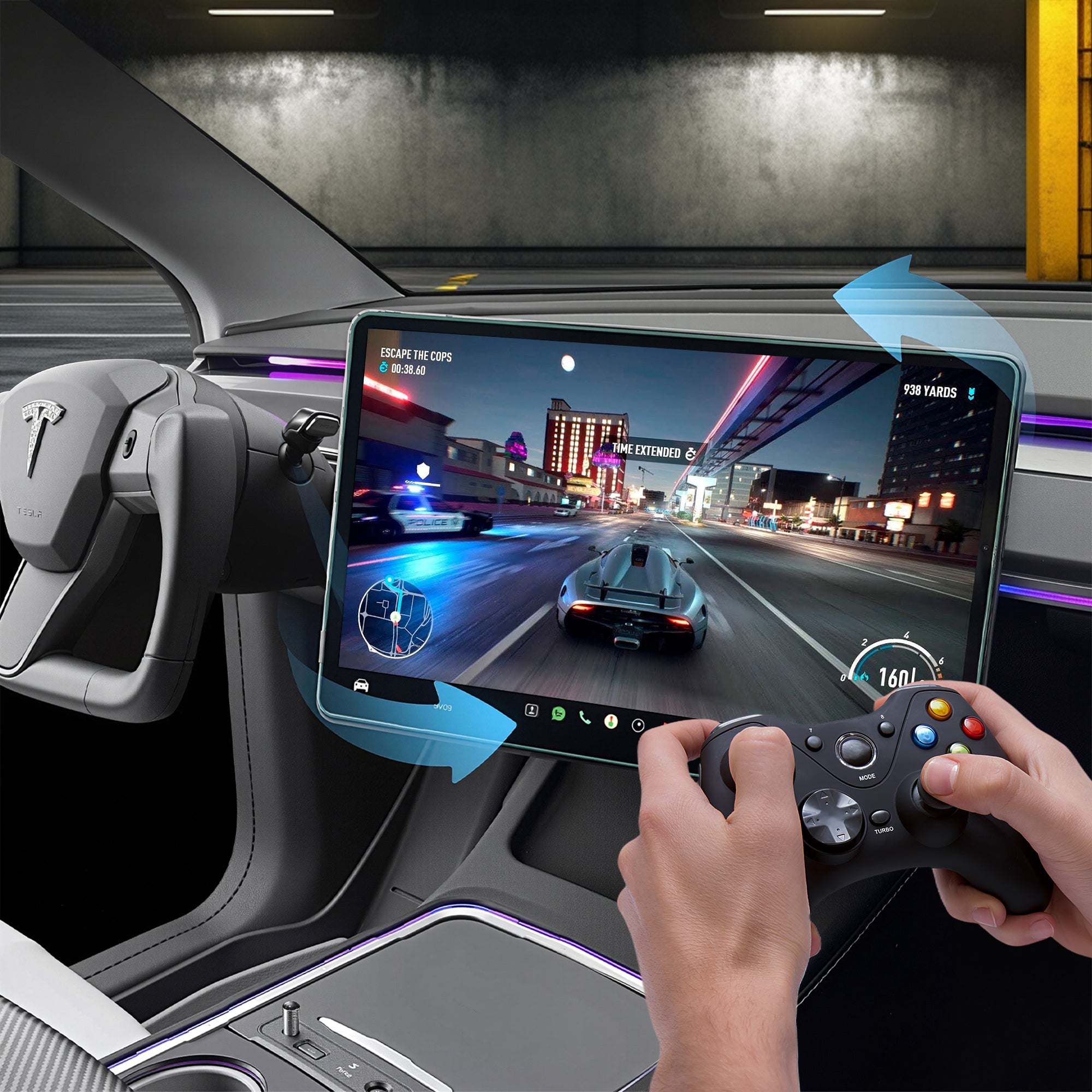
Adjust the original Tesla center display toward the driver or passenger.
View product →
120W Retractable USB Hub
Add retractable charging cables and additional USB access.
View product →
Turn Signal & Gear Stalk
Restore familiar physical turn-signal and gear controls on compatible Tesla configurations.
View product →Confirm Your Tesla Before Ordering
Send Tesstudio your Tesla model, production month/year and a clear dashboard photo if you are unsure which F11 version matches your vehicle.
Contact Tesstudio →F11 Smart Instrument Display Questions
Which Tesla models does the F11 currently fit?
Current options include Model 3 Highland 2023.08+, Model Y Juniper 2025.03+ and Model Y L 2025.11+. Select the exact vehicle version before checkout.
What size and resolution is the display?
The F11 is listed with a 10.88-inch ultra-wide display and 1920 × 532 resolution.
Does it support wireless Apple CarPlay?
Yes. The current feature set lists wireless Apple CarPlay, Android Auto and Huawei HiCar.
Can the F11 display Tesla vehicle information?
The current product configuration is designed to display compatible vehicle information such as speed, range, gear position and other listed status data.
Does the display block the dashboard air vent?
The mounting position is designed so the corresponding dashboard airflow remains accessible and adjustable.
How can I control the F11?
Supported interaction includes touchscreen control, steering-wheel buttons and compatible OEM scroll-wheel operation.
Are the blind-spot and steering alerts a replacement for Tesla safety systems?
No. Treat F11 indicators as supplemental information. Always rely on the vehicle's original systems, mirrors, cameras and direct observation.
Does installation require cutting factory wires or drilling?
The product is designed for installation without cutting the factory wiring harness or drilling the dashboard. Follow the supplied installation instructions.
Does the F11 offer different interface themes?
Yes. The current product page lists seven selectable UI themes.
Will installing an aftermarket display affect my Tesla warranty?
Warranty treatment can vary by market and by the cause of a specific claim. The F11 is designed for no-cut installation, but check the warranty terms that apply to your vehicle if needed.
Q&A
We provide assistance through email, live chat, and detailed installation guides. Additionally, we offer step-by-step tutorial videos featuring influencers to help you with the process.
We offer a one-year warranty (two years for some products).
Yes, the product can be removed after installation without affecting the original wiring harness of the vehicle.
We offer free returns and exchanges if there are any quality issues with the product upon receipt by the customer.

Subscribe
Join Us - Enjoy our latest news and exclusive discounts & gifts.