



Starlink Mini Magnetic Flat Mount with Protective Cover - 264 lb

안녕하세요,
2 영업일 이내에 답변을 받지 못하셨다면, 지연에 대해 진심으로 사과드립니다.
더 빠른 답변을 원하시면 WhatsApp (+1 (626) 412-7352 , +86 191 2063 1131 또는 +86 190 2201 1181) 으로 문의해 주세요. 위 번호로 직접 문자 메시지를 보내주셔도 됩니다.
귀하의 인내와 이해에 감사드립니다!
귀찮으시다면, "Tesstudio 공식 설치 서비스"를 위해 남부 캘리포니아 공식 매장을 방문하세요. 저희 전문가가 귀하의 Tesla 액세서리를 완벽하게 설치해 드립니다.
주소:
14761 Franklin Ave unit G, Tustin, CA 92780, 미국
친절히 알려드립니다: 저희는 제품 판매를 전문으로 하며, 전문가에게 설치를 의뢰하실 것을 권장합니다. 부적절한 설치로 인해 발생한 문제는 애프터서비스에 포함되지 않습니다. 양해해 주셔서 감사합니다.
1년 보증을 제공합니다. (인적 손상이 아닌 제품 문제에 대해서는 1년간 애프터 서비스를 제공합니다.)
모든 주문은 FedEx, USPS, UPS, SF Express 등 신뢰할 수 있는 운송업체를 통해 배송됩니다.
모든 주문에 무료 배송 혜택을 누리세요! 재고가 있는 상품은 1~2 영업일 이내에 처리 및 발송되며, 미국 국내 배송은 일반적으로 2~9 영업일이 소요됩니다.
사전 주문 상품이나 일시적으로 품절된 상품의 경우, 배송은 상품 페이지에 제공된 기간에 따라 진행됩니다.
옵션 선택
Mount and Protect Starlink Mini With One Low-Profile Magnetic System
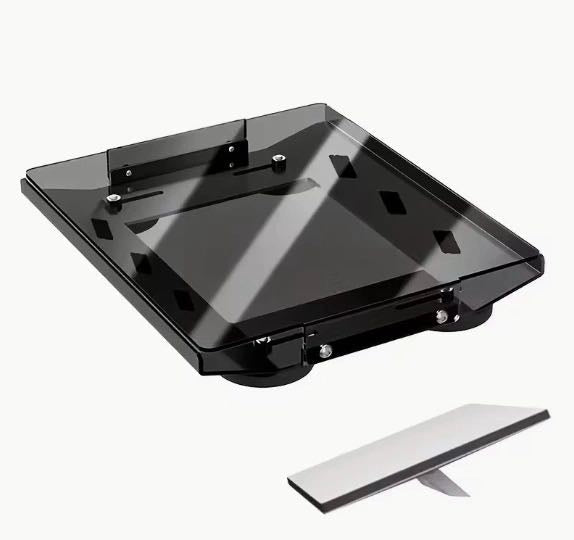
A four-magnet aluminum mounting frame designed specifically for Starlink Mini, combined with a clear PC protective cover for additional surface protection during vehicle, RV and mobile outdoor use.

More Than a Magnetic Base
Four-Magnet Base
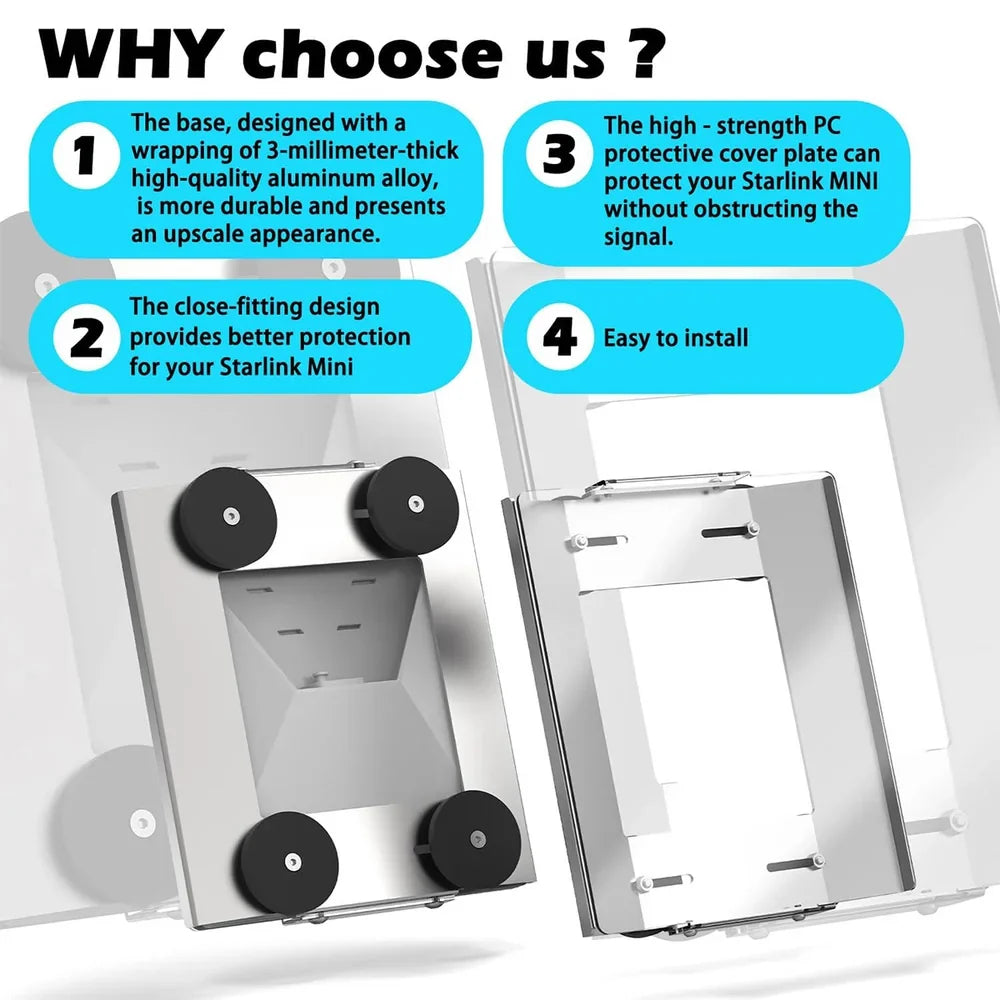
Four separate magnetic contact points spread attachment across the rectangular mounting frame.
Aluminum Structure
Current product media identifies the main mounting base as approximately 3mm-thick aluminum alloy.
PC Protective Cover
The clear cover adds a physical protective layer over the exposed face of Starlink Mini.
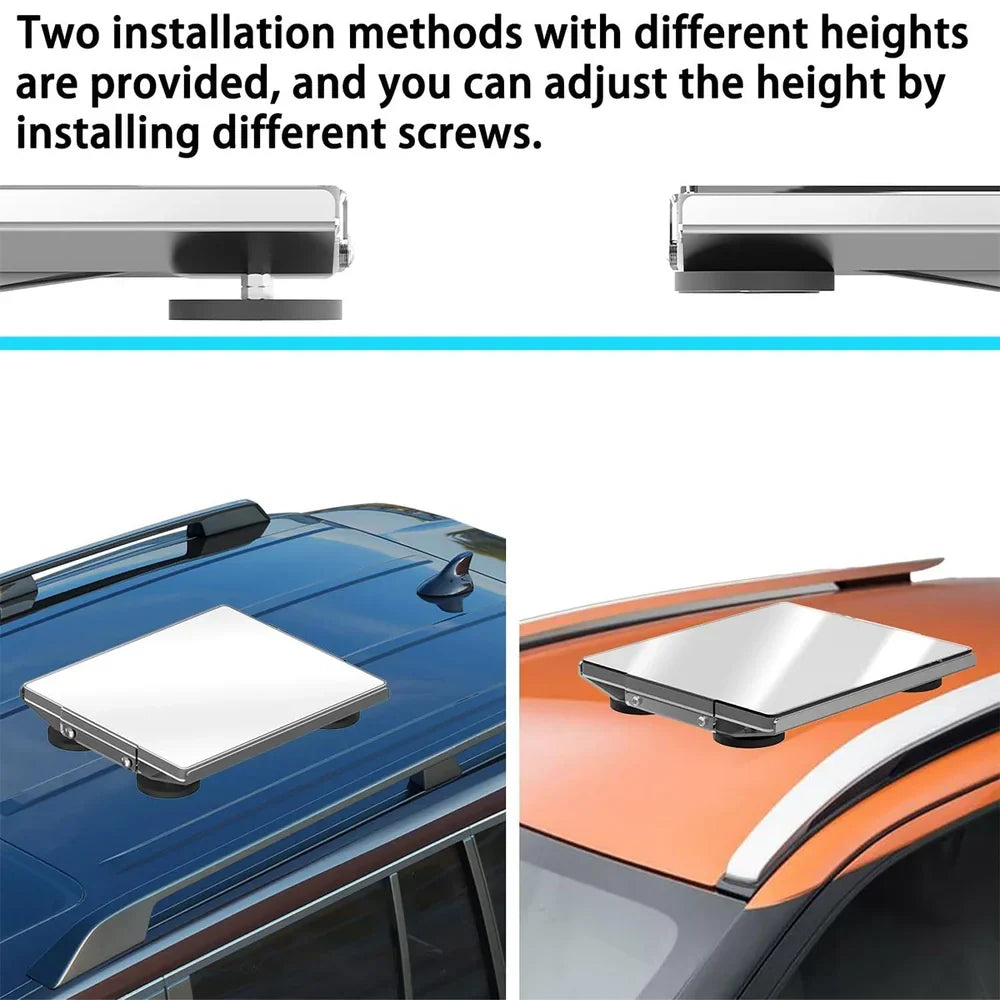
Adjustable Mount Height
Two mounting-height configurations are shown using different supplied screw arrangements.
Add a Replaceable Shield Over the Exposed Starlink Mini Surface
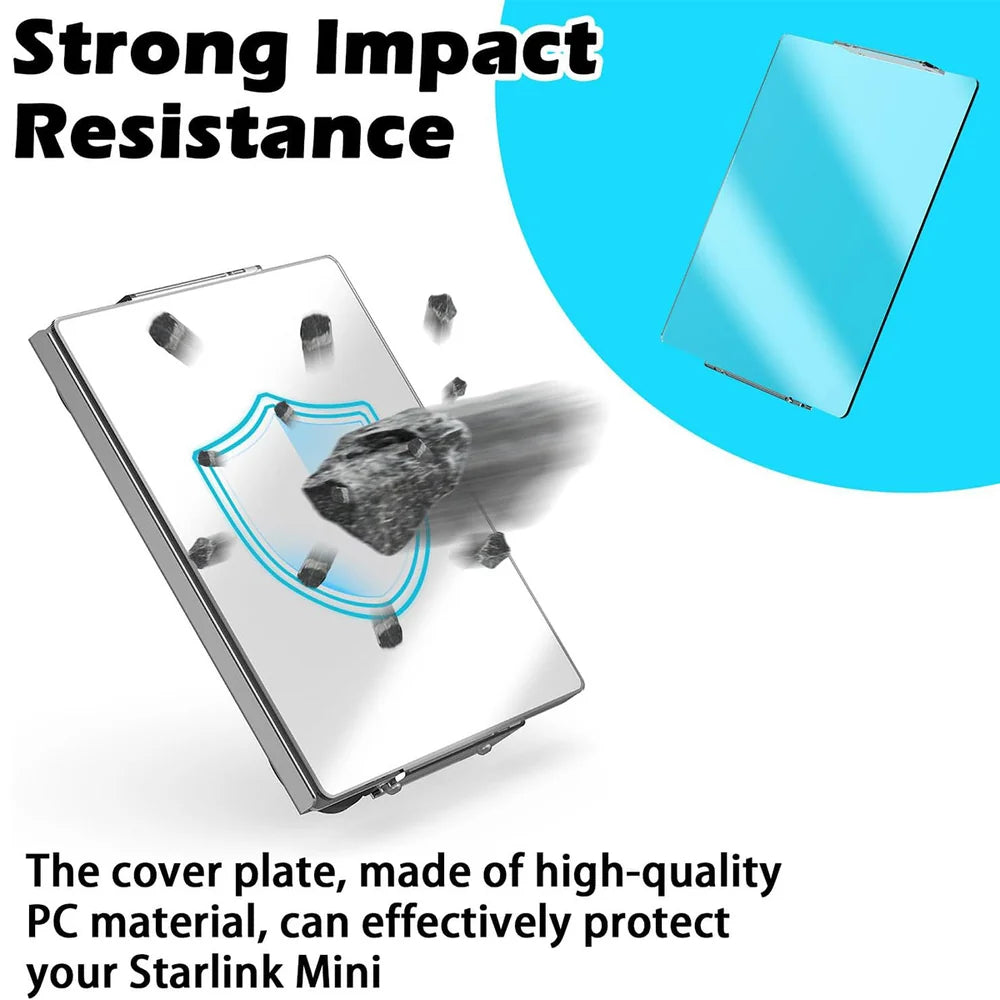
The clear PC panel sits above the Starlink Mini face to help reduce direct contact from light debris, branches and incidental surface impacts during transport or appropriately planned outdoor use.
- Clear PC protective panel
- Close-fitting frame design
- Physical barrier against light incidental contact
- Replaceable protective layer over the Mini surface
Aluminum Frame Below. Protective PC Panel Above.
Current product media identifies the structural mounting frame as approximately 3mm-thick aluminum alloy.
The transparent upper cover adds protection without using a heavy metal enclosure over the Mini face.
Four round magnetic bases create removable attachment to suitable ferromagnetic steel surfaces.
Four Magnetic Contact Points Across the Base
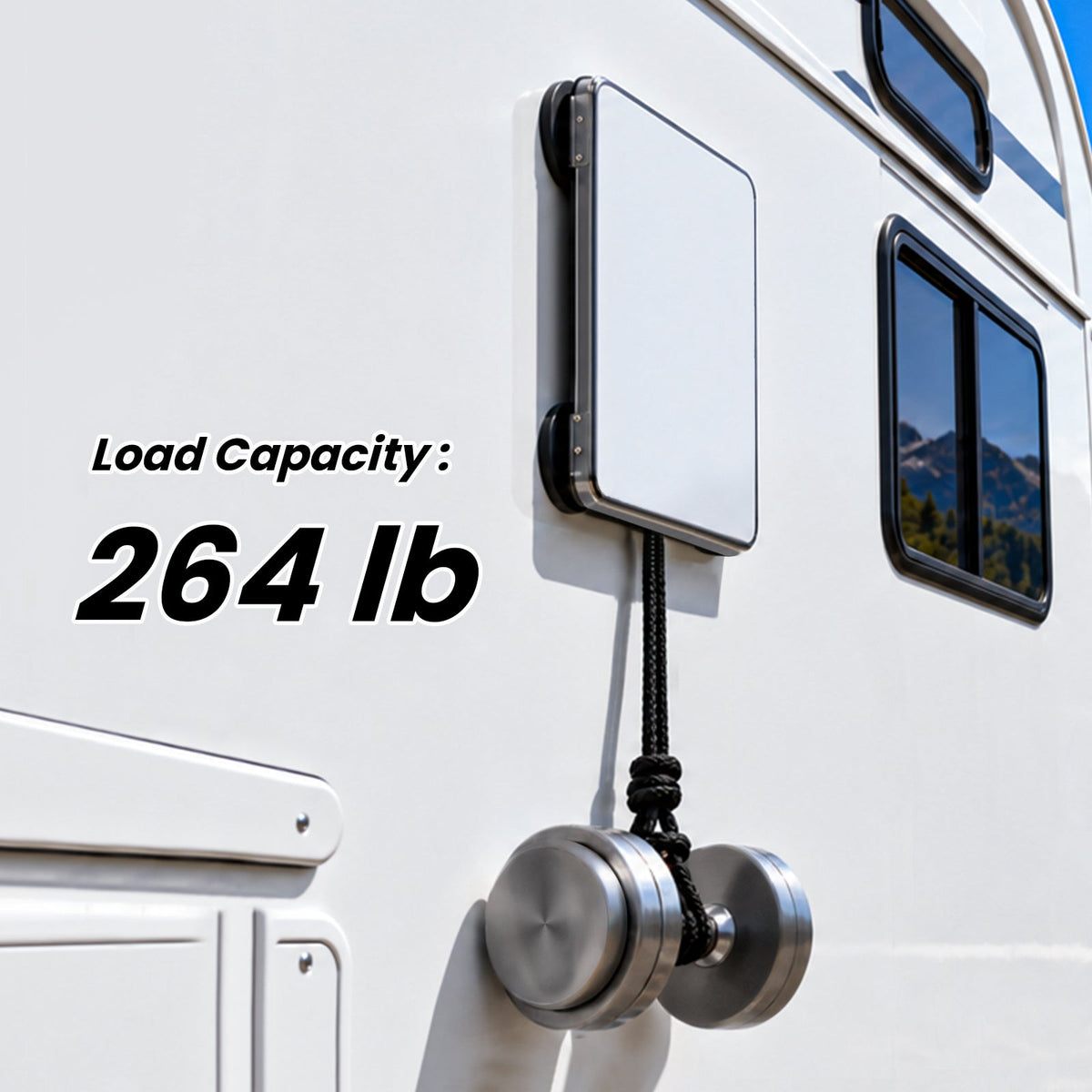
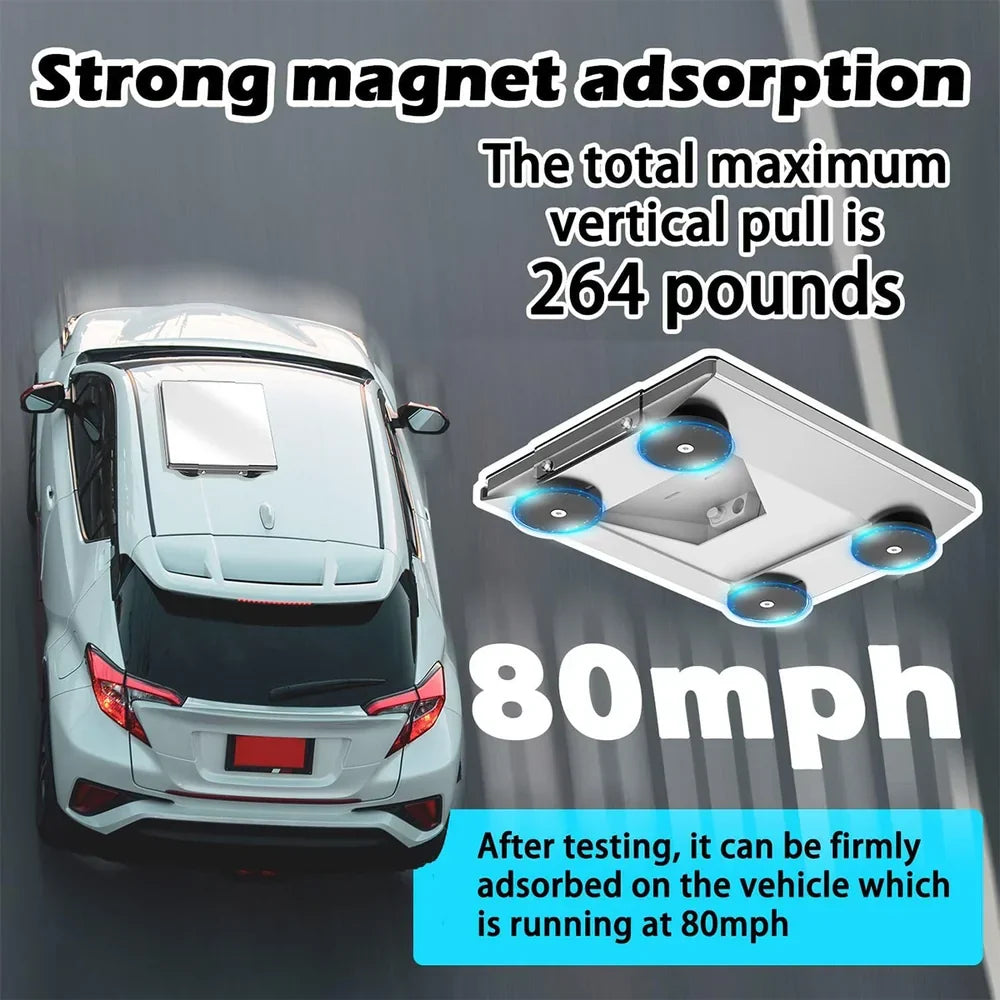
Current product imagery advertises a combined maximum vertical pull of 264 lb under the illustrated static test. Real holding force depends on the exact steel surface and installation.
Static Vertical Pull Is Not the Same as Real Driving Wind Load
A vertical pull test measures magnetic attraction under controlled conditions. Exterior vehicle mounting also introduces aerodynamic lift, crosswind, vibration, roof curvature, temperature change and road shock.
- 264 lb is the current listed static test figure
- Actual magnetic force varies by steel thickness and contact area
- Do not convert static pull directly into a universal safe-speed rating
- Inspect the mount before every exterior vehicle use
Choose a Lower or Raised Magnet Configuration
Current product imagery shows two magnetic-foot installation heights using different screw arrangements, giving the base more flexibility for compatible mounting surfaces.
Magnetic Mounting Only Works When the Surface Is Actually Magnetic Steel
Suitable when all four magnets can sit completely flat on clean ferromagnetic steel.
Can work on compatible smooth steel areas with sufficient flat contact surface.
Provides another removable installation option where a suitable ferromagnetic panel is available.
Non-ferromagnetic aluminum, fiberglass, glass and plastic do not provide magnetic holding force.
Vehicle and RV bodies can use different materials on different panels. Do not assume the roof is magnetic simply because another part of the vehicle is steel.
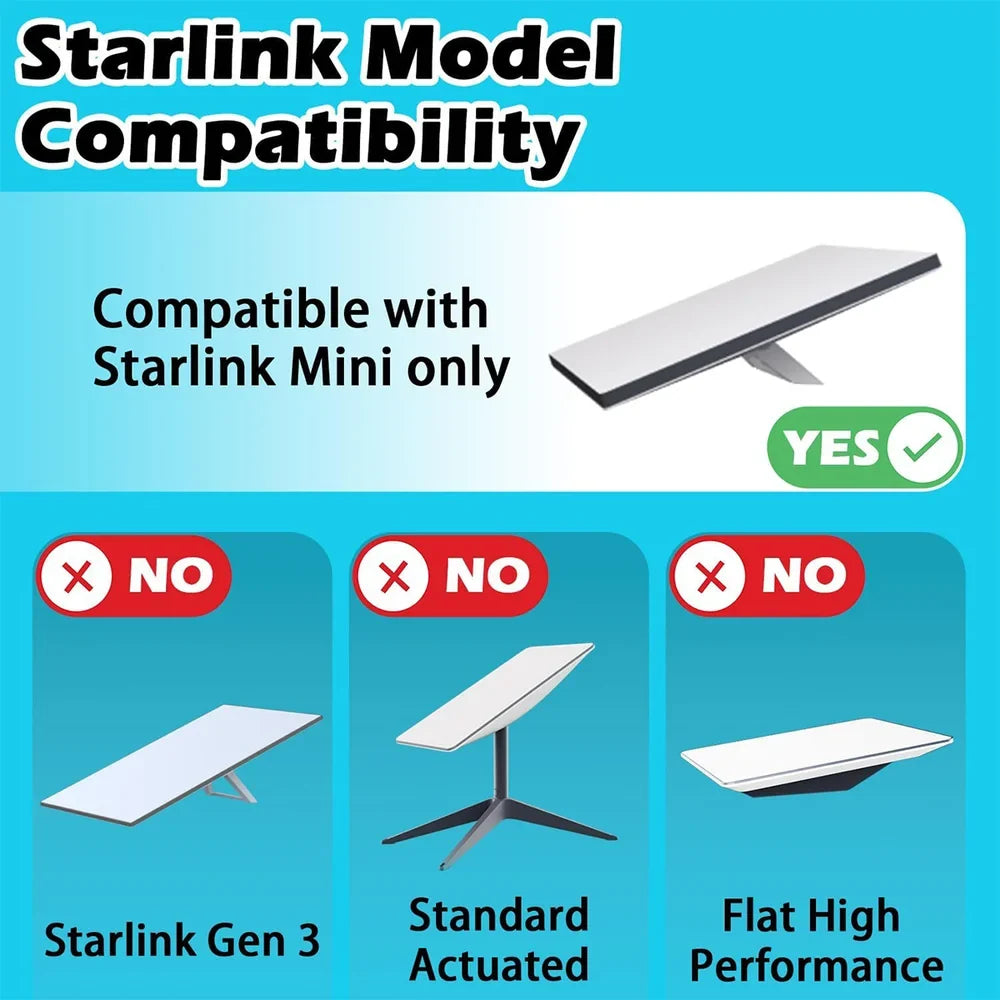
Designed Around Starlink Mini — Not the Larger Starlink Terminals
The frame, center opening and protective cover are sized around the Starlink Mini body shown in the current product imagery.
- Compatible with Starlink Mini
- Not for Starlink Gen 3 Standard
- Not for Standard Actuated
- Not for Flat High Performance
Choose the Finish That Fits Your Vehicle Setup
Lighter aluminum-style appearance that visually coordinates with the Starlink Mini housing.
Darker finish for low-contrast installation on black roof racks, vehicles and travel equipment.
Assemble First. Clean the Surface. Then Place All Four Magnets Flat.
Assemble the Frame
Install Starlink Mini into the aluminum frame and fit the protective cover securely.
Select Magnet Height
Choose the appropriate supplied screw arrangement for the preferred mounting height.
Clean the Surface
Remove dust, sand, metal particles and debris from both the roof and magnet contact areas.
Place & Inspect
Make sure all four magnets sit completely flat, then check the complete assembly before use.
Recheck the Mount Before Every Drive
Magnetic performance changes with surface material, magnet contact, road vibration, wind and installation condition.
Confirm every magnetic base is fully seated on clean steel before vehicle movement.
The listed 264 lb vertical-pull test does not establish a universal safe driving speed.
For exterior moving-vehicle use, suitable secondary retention can provide an additional layer of protection.
Keep Dirt Out From Between the Magnets and Painted Surfaces
Remove dirt and abrasive debris before placing magnets on painted steel.
Replace the cover if cracks, deep scratches or deformation compromise its protective function.
Periodically inspect the mounting screws, brackets and magnetic bases for looseness.
Clean and dry the mount after rain, road salt or extended outdoor exposure.
Complete the Starlink Mini Vehicle Setup
Three complementary power accessories for vehicle, RV and off-grid Starlink Mini use.
Starlink Mini Magnetic Mount Questions
Which Starlink model does this mount fit?
This mount is designed specifically for Starlink Mini. Current compatibility imagery marks Starlink Gen 3 Standard, Standard Actuated and Flat High Performance as incompatible.
What is included in the mounting design?
The current product design combines an aluminum mounting frame, four magnetic bases, mounting hardware and a clear PC protective cover. Starlink Mini itself is not included.
How many magnets does the mount use?
The mount uses four round magnetic bases positioned around the underside of the aluminum frame.
What does the 264 lb rating mean?
Current product imagery lists a combined maximum vertical pull of 264 lb under the illustrated static test. This should not be interpreted as a certified wind-load, crash or universal vehicle-speed rating.
Is 80 mph a guaranteed safe driving speed?
No universal safe-speed guarantee should be inferred from a product test image. Real aerodynamic loading changes with vehicle shape, wind, roof material, surface condition, installation quality and road vibration.
What is the protective cover made from?
Current product media identifies the transparent protective panel as PC material.
What is the frame made from?
Current product media identifies the mounting base as approximately 3mm-thick aluminum alloy.
Does the protective cover block the Starlink signal?
The cover is designed for use over Starlink Mini while maintaining normal operation. Actual Starlink performance still depends on sky visibility, installation position, network conditions and the condition of the cover.
Can the protective cover stop rocks or heavy impacts?
The cover adds a sacrificial physical barrier against incidental contact and lighter debris, but it should not be treated as an impact-certified shield against every stone, collision or high-energy object.
Does installation require drilling?
No drilling is required to attach the magnetic bases to a suitable ferromagnetic steel surface. The mounting frame and cover still need to be assembled correctly.
Will the magnets work on aluminum?
No. Aluminum is not ferromagnetic and will not provide the required magnetic holding force.
Will the mount work on a fiberglass RV roof?
Not directly. Fiberglass is not magnetic. Verify that the exact mounting surface is ferromagnetic steel before using this mount.
Can I change the mounting height?
Yes. Current product imagery shows two mounting-height configurations using different screw arrangements for the magnetic bases.
What color options are available?
The current product selector offers White and Black versions.
Can I use it on the side of an RV?
A suitable flat ferromagnetic steel panel can provide magnetic attachment, but installation orientation changes the loading direction. Confirm full four-magnet contact and evaluate the complete installation for the intended use.
Will the magnets scratch vehicle paint?
Dirt, sand and metal particles trapped between a magnetic base and painted bodywork can mark the finish. Clean both contact surfaces carefully before every installation.
Can I mount it over a roof seam or body line?
Avoid seams, trim, deep curves or raised body lines. Each magnet should make complete flat contact with the compatible steel surface.
Should I use a secondary safety tether?
Secondary retention can provide an additional layer of protection for exterior mobile installations when appropriate. Use only secure attachment points and ensure the tether cannot interfere with vehicle operation.
Does the mount provide power to Starlink Mini?
No. This product is a mechanical mounting and protective system only. Starlink Mini still requires a compatible power cable and power source.
Is Starlink Mini included?
No. Starlink Mini, vehicles, RVs and other equipment shown in product imagery are for demonstration only. This listing is for the selected magnetic mount assembly with protective cover.
질문과 답변
이메일, 실시간 채팅, 그리고 자세한 설치 가이드를 통해 도움을 드립니다. 또한, 인플루언서들이 직접 출연하는 단계별 튜토리얼 영상을 제공하여 설치 과정을 도와드립니다.
당사는 1년 보증을 제공합니다(일부 제품은 2년).
네, 설치 후 제품을 제거해도 차량의 원래 배선 하네스에 영향을 미치지 않습니다.
고객이 제품을 받은 후 품질에 문제가 있는 경우 무료로 반품 및 교환해 드립니다.

Subscribe
Join Us - Enjoy our latest news and exclusive discounts & gifts.