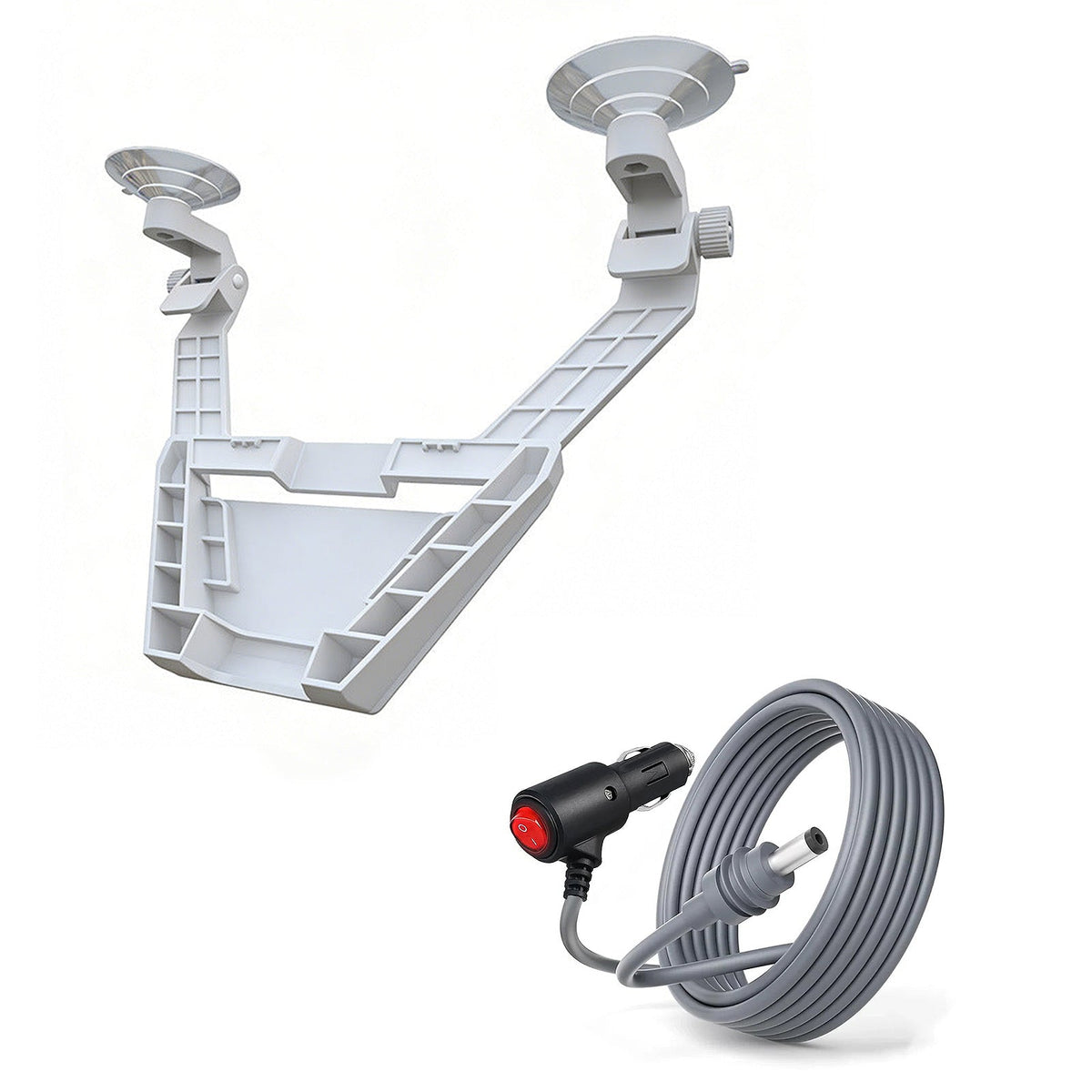
Starlink Mini Cigarette Lighter Power Cable with Switch - 3M/5M

Check the selected Tesla model, model year, and option before checkout. If this product has a Car Model or Compatible Model selector, choose the option that matches your vehicle.
- Use the product images and variant name to confirm the correct version.
- If you are unsure about fitment, contact Tesstudio with your Tesla model and production year before ordering.
Tesstudio installation support is available for Tesla owners who need help choosing, installing, or troubleshooting accessories.
Most Tesstudio accessories are designed for straightforward DIY installation. For powered upgrades, wiring, lighting, or large exterior parts, professional installation may be recommended.
Local installation and technical support
- Address: 14761 Franklin Ave # G, Tustin, CA 92780
- Technical support: +1 (657) 543-9876 or +1 (657) 565-1007
- Support hours: Monday-Friday, 8:30 AM-5:30 PM
The phone numbers above are for technical installation support only. For orders, shipping, returns, or general customer service, contact:
- Email: support@tesstudio.com
- WhatsApp: +1 714 317 9647
Tesstudio checks fit, material, and daily-use durability before listing products for Tesla owners.
- Eligible products include warranty support for non-human damage issues.
- If a product arrives damaged or does not fit as expected, keep the packaging and contact us with photos so we can help quickly.
In-stock items are usually processed within 1-2 business days. Delivery time depends on destination, product size, and stock status.
- Orders over $99 qualify for free standard shipping where available.
- Oversized, remote-area, pre-order, and special-market items follow the terms shown on the product page.
- Tracking is provided after dispatch.
Need help before or after purchase?
Contact Tesstudio support:
WhatsApp
+1 714 317 9647
Choisir les options
Power Starlink Mini Directly from a Compatible Vehicle DC Socket
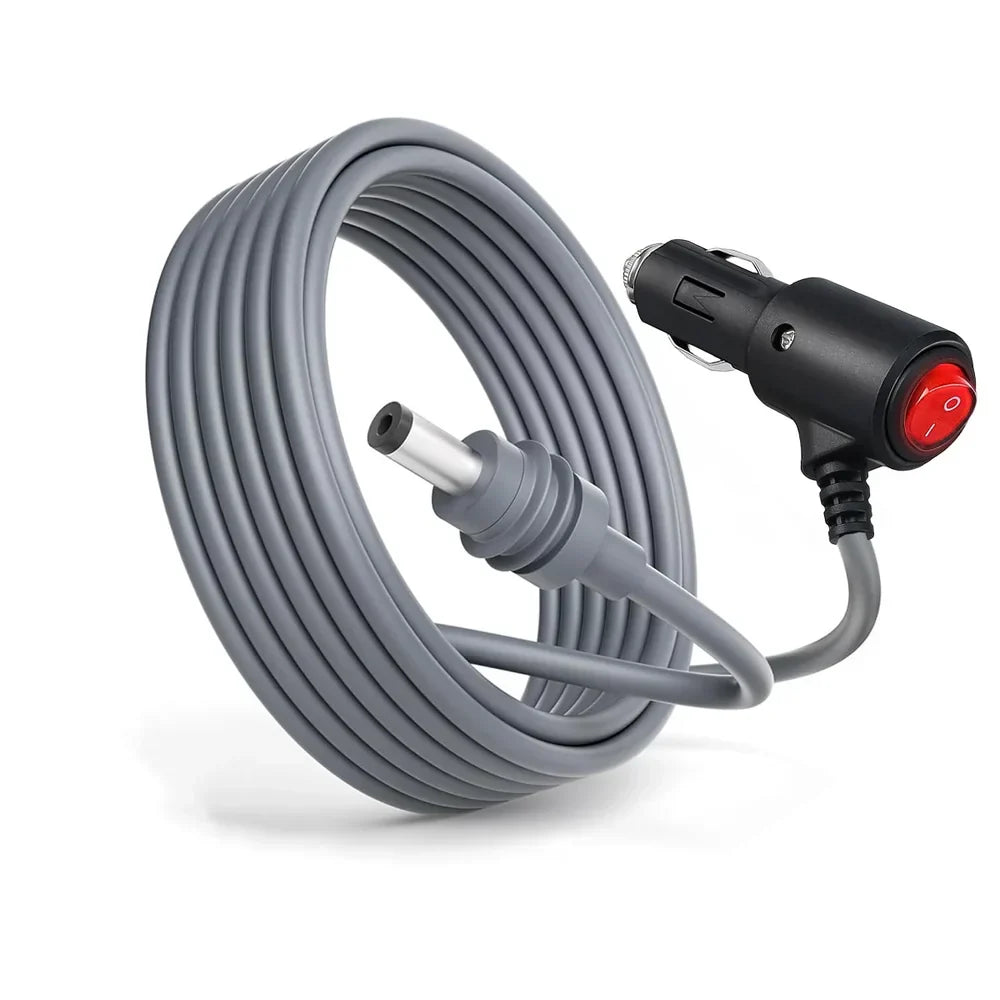
A dedicated 3M or 5M vehicle power cable for Starlink Mini, with an integrated cigarette-lighter plug, on/off switch and power indicator for cleaner car, RV and mobile setups.

Use the Power Source Already in Your Vehicle
AC Inverters and Extra Power Hardware Add More Pieces to the Setup
A mobile Starlink setup can become unnecessarily complicated when every trip requires additional adapters, AC equipment and extra cable connections between the vehicle and the Mini.
Connect a Compatible Vehicle Socket Directly to Starlink Mini
When the vehicle DC outlet has the correct voltage and sufficient continuous power capacity, this cable creates a simpler direct power path from the vehicle to the Mini.
Four Details That Make Daily Vehicle Power Easier
Direct DC Connection
Connects a compatible vehicle accessory socket to the Starlink Mini DC power input.
Built-In Switch
Turn the cable output on or off from the vehicle-side plug without repeatedly removing the connector.
3M / 5M Reach
Choose the cable length that better matches the distance between the vehicle socket and your Mini.
Optional Mount Bundle
Add a black or white dashboard suction mount when your mobile setup also needs a Mini holder.
Switch the Power Without Pulling the Plug Every Time
The vehicle-side connector integrates a rocker-style on/off switch so the power path can be controlled directly from the cigarette-lighter plug.
- Integrated on / off rocker switch
- Visible red switch / power indicator
- Standard vehicle accessory-plug format
- No separate inline switch box to route through the cabin

A Purpose-Built Vehicle Cable for Starlink Mini
Match the cable length and vehicle socket to your real installation instead of choosing only by the connector shape.
Use Enough Reach Without Adding More Cable Than the Setup Needs
A practical choice when the vehicle accessory socket and Starlink Mini are relatively close together. Shorter DC runs can also help reduce voltage drop.
Adds more routing freedom for larger cabins, RVs, trucks or setups where Starlink Mini sits farther from the available vehicle socket.
Built for the Starlink Mini DC Power Input
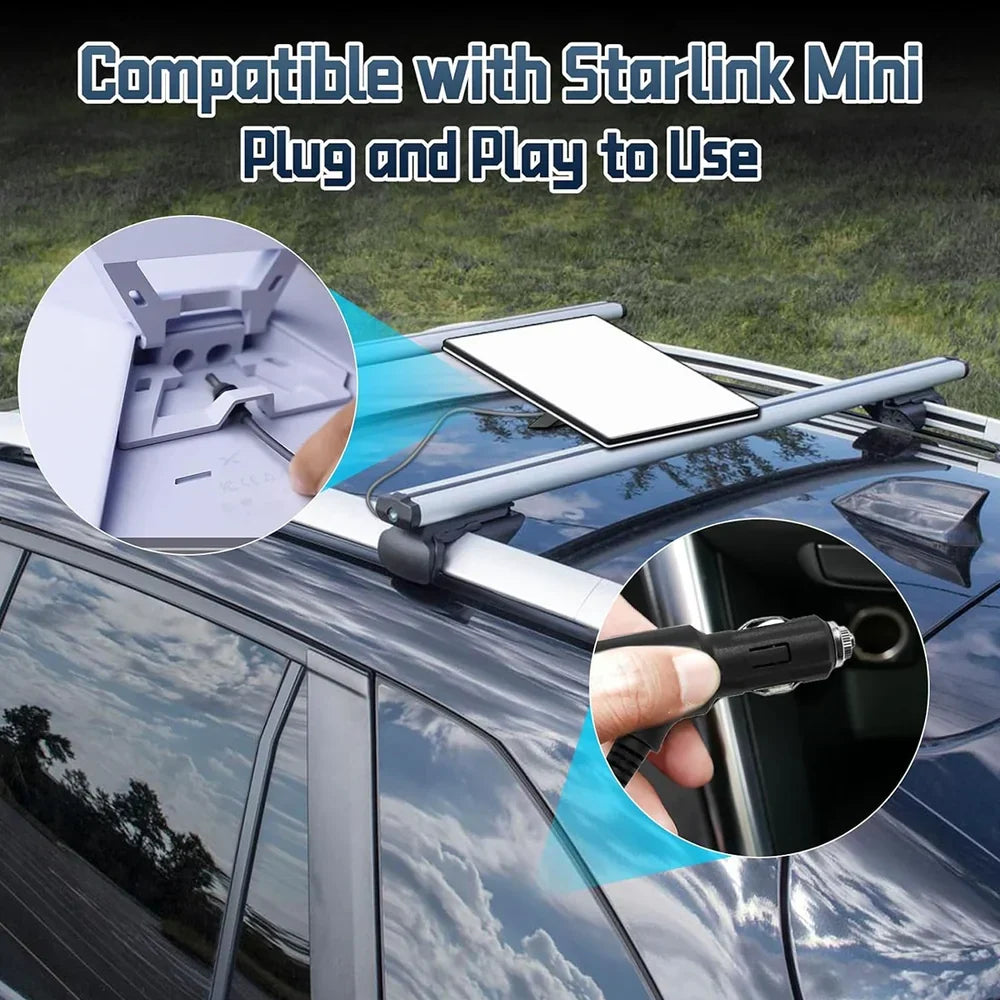
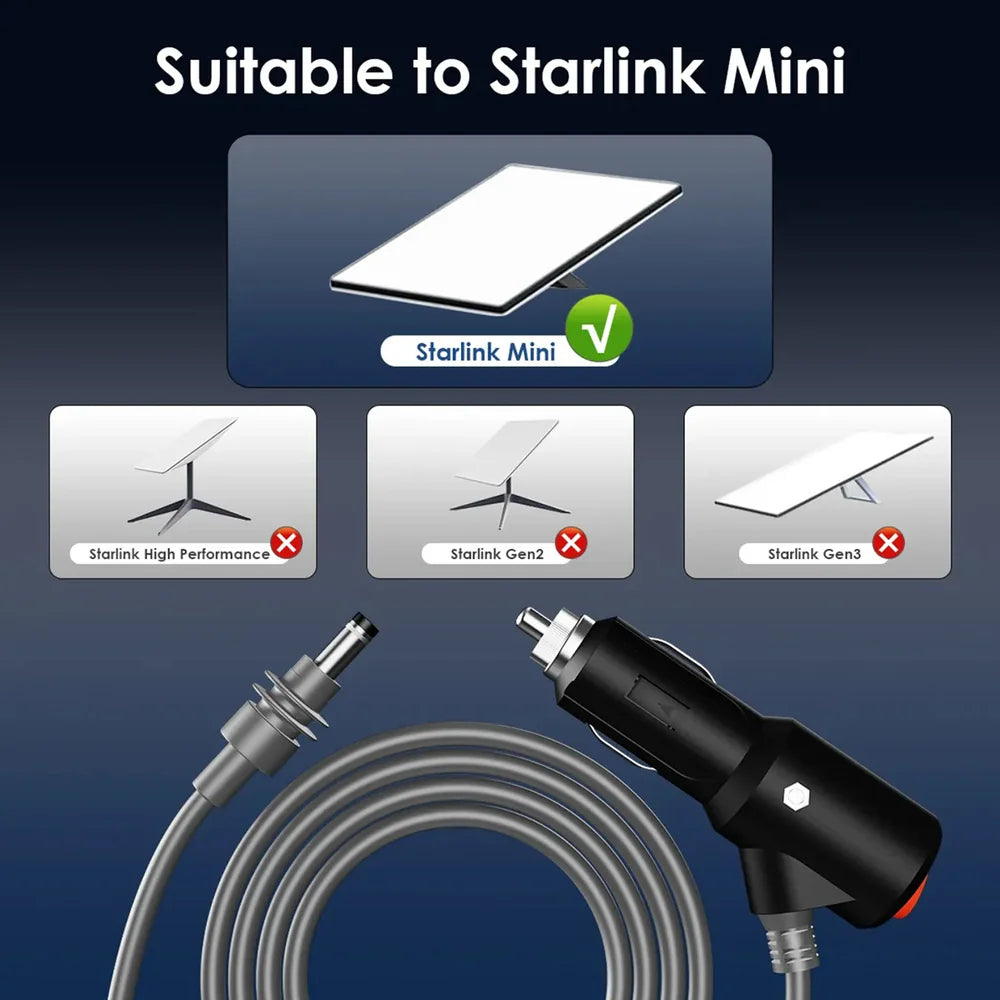
Current product media identifies this cable specifically for Starlink Mini rather than the larger Standard, Gen 2 or High Performance dish systems.
- Designed around Starlink Mini power input
- Direct vehicle DC power cable
- No Ethernet data connection
- Starlink Mini hardware is not included

Power Control Where the Cable Meets the Vehicle
Switch the cable output without repeatedly removing the accessory plug from the vehicle socket.
The red illuminated switch provides an easy visual reference when the cable-side power circuit is active.
Power control stays near the vehicle socket instead of being hidden near the Starlink Mini installation point.
Built for Repeated Vehicle and Travel Use
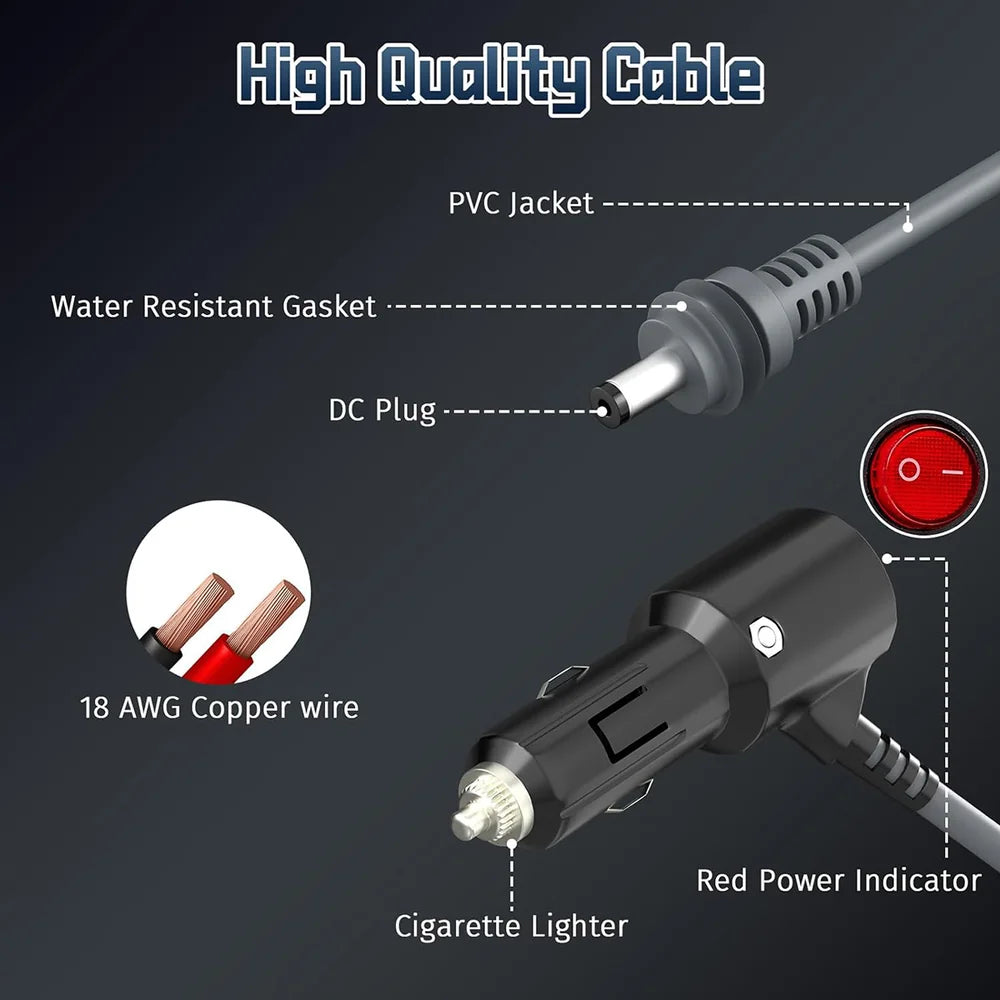
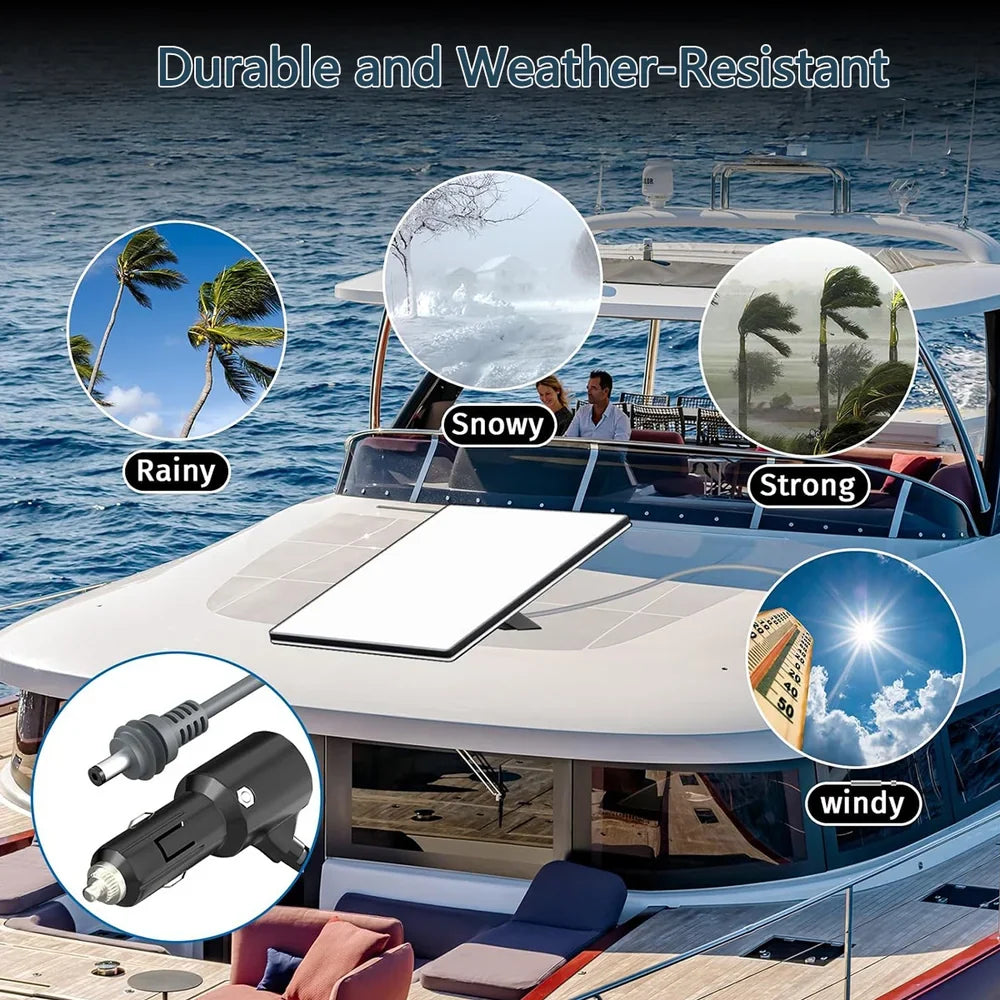
Current product imagery lists an 18 AWG copper conductor, PVC outer jacket and a water-resistant gasket around the DC-side connector.
- 18 AWG copper conductor listed
- PVC outer cable jacket
- Reinforced strain-relief areas
- Water-resistant gasket at the DC plug area
Check the Vehicle Socket — Not Just the Plug Shape
A cigarette-lighter socket can physically accept the plug and still be unsuitable if its voltage, fuse rating or available continuous power is too low.
This cable listing is intended for compatible 12–24V vehicle power setups. Confirm the actual socket voltage first.
Starlink Mini requires meaningful continuous DC power. The vehicle socket, fuse and wiring must support the load.
Longer low-voltage cable runs can experience more voltage drop, especially when operating from a 12V source.
Starlink publishes a Mini input rating of 12–48V DC, 60W. This accessory is a direct power cable, not a DC-to-DC converter. If the vehicle socket cannot maintain adequate voltage and power under load, use an appropriate regulated power solution instead.
Useful Anywhere a Compatible Vehicle DC Socket Is Available
Power a compatible Starlink Mini setup from an adequately rated vehicle accessory socket.
Choose 3M or 5M based on the distance between the cabin socket and the Starlink Mini position.
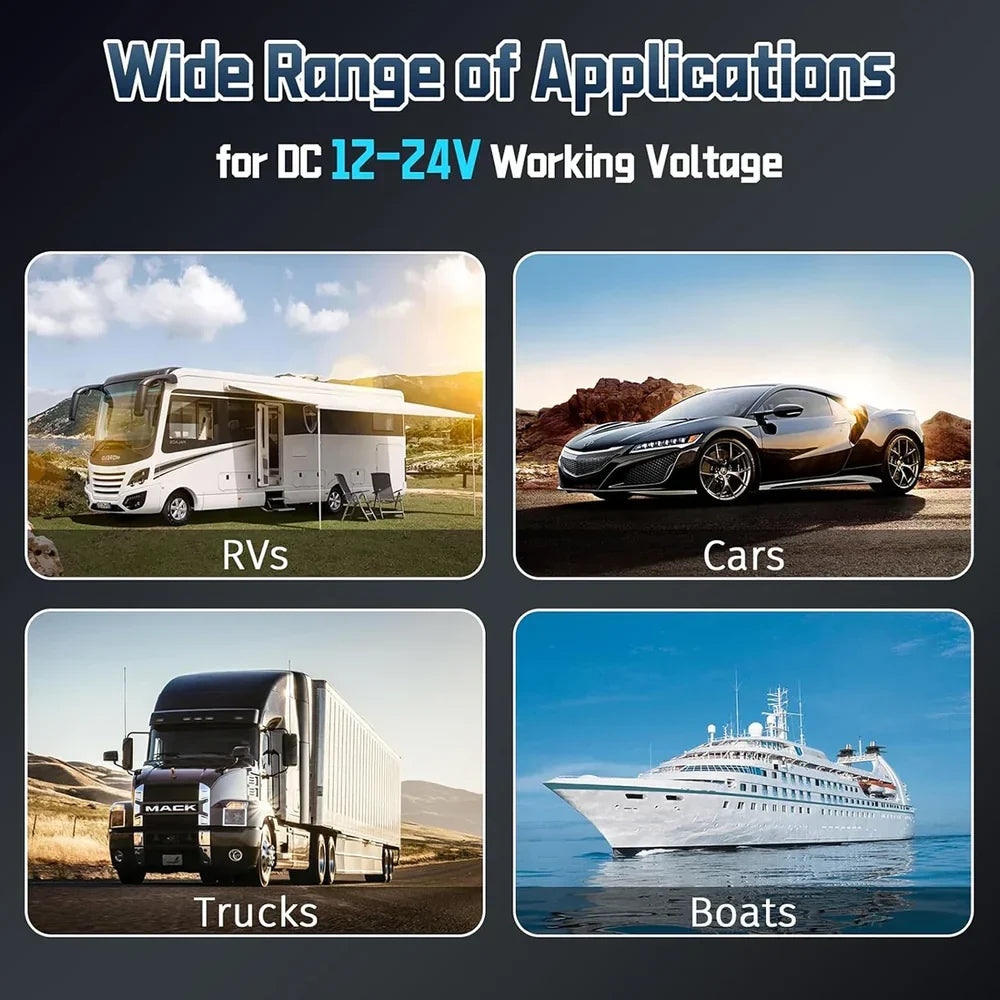
Suitable for compatible 12V or 24V vehicle power systems when the outlet can support the required load.
Create a simpler vehicle-powered internet setup for travel, field work and temporary remote connectivity.

Choose the Cable Alone or Add a Dashboard Mount
The current selector offers three bundle configurations. Cable length is selected separately.
Best when you already have a Starlink Mini mounting solution and only need vehicle DC power.
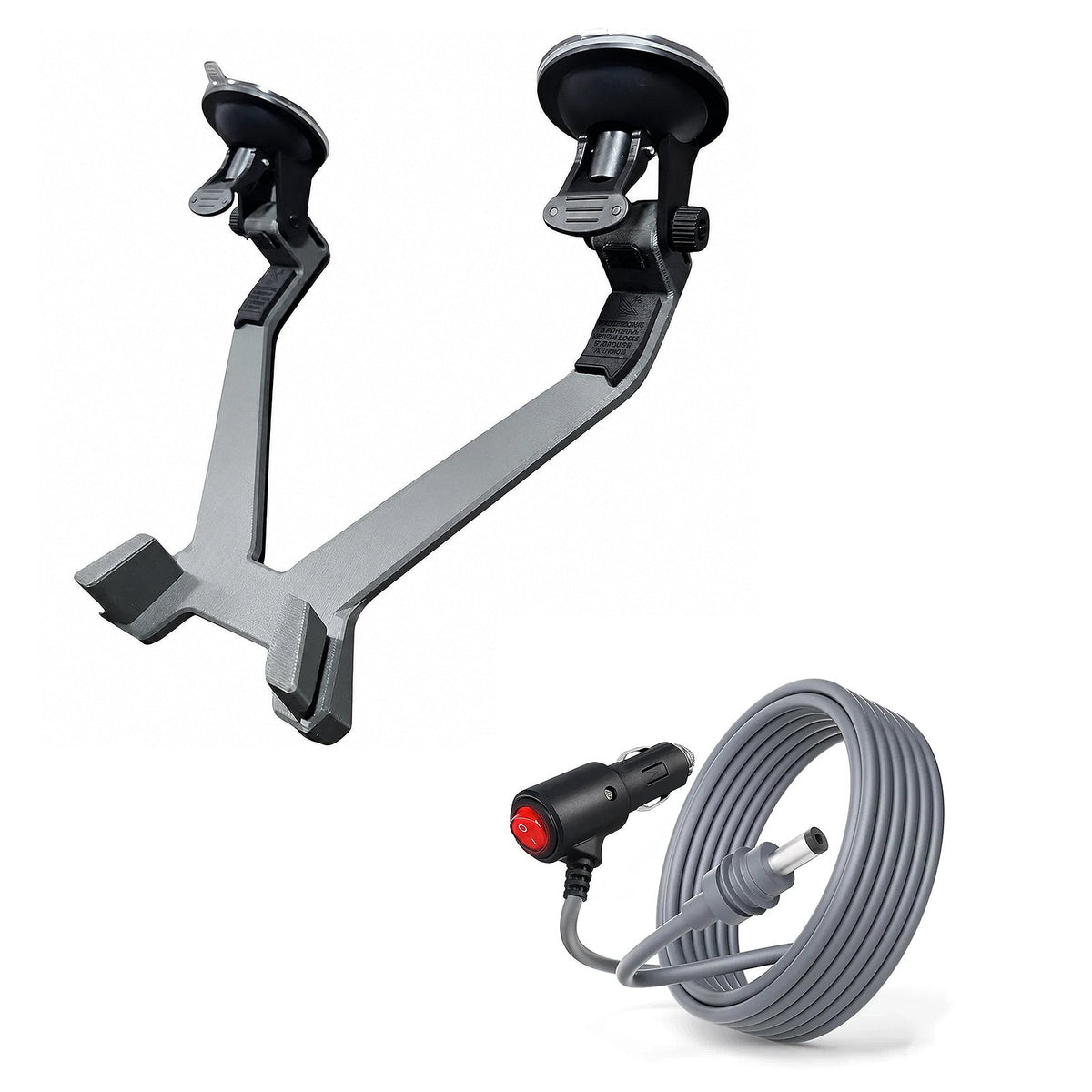
Adds the black suction-mount option shown for compatible smooth mounting surfaces.
Adds the white suction-mount version for a lighter-color Starlink Mini setup.
Add a Temporary Mount and Vehicle Power in One Package
The optional black suction-mount bundle combines the selected 3M or 5M vehicle power cable with a removable Starlink Mini holder.
- Vehicle DC power cable
- Integrated switch
- Black suction mount
- Starlink Mini itself is not included

The Same Vehicle Power Setup With a White Mount Option
Choose the white suction-mount bundle when you want a lighter-colored holder paired with the selected Starlink Mini vehicle power cable.
- 3M or 5M cable selection
- On / off power switch
- White suction mount
- Confirm the intended mounting surface before use

Route the Cable First. Connect Power Last.
Plan the cable path so it stays clear of pedals, steering controls, seats, doors and sharp edges.
Position Starlink Mini
Place or mount the Mini in the intended location before deciding how the cable should run.
Route the Cable
Keep the cable away from sharp edges, hot surfaces, moving seats and door pinch points.
Connect Starlink Mini
Insert the DC connector fully into the compatible Starlink Mini power input.
Plug In & Switch On
Connect to the compatible vehicle socket, switch power on and confirm stable Mini operation.
A Clean Setup Should Also Be a Low-Stress Electrical Setup
Stop using the cable if the plug, socket, cable or connector becomes unusually hot, damaged or unstable during operation.
Confirm the vehicle accessory outlet and fuse can provide adequate continuous power for Starlink Mini.
Do not close doors, windows, seat rails or storage compartments on the power cable.
The cigarette-lighter connector and switch are intended for a suitable protected vehicle power environment.
Protect the Power Connection Even When Starlink Mini Is Used Outdoors
Product imagery shows a water-resistant gasket at the DC plug, but the entire vehicle cigarette-lighter assembly should not be treated as a fully waterproof outdoor connector.
- Keep the vehicle-side plug inside a protected area
- Avoid standing water around electrical connections
- Inspect the DC plug gasket for damage
- Dry connectors before reconnecting power

Build the Starlink Mini Power Setup Around How You Travel
Three complementary options for battery power, regulated vehicle power and removable vehicle mounting.
Starlink Mini Vehicle Power Cable Questions
Which Starlink model does this cable fit?
This listing is designed for Starlink Mini. Current product imagery does not list Starlink Gen 2, Gen 3 Standard or High Performance dishes as compatible.
What cable lengths are available?
The current selector offers 3M (9.84ft) and 5M (16.4ft) cable lengths.
What voltage does Starlink Mini require?
Starlink publishes a Mini input rating of 12–48V DC, 60W. This particular vehicle cable listing is intended for compatible 12–24V vehicle power setups.
Does this cable convert 12V to 30V?
No. This is a direct power cable and does not contain a DC-to-DC boost converter. Input voltage from the vehicle is passed through the cable to the compatible Starlink Mini connection.
Will every 12V cigarette-lighter socket power Starlink Mini?
Not necessarily. The socket, vehicle wiring and fuse must provide adequate continuous power and maintain sufficient voltage under load. Socket capability varies between vehicles.
Why might a 12V setup work with a 3M cable but become unstable with a longer cable?
Low-voltage DC systems can experience voltage drop over longer cable runs. Starlink also notes that if Mini has problems on a 12V supply, reducing cable length, using a thicker conductor or supplying a higher supported voltage may improve performance.
Can I use this cable with a 24V truck or RV socket?
Current product media lists a 12–24V working range. Confirm the actual socket voltage, polarity, connector condition and available power before use.
What does the switch do?
The rocker switch controls the cable-side power path so the Starlink Mini supply can be switched on or off at the vehicle accessory plug.
Does the switch have a power indicator?
Current product imagery shows a red illuminated switch / power indicator on the cigarette-lighter plug.
What wire gauge is used?
Current product imagery lists 18 AWG copper wire inside the cable.
Is the cable waterproof?
Product media shows a water-resistant gasket around the DC connector, but the complete cigarette-lighter cable assembly should not be treated as a fully waterproof outdoor electrical connection.
What bundle options are available?
Current bundle options are Only Cable, With Black Dashboard Suction Mount, and With White Dashboard Suction Mount. Cable length is selected separately.
Is the suction mount included with every cable?
No. The Only Cable variant does not include a mount. Select the Black or White Dashboard Suction Mount bundle if you want the additional mounting hardware.
Can I leave the cable plugged into the vehicle all the time?
Vehicle accessory sockets behave differently when the vehicle is parked or switched off. To avoid unnecessary power draw, heat or battery drain, switch the cable off or disconnect it when Starlink Mini is not being used.
Does this cable change Starlink Mini internet speed?
The cable only supplies power. It does not carry internet data or increase network speed. Stable network operation still depends on adequate power, Starlink service, satellite visibility and the Mini itself.
What should I do if Starlink Mini keeps restarting?
Check the vehicle socket voltage under load, socket power rating, plug temperature and cable connections. If the problem occurs on a 12V setup, a shorter cable or suitable higher-voltage / regulated power solution may be more appropriate.
Is Starlink Mini included?
No. Starlink Mini, the vehicle and lifestyle equipment shown in product imagery are for demonstration only. Included components depend on the selected cable length and bundle option.
Q&A
We provide assistance through email, live chat, and detailed installation guides. Additionally, we offer step-by-step tutorial videos featuring influencers to help you with the process.
We offer a one-year warranty (two years for some products).
Yes, the product can be removed after installation without affecting the original wiring harness of the vehicle.
We offer free returns and exchanges if there are any quality issues with the product upon receipt by the customer.

Subscribe
Join Us - Enjoy our latest news and exclusive discounts & gifts.