
Owner Explainer: Tesla Valet Mode Privacy, Limits and PIN Rules
Owner Explainer · Current Tesla Primary Documentation
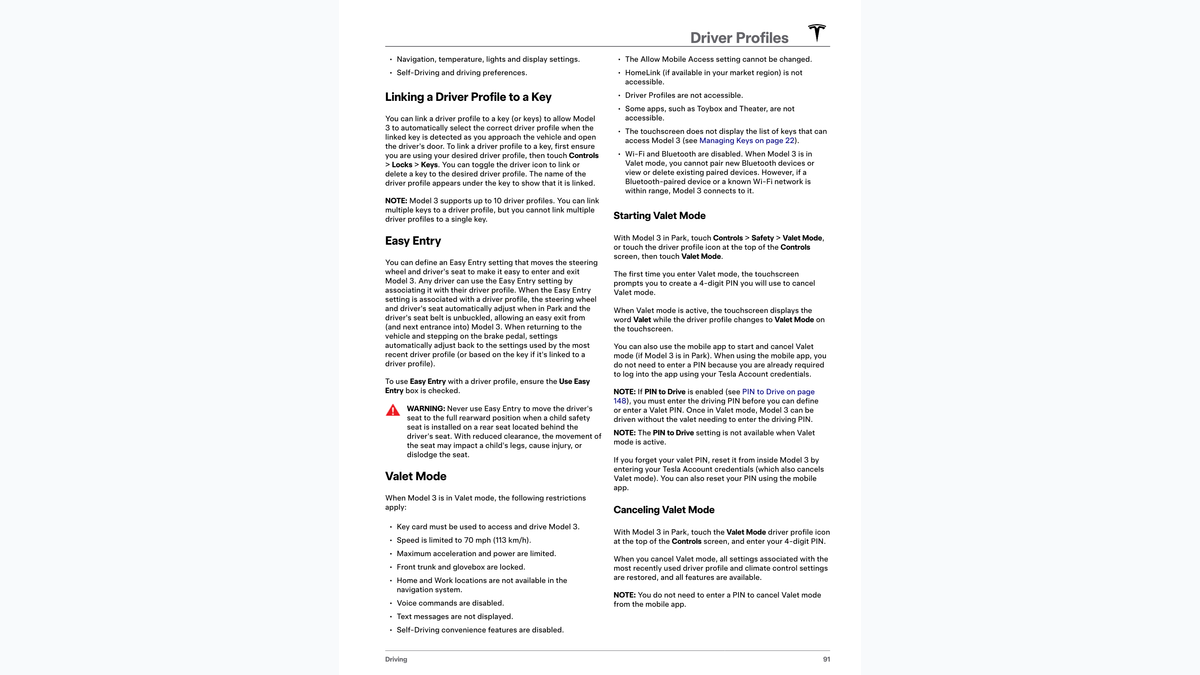
Tesla Valet Mode is a restricted driver profile for Model 3 and Model Y. It applies a 70 mph speed limit, reduces power, locks the front trunk and glovebox, hides Home and Work, and blocks several connected features. Use a Tesla key card for the handoff, protect the Valet PIN, and remember that these controls reduce access—they do not guarantee against every misuse or data exposure.
30-Second Brief
- This October 30 Owner Explainer summarizes current Tesla Model 3 and Model Y documentation; it is not a new feature announcement.
- Valet Mode limits speed to 70 mph and limits acceleration and power.
- It locks the front trunk and glovebox, hides Home and Work, disables voice commands, text display, Self-Driving convenience features and access to driver profiles.
- Tesla says a key card must be used to access and drive the car while Valet Mode is active.
- The mobile app can start or cancel Valet Mode when the vehicle is in Park; app cancellation does not require the Valet PIN because the owner is authenticated.
What Happened
Valet Mode is easy to treat as a simple speed cap, but Tesla's current manuals describe it as a broader access-control profile. The same core restrictions appear in the U.S. Model 3 and Model Y manuals: reduced driving capability, locked storage, hidden saved destinations and blocked access to several personal or connected features.
This explainer enters Tesstudio's mandatory fallback ladder after more than five hours without a new publication and with zero posts on the current America/Los_Angeles day. It is current owner guidance, not breaking news.
What Is Confirmed
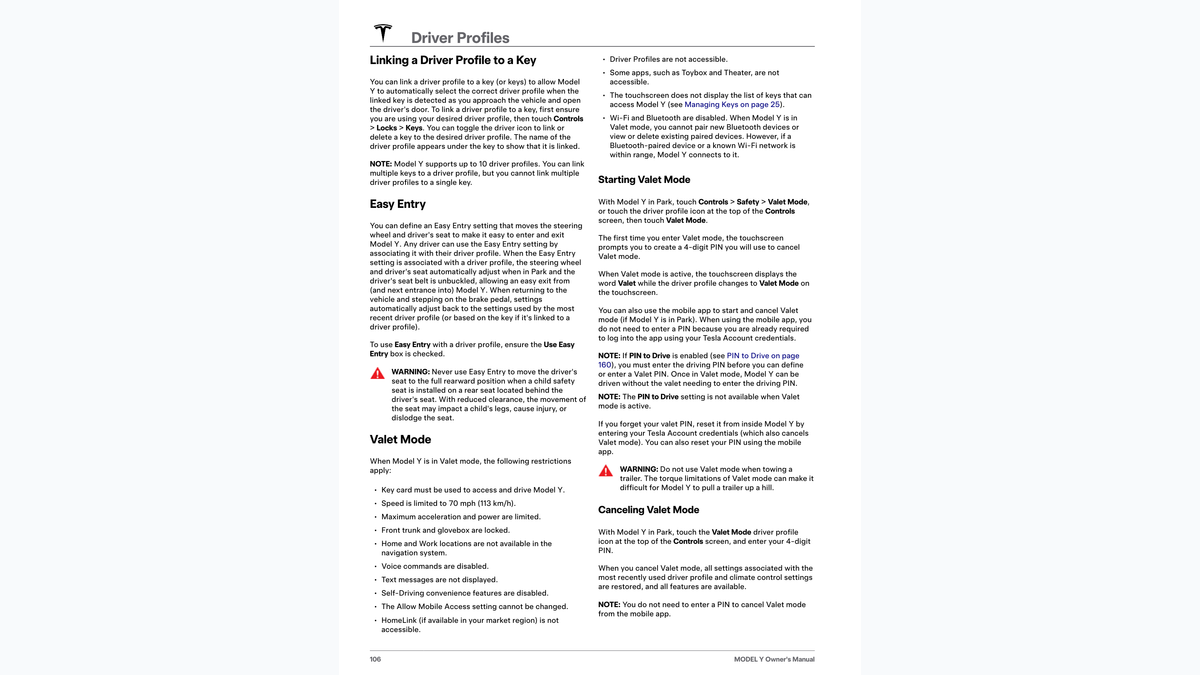
- Driving: Speed is limited to 70 mph, while maximum acceleration and power are limited.
- Storage: The front trunk and glovebox are locked.
- Saved places: Home and Work are not available in navigation.
- Connected features: Voice commands, text-message display, Self-Driving convenience features, HomeLink, driver profiles and some entertainment apps are unavailable.
- Keys: Tesla says a key card must be used to access and drive the vehicle.
- Connectivity boundary: Pairing and device-list access are blocked, but a previously paired Bluetooth device or known Wi-Fi network may still reconnect when in range.
- PIN behavior: If PIN to Drive is enabled, the owner must enter it before defining or entering a Valet PIN. Once Valet Mode is active, the valet does not enter the driving PIN.
What Remains Unconfirmed
Tesla's documentation does not claim that Valet Mode prevents all misuse, hides every item of personal information or provides a complete record of what happened during the handoff. Availability and labels can vary by vehicle, region and software version.
This article is limited to the current U.S. Model 3 and Model Y manuals. Owners of Model S, Model X or Cybertruck should use the manual selected for their exact vehicle instead of assuming every restriction is identical.
Why It Matters
A valet handoff combines physical access, a driving credential and personal data inside the vehicle. The useful value of Valet Mode is that it narrows all three at once: the driver receives a key card, performance is limited, storage is locked, and some account-linked information is hidden.
The important boundary is that access control is not the same as total prevention. Owners should still remove valuables, avoid sharing account credentials and confirm that the Valet profile is visibly active before walking away.
What Tesla Owners Should Know
- Park first. Open Controls > Safety > Valet Mode, or select Valet Mode from the driver-profile menu.
- Create a separate four-digit Valet PIN. Do not reuse a banking or account PIN.
- Confirm the screen. Tesla says the word Valet and the Valet Mode profile should appear when active.
- Hand over only the key card. Keep your phone and Tesla Account credentials.
- Remove valuables anyway. Locked compartments reduce access but do not replace ordinary handoff precautions.
- Cancel after return. Enter the Valet PIN while parked or use the authenticated Tesla app.
- Do not tow in Valet Mode. Tesla warns that reduced torque can make trailer towing difficult, including on hills.
Tesstudio Analysis
Tesstudio scores this current owner explainer at 72.5. The evidence is direct and consistent across two live Tesla manuals and their official PDF editions, but there is no same-window product change. It qualifies only because mandatory fallback is active and the Los Angeles daily count is below four.
The practical handoff is simple: enable the profile, verify the screen, use the key card, remove valuables and cancel the profile when the car returns. The most overlooked limitation is connectivity: Tesla says known Wi-Fi and previously paired Bluetooth devices may reconnect even though new pairing and device-list access are blocked.
Related Tesla News Resources
See Tesstudio's PIN to Drive, Glovebox PIN and Speed Limit Mode explainer for owner-controlled security settings that are distinct from Valet Mode. No Related Gear placement is included because this is an account and access-control workflow.
Sources & Reporting Notes
- Tesla Model 3 Owner's Manual: Driver Profiles and Valet Mode — current U.S. primary documentation for restrictions, activation and PIN behavior.
- Tesla Model Y Owner's Manual: Driver Profiles and Valet Mode — current U.S. primary documentation and towing warning.
- Tesla Model 3 Owner's Manual PDF — official rendered source for the lead visual.
- Tesla Model Y Owner's Manual PDF — official rendered source for the inline visual.
Reporting note: Every operational claim is limited to the cited Tesla documentation. The article does not claim Valet Mode prevents all misuse or applies identically to every Tesla model and market. X was not used because actual billing could not be verified.
Update & Correction Log
October 30, 2026: Initial Owner Explainer. Published in mandatory fallback mode after more than five no-publication hours with zero Tesla News posts on the current Los Angeles day.



Leave a comment
This site is protected by hCaptcha and the hCaptcha Privacy Policy and Terms of Service apply.