
Owner Explainer: How to Schedule and Prepare for Tesla Service
Owner Explainer · Current Tesla Primary Documentation
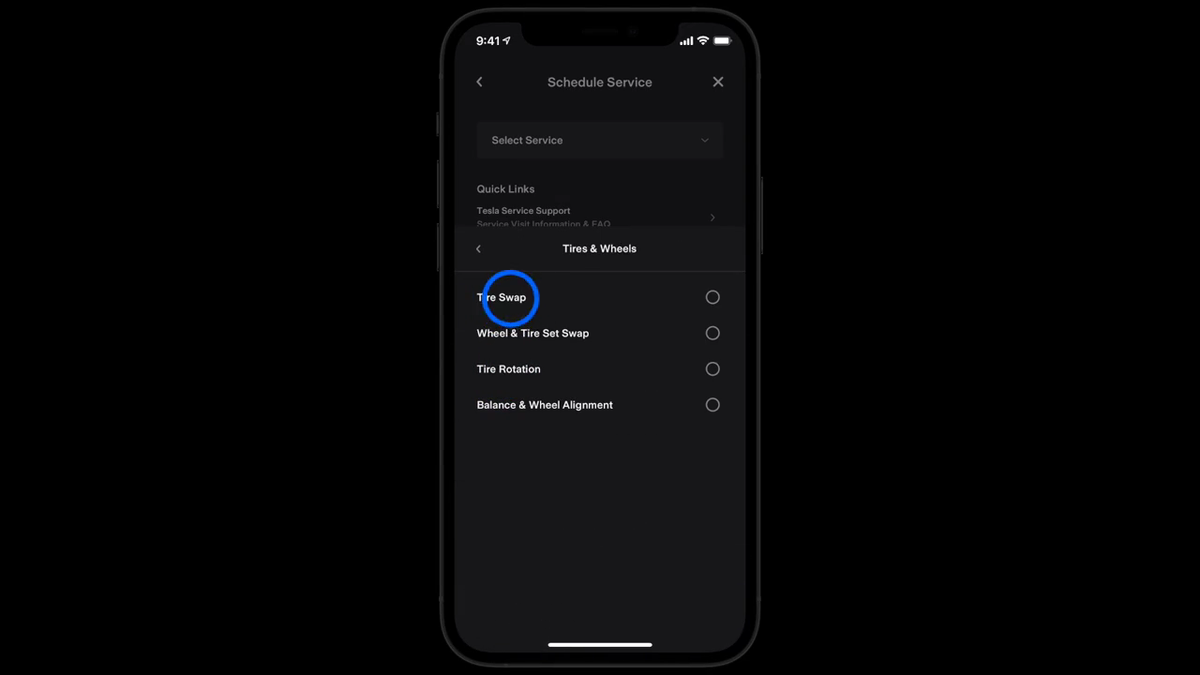
To schedule Tesla service, open the Tesla app Service menu, select a concern and provide enough evidence for remote diagnosis. If a visit is needed, choose an offered appointment, review the Tesla service estimate, then use the app to message the team and track status. Before drop-off, follow the Service Center preparation requests for your case.
30-Second Brief
- This is a dated Owner Explainer published August 24, 2026 in America/Los_Angeles. It summarizes current Tesla documentation and does not claim the service workflow launched today.
- Tesla routes vehicle service requests through the Tesla app, where owners select a topic and describe the concern.
- Remote diagnostics may provide troubleshooting steps or determine that an appointment is needed before times are offered.
- Owners can add concerns, reschedule, cancel and message the local Service team from the appointment in the app.
- Before a Service Center visit, review the estimate, enable app notifications and remove valuables, child seats and items that block access.
What Happened
Tesla’s current service pages put the app at the center of the owner workflow: describe the problem, provide supporting evidence, complete remote diagnostics when offered, schedule the available service type and manage the visit in one place.
The system can route concerns differently. Depending on the issue and location, Tesla may show troubleshooting, Mobile Service, a Service Center or a Collision Center. Owners should follow the result for the specific vehicle and concern rather than assuming every request requires a shop visit.
What Is Confirmed
- Request path: Tesla says to open the app, tap Service, select a support topic, describe the concern and follow the prompts.
- Evidence helps diagnosis: The owner’s manual recommends detailed descriptions plus relevant photos, sound recordings or videos.
- Appointment type varies: Service Center, Mobile Service and Collision Center availability depends on the work and location.
- Changes stay in the app: Owners can add another concern, change the appointment time, cancel the request or message the Service team.
- Estimate review: Tesla says the app delivers estimates, confirmations and other Service team communication before or during a visit.
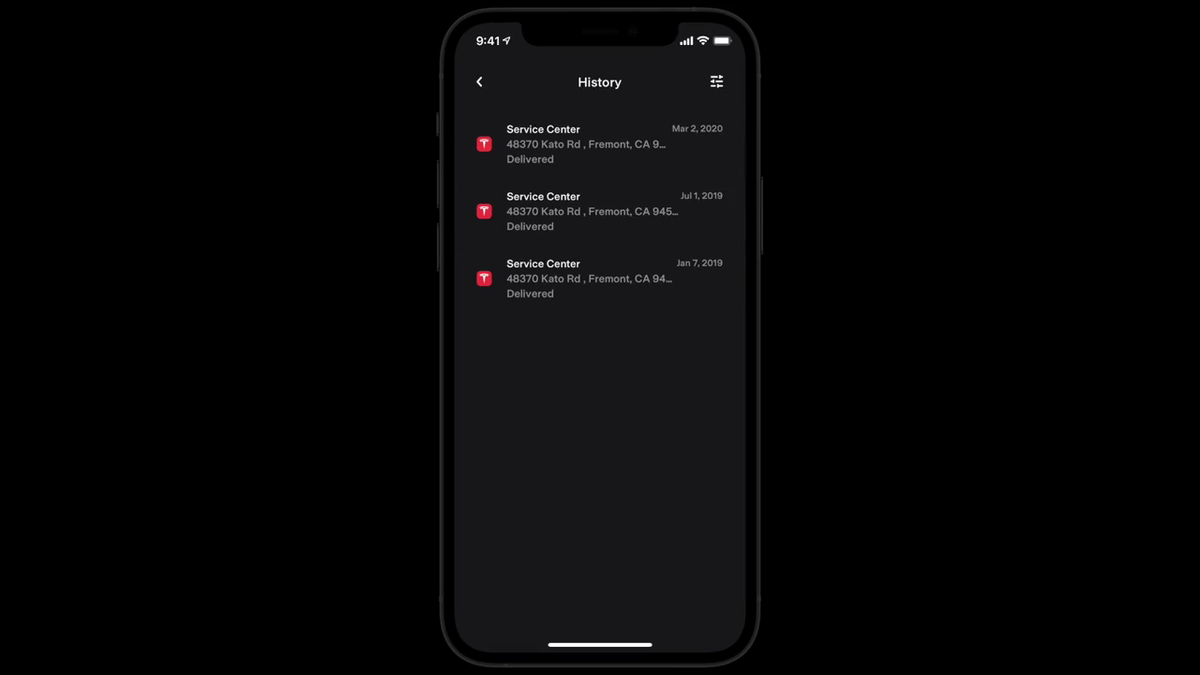
- Records remain accessible: Tesla directs owners to Service > Resources > History for previous service invoices and records.
What Remains Unconfirmed
Submitting a request does not prove a repair is covered by warranty, that parts are already available or that a specific completion time is guaranteed. Tesla says diagnosis can determine whether a concern is covered and estimates can change when appointment details change.
Alternative transportation is not guaranteed. Tesla says eligibility depends on the repair and availability, with warranty work prioritized for loaners. The app or local Service team provides the applicable option.
Why It Matters
A detailed initial request can reduce clarification cycles. A short symptom description such as “noise” is less useful than when it occurs, where it seems to originate, whether it changes with speed or temperature and a recording that captures it.
The estimate and message thread also create a practical decision record. Owners can ask what is diagnostic, what is warranty-covered, what is customer-pay and whether adding another concern changes the appointment date.
What Tesla Owners Should Know
- Document the symptom first. Note the date, conditions, warnings and repeatable steps; attach clear photos, audio or video when safe.
- Select the closest app topic. Use Service and follow the prompts. Remote diagnostics may offer troubleshooting before scheduling.
- Add all related concerns early. Open the appointment, tap Edit next to Services and add another concern. Tesla warns this can change the appointment date.
- Read the estimate line by line. Use Message Service Team for questions about diagnosis, warranty treatment, parts or changed pricing.
- Prepare the vehicle. Remove valuables and child seats, clear the trunk and relevant storage areas, and bring a key or charging cable if requested.
- Keep notifications enabled. Tesla uses the app for estimates, messages, status, estimated completion and pickup notices.
- Separate emergencies from appointments. For a breakdown, flat tire, lockout or immediate roadside need, use Roadside Assistance rather than a routine service request.
Tesstudio Analysis
The best service request reads like a compact diagnostic note: “What happened, when it happens, how to reproduce it, what the car displayed and what evidence is attached.” That gives the remote and local teams a stronger starting point.
Before approval, owners should understand three boundaries: the estimated customer-pay amount, what happens if diagnosis changes the repair and whether the quoted completion time depends on parts. The Tesla app message thread is the appropriate place to preserve those answers.
Related Tesla News Resources
Follow the Tesstudio Tesla News hub for verified owner guidance. No Related Gear placement is included because this service workflow does not establish a direct accessory need.
Sources & Reporting Notes
- Tesla Support: Schedule and Manage Tesla Service Appointments — primary steps for requesting, editing, messaging, rescheduling and canceling service.
- Tesla Support: Preparing for a Service Center Visit — primary guidance for estimates, vehicle preparation, status and pickup.
- Tesla Model 3 Owner’s Manual: Maintenance Service Intervals — primary guidance on service-request details and Maintenance Summary.
- Tesla Video Guide: Service in the Tesla App — official source video used for both attributed visual frames.
Reporting note: This fallback Owner Explainer uses only Tesla primary documentation. Interfaces, appointment types, regional requirements and service availability can change; the current Tesla app and vehicle-specific manual control.
Update & Correction Log
August 24, 2026: Initial Owner Explainer, published in mandatory fallback mode after five consecutive no-publication hours and with the America/Los_Angeles daily count below four.




Leave a comment
This site is protected by hCaptcha and the hCaptcha Privacy Policy and Terms of Service apply.