
Owner Explainer: Tesla Summer Driving, Cabin Cooling and Pet Mode
Owner Explainer · Current Tesla Guidance
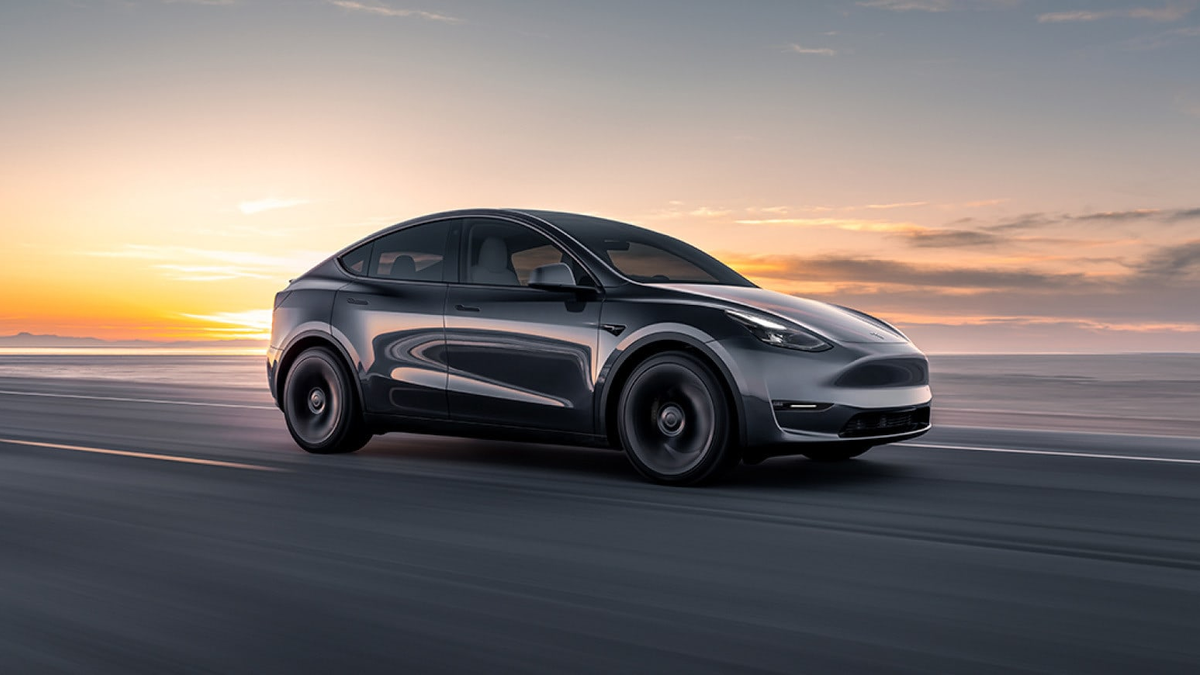
For Tesla summer driving, precondition the cabin before departure, use Cabin Overheat Protection only as a comfort feature, and actively monitor Pet Mode with reliable cellular service. Climate features consume battery energy, feature availability varies by vehicle, and no parked-car setting replaces adult supervision or a fast return plan.
30-Second Brief
- This owner explainer is dated August 26, 2026 in America/Los_Angeles and summarizes current Tesla support and owner-manual guidance. It does not claim that Tesla announced a new climate feature today.
- Tesla recommends cooling the cabin before departure through Scheduled Departure or the Tesla app; preconditioning while plugged in preserves more battery energy for driving.
- Cabin Overheat Protection can use A/C or outside-air ventilation, depending on the selected option and vehicle. Tesla labels it a passenger-comfort feature, not a safety system for unattended occupants.
- Pet Mode maintains a selected temperature and shows a touchscreen message, but owners remain responsible for the pet, must monitor temperature and cellular connectivity, and should stay close enough to return quickly.
- Keep Climate On, Pet Mode and Camp Mode use battery energy and may block a software update while active. Exact menus, thresholds and availability vary by model, market and software version.
What Happened
Tesla's current Summer Driving Tips page groups its warm-weather guidance around preconditioning, parked climate modes, cabin ventilation, tires and range. The most important distinction is between settings that prepare the car for a trip and settings that keep climate running after parking.
Scheduled Departure and remote climate control are preparation tools. Keep Climate On, Pet Mode and Camp Mode maintain climate in Park for different use cases. Cabin Overheat Protection is a separate feature designed to reduce cabin heat when those modes are not being used, subject to availability and automatic limits.
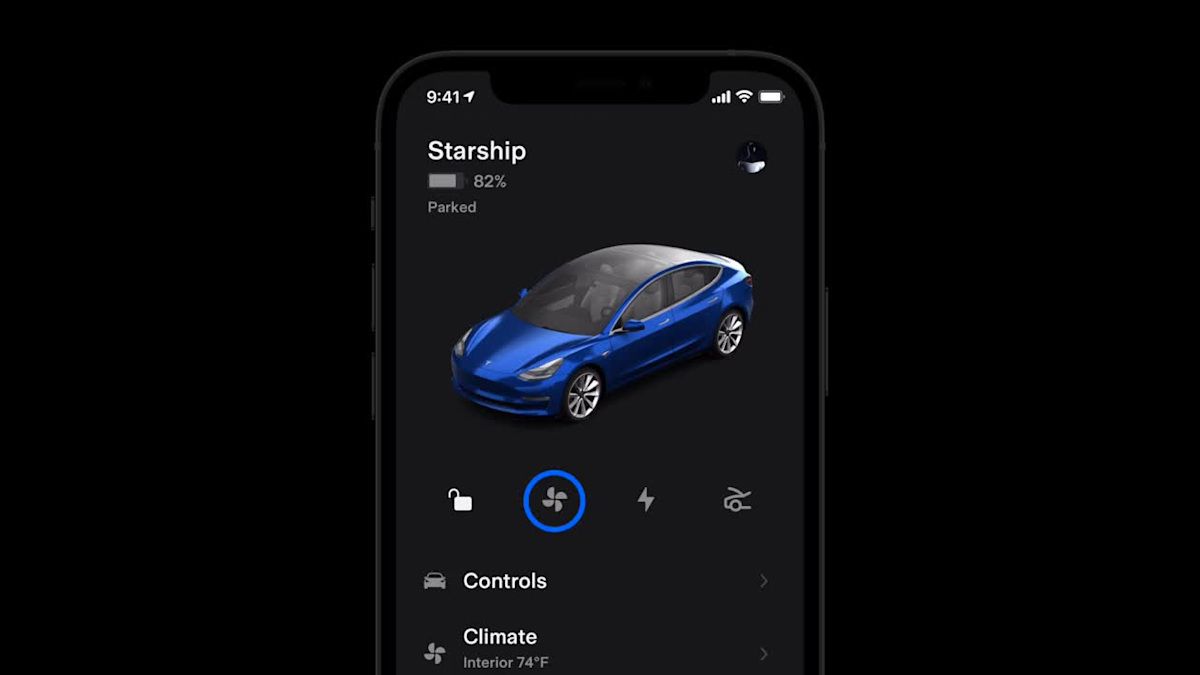
Source video: Watch Tesla's Vehicle Controls | Tesla App guide.
What Is Confirmed
- Preconditioning: Tesla says Scheduled Departure coordinates charging and cabin preconditioning, while the app can activate climate remotely before entry.
- Cabin Overheat Protection: Tesla's U.S. summer guide describes an A/C option intended to keep the cabin below 105° F / 40° C and a No A/C option that uses outside air. Owners must check their vehicle-specific manual for availability and current controls.
- Battery use: Tesla warns that running climate while unplugged consumes battery energy and can reduce remaining range.
- Automatic limits: current Model 3 manual guidance says Cabin Overheat Protection can stop after 12 hours or when the battery reaches its Low Power Mode threshold, whichever comes first.
- Pet Mode monitoring: Tesla says Pet Mode is designed for short periods while the owner actively monitors cabin temperature and stays close enough to return. The app can notify the owner about a significant temperature change or a mode shutdown.
- Software update interaction: Tesla manuals state that software updates do not install while Keep Climate On, Pet Mode or Camp Mode is active.
What Remains Unconfirmed
The source pages do not establish one identical menu, activation temperature, low-power threshold or feature set for every Tesla. Model, production period, market, mobile-app version and vehicle software can change what appears. The vehicle's touchscreen Owner's Manual is the controlling reference for the specific car.
No Tesla climate mode guarantees that the cabin will remain at the selected temperature in every condition. Extreme heat, a low battery, poor cellular connectivity or a climate-system fault can interrupt operation. Cabin Overheat Protection must never be used as a substitute for supervising a child or pet.
Why It Matters
Hot-weather preparation affects both comfort and usable range. Cooling a plugged-in vehicle before departure moves some energy demand to the charger, while checking tires cold avoids misleading pressure readings caused by heat after driving.
The safety boundary matters more than the convenience. A setting can be active and still stop later. Owners need a live feedback loop: sufficient charge, a connected phone, temperature checks, notification awareness and a plan to return immediately.
What Tesla Owners Should Know
- Precondition before departure. Use Schedule or the Climate screen in the Tesla app; plug in when practical.
- Check the exact manual. Open Controls > Service > Owner's Manual on the touchscreen for model-, market- and software-specific guidance.
- Choose the right parked mode. Keep Climate On is for maintaining cabin temperature; Pet Mode adds pet-specific display and monitoring behavior; Camp Mode is designed for occupants staying in the vehicle.
- Treat overheat protection as comfort only. It can stop automatically and is not designed to protect unattended people or animals.
- Monitor Pet Mode continuously. Confirm battery level and cellular coverage, watch cabin temperature in the app, follow local laws and remain close enough to return quickly.
- Watch battery consumption. Prolonged climate use while unplugged reduces remaining energy. Set a personal return threshold before the vehicle reaches low power.
- Delay software installation if needed. Finish the parked climate use case before scheduling an update, because the update will not install while Keep, Pet or Camp is active.
- Check tires cold. Tesla's summer guide says heat accelerates wear and pressure should be checked before driving, not after the tire has warmed.
Tesstudio Analysis
Tesstudio scores this owner explainer at 72.5. Its operational and safety claims come from current, readable Tesla primary documentation, and both visuals are official Tesla assets. The score remains below the normal fact-news threshold because there is no same-window product launch; it qualifies under the mandatory fallback policy as a high-value, evidence-based owner explainer.
The single best habit is to separate convenience from supervision. Preconditioning is routine efficiency work. Pet Mode requires ongoing monitoring. Cabin Overheat Protection is a comfort backstop with automatic limits. Treating those three ideas as interchangeable creates avoidable risk.
Sources & Reporting Notes
- Tesla Support: Summer Driving Tips — primary source for preconditioning, Keep Climate On, Pet Mode, Camp Mode, Cabin Overheat Protection, window venting and hot-weather tire guidance.
- Tesla Model 3 Owner's Manual: Operating Climate Controls — primary source for mode limits, battery use, monitoring warnings and the passenger-comfort boundary.
- Tesla Model 3 Owner's Manual: Hot Weather Best Practices — primary source for vehicle-specific warm-weather preparation.
- Tesla Video Guide: Vehicle Controls | Tesla App — primary source video and the second article image.
Reporting note: This fallback owner explainer was published on August 26, 2026 in America/Los_Angeles after at least five consecutive no-publication hours and with the daily count below four. It does not say the underlying guidance was announced today. Direct Tesla page requests returned access restrictions during this run; the official pages remained readable through current search indexing, and both official Tesla media assets returned HTTP 200.
Update & Correction Log
August 26, 2026: Initial publication. The article separates preconditioning, parked climate modes and Cabin Overheat Protection, and foregrounds Tesla's monitoring and unattended-occupant warnings.



コメントを書く
このサイトはhCaptchaによって保護されており、hCaptchaプライバシーポリシーおよび利用規約が適用されます。