
Owner Explainer: How Tesla Phone Key and Backup Key Cards Work
Owner Explainer · Current Tesla Guidance
A Tesla Phone Key uses Bluetooth for passive access and can keep working without an internet connection after authentication. Keep a paired Tesla key card available as the physical backup: tap it at the driver-side door pillar, then press the brake within two minutes. Remove lost phones or cards from Controls > Locks as soon as practical.
30-Second Brief
- This is a dated owner explainer published August 22, 2026 in America/Los_Angeles. It summarizes current Tesla documentation; it does not present Phone Key as a newly released feature.
- Phone Key uses Bluetooth for proximity access. Tesla says an authenticated phone does not need an internet connection merely to function as a key.
- A key card is the physical fallback when a phone battery is dead or the phone is lost or stolen.
- Tap the card against the driver-side door pillar, enter the vehicle, and press the brake within two minutes; otherwise re-authenticate at the documented in-cabin reader.
- Key cards do not trigger Walk-Away Door Lock. Verify that the car actually locked before leaving it.
What Happened
Phone Key is convenient enough that owners can forget the fallback procedure until Bluetooth, phone power or permissions fail. Tesla's current guidance describes a layered access system: Phone Key for everyday proximity access, a key card for backup, and the touchscreen key list for access management.
The useful owner workflow is simple: finish Phone Key setup, test the card before an emergency, know both reader locations for the specific vehicle, and promptly remove any lost credential from the key list.
What Is Confirmed
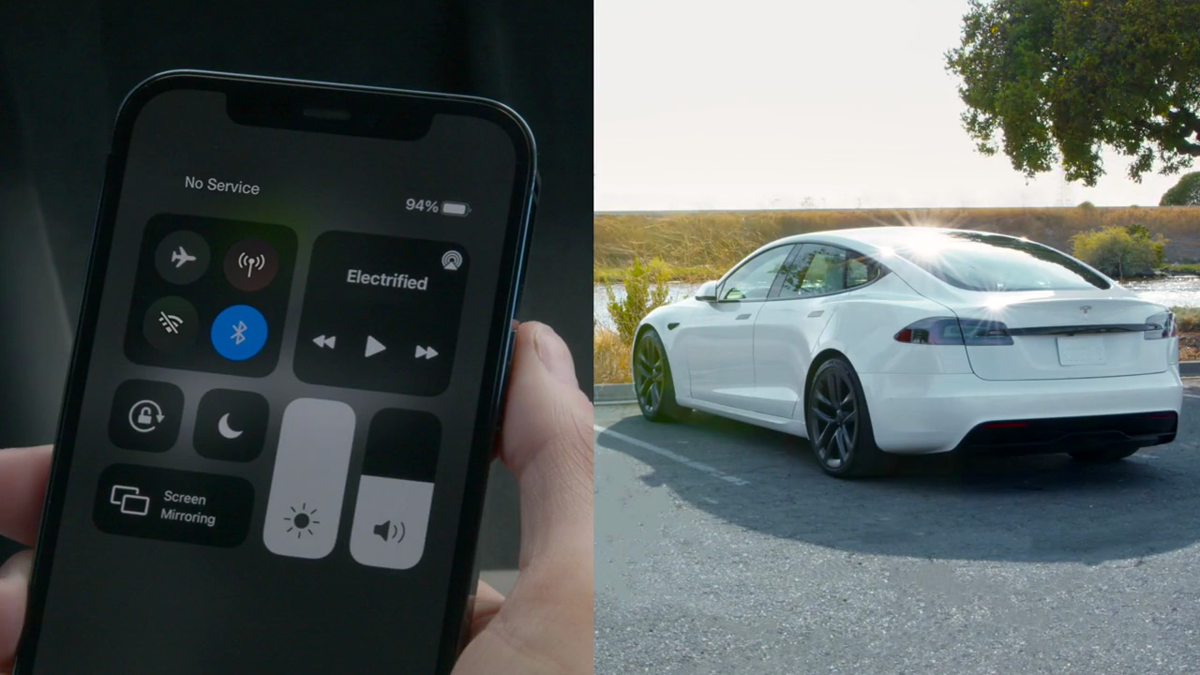
- Bluetooth is the key link: Tesla documents Phone Key as a Bluetooth-based proximity key for automatic locking and unlocking.
- Internet is not required for basic key use after authentication: the phone can operate as a key without a data connection, although other app functions still depend on connectivity.
- The key card is the backup: Tesla specifically directs owners to use it when the phone battery is dead or the phone is lost or stolen.
- There is a two-minute authorization window: after scanning the exterior reader, press the brake within two minutes or scan again at the in-cabin reader.
- Walk-away behavior differs: carrying only a key card does not provide automatic walk-away locking or unlocking.
- Lost access can be removed: Controls > Locks shows paired keys and provides the documented removal workflow.
What Remains Unconfirmed
Tesla's Model Y instructions do not establish one universal reader position for every Tesla model or production date. The DIY guide says some Model Y vehicles built before approximately February 2025 use a reader behind the cup holders, while later vehicles use either wireless phone charger. Owners should use the in-car manual for their exact vehicle.
Bluetooth behavior also depends on the phone, operating-system permissions, battery state, app version and vehicle software. A delayed unlock does not by itself identify which layer failed. It is safer to follow Tesla's troubleshooting steps and use the physical card than to assume the car or phone is defective.
Why It Matters
Access failures become high-stress when they happen away from home. A tested key card avoids making the phone a single point of failure, while a clean key list reduces the risk that an old phone or lost card retains vehicle access.
The difference between remote app commands and Phone Key matters too. The app may need data connectivity for remote controls, but the authenticated Phone Key relationship uses Bluetooth. That distinction helps owners troubleshoot the right connection.
What Tesla Owners Should Know
- Carry the card separately. Do not keep the only backup in a phone case that could be lost with the phone.
- Test both readers. Confirm the exterior B-pillar scan and the correct in-cabin authorization position before a trip.
- Check permissions. Keep Bluetooth enabled for the phone and Tesla app, allow the documented location/background access, and keep the app signed in.
- Verify the lock. A key card does not activate Walk-Away Door Lock. Look for the vehicle's lock confirmation.
- Do not leave a paired phone inside. Tesla warns that a detected Phone Key can allow the doors to unlock even after an app lock command.
- Add a replacement carefully. Touchscreen pairing normally requires scanning the new key and then an already authenticated key.
- Remove lost credentials. Use Controls > Locks and the trash icon, then authenticate the deletion as prompted.
- Use the exact vehicle manual. Procedures and reader placement vary by model, region, configuration, software and build date.
Tesstudio Analysis
Tesstudio scores this owner explainer at 72.5. Its operational claims come from readable Tesla primary documentation and an official Tesla Keys video. The score remains below the normal fact-news threshold because no same-window product announcement occurred; it qualifies under the mandatory fallback policy as a current, high-value owner explainer.
The best resilience practice is low-tech: test the physical card, keep it separate from the phone, and periodically audit the paired-key list. That reduces both lockout risk and lingering-access risk without overstating what Phone Key can detect.
Sources & Reporting Notes
- Tesla Model Y Owner's Manual: Keys — primary source for Phone Key, key-card readers, the two-minute window, walk-away behavior and removing keys.
- Tesla Model Y DIY Guide: Managing Keys — primary source for pairing, build-date reader differences and replacement-card management.
- Tesla: Getting Started With Your Vehicle — current support overview for Phone Key setup and backup key cards.
- Tesla Vehicle Keys Support — current Tesla troubleshooting guidance for vehicle keys.
- Tesla: Keys | Meet Your Model S — official demonstration and source of both article images.
Reporting note: This fallback owner explainer was published on August 22, 2026 in America/Los_Angeles after five consecutive no-publication hours and with the daily count below four. It does not say that the underlying guidance was newly announced today. Owners should use the in-car manual for their exact model and software.
Update & Correction Log
August 22, 2026: Initial publication. The article distinguishes Bluetooth Phone Key access from internet-dependent remote app controls and documents the key-card fallback.



Laisser un commentaire
Ce site est protégé par hCaptcha, et la Politique de confidentialité et les Conditions de service de hCaptcha s’appliquent.