


Model 3 Highland Family Commute Guide: Mats, Screen Care, and Safe Storage
A Model 3 Highland stays easier to live with when the surfaces touched every day are protected first: footwells, front seat backs, rear-seat drinks, small-item storage, trunk cargo, and parked sunlight. This refreshed guide focuses on family commutes, school drop-offs, work parking, grocery runs, and weekend errands, with accessories that solve real use problems without crowding the cabin.

Updated October 22: inspect the delivered car first
A recent Model 3 delivery discussion reports that an expected screen size did not match the accessory ordered. Individual reports do not establish a universal equipment change, but they reinforce a practical rule: confirm production date, trim, market and the actual installation area before buying molded parts. Follow your in-car manual rather than a generic must-have list.
1. Floor mats should come before almost everything else
The footwells take the first real damage in a family commute: wet shoes, sand, sports practice dirt, spilled snacks, and parking-lot dust. The Tesstudio Custom Fit Floor Mat Set for Tesla Model 3 Highland is the first accessory to consider because it protects the areas you clean most often and is built around the Highland cabin shape.
For owners who drive with children, pets, or passengers, floor protection is not only about neatness. Raised edges and full footwell coverage make cleanup faster after a rainy commute or weekend trip, which matters more over time than a decorative cabin upgrade.
Fitment matters here. A mat that looked acceptable in an older Model 3 may leave gaps, sit high near the pedals, or miss Highland-specific contours. Before driving, remove the previous driver mat, use the intended retainers and check unobstructed pedal travel while parked. Never stack mats. Confirm steering side and trim, and recheck after cleaning; a Highland label alone is not a fit test.
2. Use correct screen care instead of a default protector
Tesla's current Model 3 manual cautions against applying a protector to the front touchscreen because it can interfere with touch operation or cause damage. This guide's previous front/rear film recommendation is withdrawn. Popular accessory lists do not override the vehicle instructions.
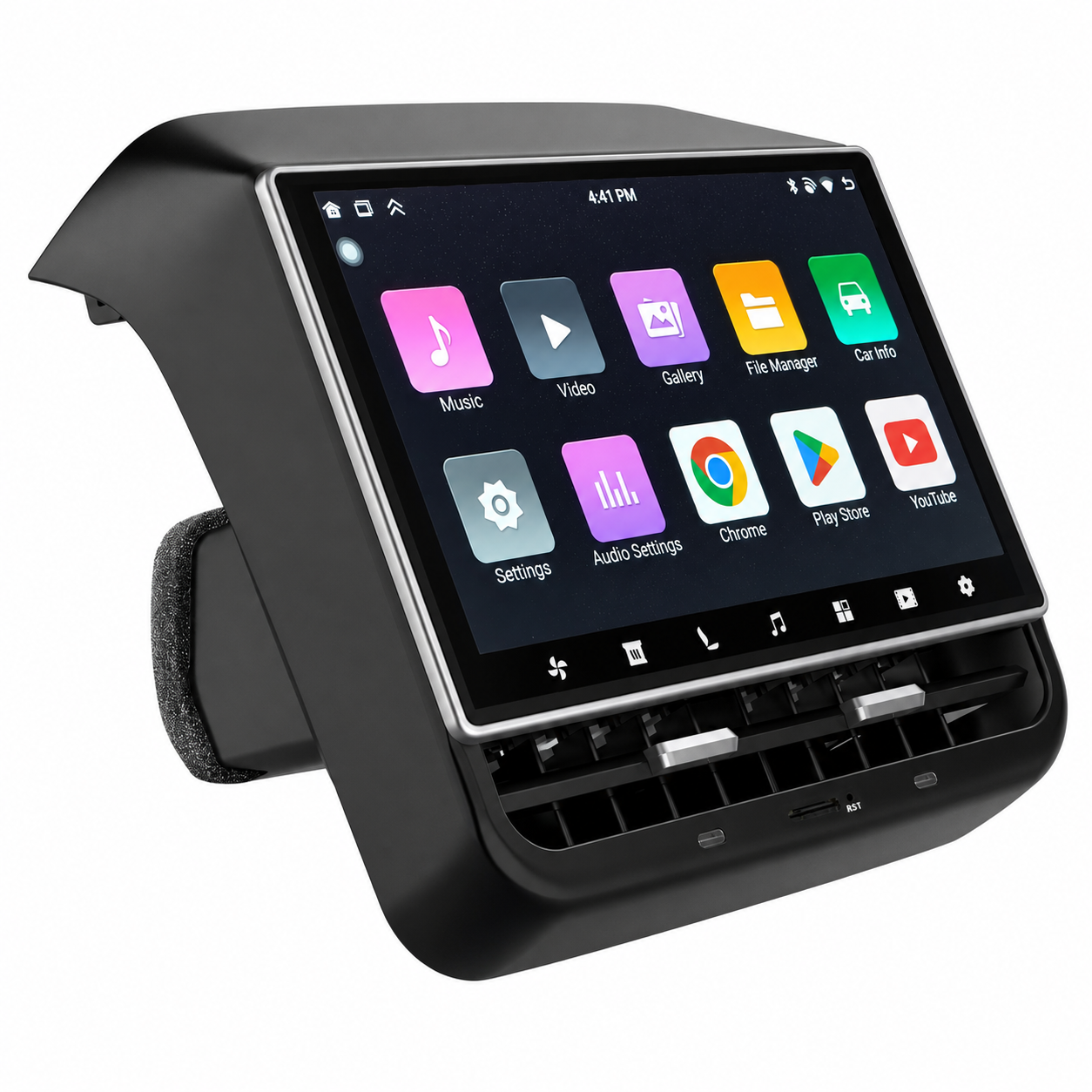
Use Screen Clean Mode and a soft lint-free display cloth for routine cleaning. Avoid glass cleaner, hand sanitizer and wet wipes on the display. Check the rear-display instructions separately; keep hard toys and bottles away and use the display lock when needed. A front/rear bundle is not evidence of approval for either screen.
3. Seat-back kick protection is small but noticeable
Rear passengers tend to mark the front seat backs without meaning to. Shoes brush the lower seat, backpacks swing into the upholstery, and child seats can make the second row a high-contact zone. The Premium Seat Back Kick Protector for Tesla Model 3/Y/X/S gives that surface a wipe-clean layer.

This is most useful if your Model 3 Highland carries kids, relatives, rideshare passengers, or co-workers. If the rear seat is rarely used, put secure floor mats and storage ahead of it. If the second row is used every day, a compatible kick protector may simplify cleanup. Test its straps and edges through the full front-seat adjustment range. Do not cover an airbag deployment area, seat mechanism, wiring, ventilation, belt anchor or child-restraint attachment. This is not a seat cover or a child-seat installation accessory; skip it if its attachment route cannot be confirmed safe.
4. Rear cup holder plus hidden storage keeps small items under control
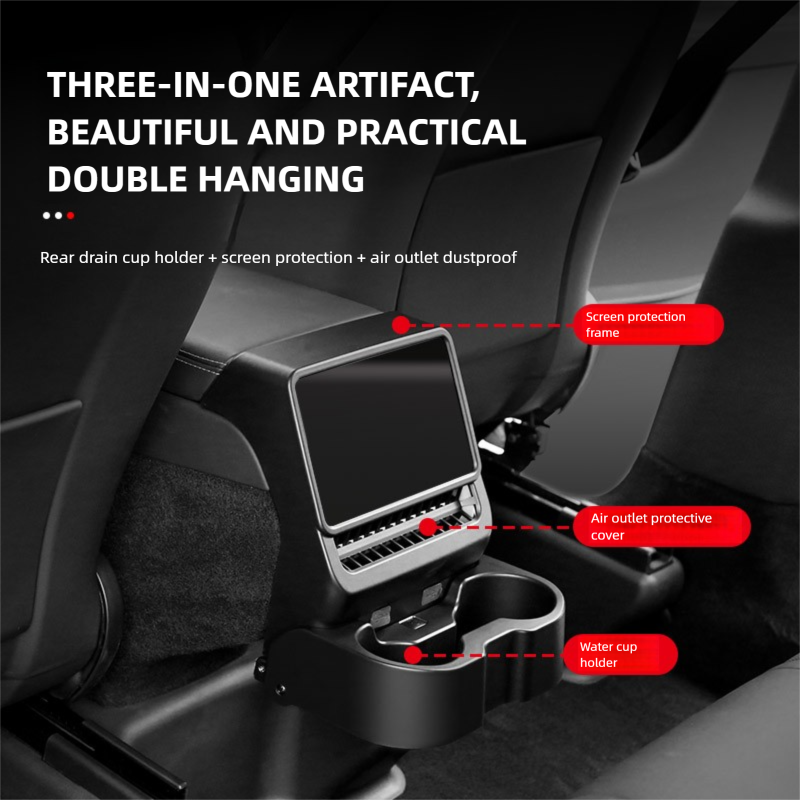
The Highland rear screen changes the second-row experience, but drinks and small items still need a stable place. The Rear Screen Cup Holder 3 in 1 for Model 3 Highland and Model Y Juniper is a practical add-on for school runs, coffee stops, and longer passenger rides.

First test the factory storage. If an added holder is useful, check its selected Highland variant against the delivered console, rear screen, vents and passenger foot space. Test with the actual closed bottle; do not place hot open drinks within a child's reach. Remove the holder if it shifts or interferes with seat movement, exit access or controls.
For the front row, start with the factory compartments and secure small items before driving. The previously linked under-screen storage box is not currently offered as an active product, so it is no longer a purchase recommendation here. Confirm console and control clearance before adding any replacement organizer.
5. Split front-row storage from cargo storage
Small things used while driving belong near the front seats: sunglasses, cards, charging cables, parking passes, wipes, and receipts. Larger or messy items belong behind the cabin. That split keeps the Model 3 Highland from feeling crowded and makes cleanup faster when the car is used by more than one person.
Sports gear, emergency kits, charging cables, cleaning towels, and grocery bags should not live loose in the cabin. The Tesstudio Tesla Model 3 Highland Trunk Storage Bin gives those items a more deliberate place, especially if you want the front and rear seats to stay open for people.
A simple rule works well: items used during the drive go in a small cabin organizer; items used before or after a trip go in the trunk. If an accessory cannot pass that test, it is probably not a first-round purchase.
6. Add heat control if the car sits outside
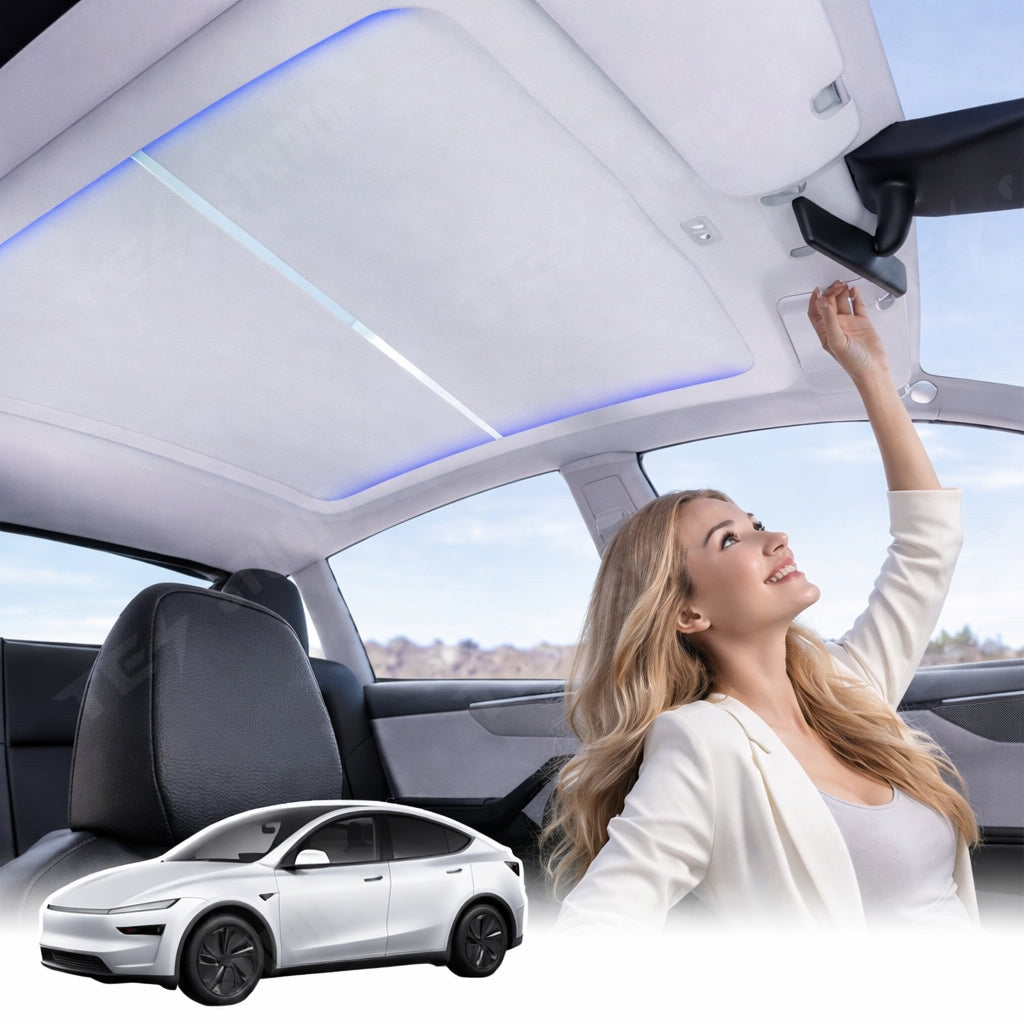
If your Model 3 Highland parks outdoors during work, school, or errands, heat control is worth treating as part of daily usability. A front windshield shade like the Fully Automatic Front Windshield Sunshade for Model 3 Highland and Model Y Juniper is a parked-use option to evaluate. Retract or remove it fully before driving and verify visibility, camera clearance and control access. No measured temperature reduction is established here.
This is not mandatory for every owner. It matters most in hot states, uncovered parking, and family routines where passengers get in right after the car has been sitting in direct sun. For a deeper heat and glare setup, see the Model 3 Highland heat and glare accessories guide.
A practical buying order
For most Model 3 Highland owners, the cleanest order is: correctly secured Highland-specific floor mats first, display cleaning supplies next, compatible seat-back protection only if the rear row is active, cup holder and hidden storage for daily clutter, trunk storage for cargo, then windshield heat control if the car often sits outside. That order solves actual use problems before style decisions.
What should wait? Universal interior organizers, decorative trim, and accessories that do not show clear Highland fitment. Those can be useful later, but they should not outrank the protection and storage items that make the car easier to use every day.
Related Tesstudio guides
Model 3 Highland stalkless driving guide
Model 3 Highland heat and glare accessories guide
Model 3 Highland small storage accessories guide
Model Y screen-care discussion (use the Model 3 manual for your own car)
Tesla charging adapter road-trip guide
FAQ
Do older Model 3 mats fit every Highland?
Do not assume so. Confirm steering side, trim and molded shape. Remove the old driver mat, secure the replacement at its intended retainers and check pedal clearance.
Should I install a front-screen protector for family use?
Tesla's current Model 3 manual cautions against it. Use proper cleaning and Screen Clean Mode instead. Follow rear-display instructions separately, rather than treating a bundle as approval.
When is a seat-back kick protector unsuitable?
When straps or edges interfere with airbag areas, seat movement, ventilation, wiring, belts or child-restraint attachments. Confirm the actual installation route; do not improvise around safety equipment.
How should I test a rear cup holder?
Check the exact console version, screen/vent access and passenger foot space while parked. Test bottle retention and seat movement. Remove it if it shifts or obstructs access; keep hot open drinks away from children.
Should I buy everything before delivery?
No. Inspect the car first and prioritize actual needs. A model-year listing, screen-size assumption or influencer list does not prove fit. Parked shades must be fully removed or retracted before driving.
Sources checked
Official guidance: Model 3 touchscreen and cleaning and floor-mat instructions. Owner context: recent delivery and screen-size mismatch report. This is an individual report, not proof that every regional car has the same equipment.


Laisser un commentaire
Ce site est protégé par hCaptcha, et la Politique de confidentialité et les Conditions de service de hCaptcha s’appliquent.