Match the position
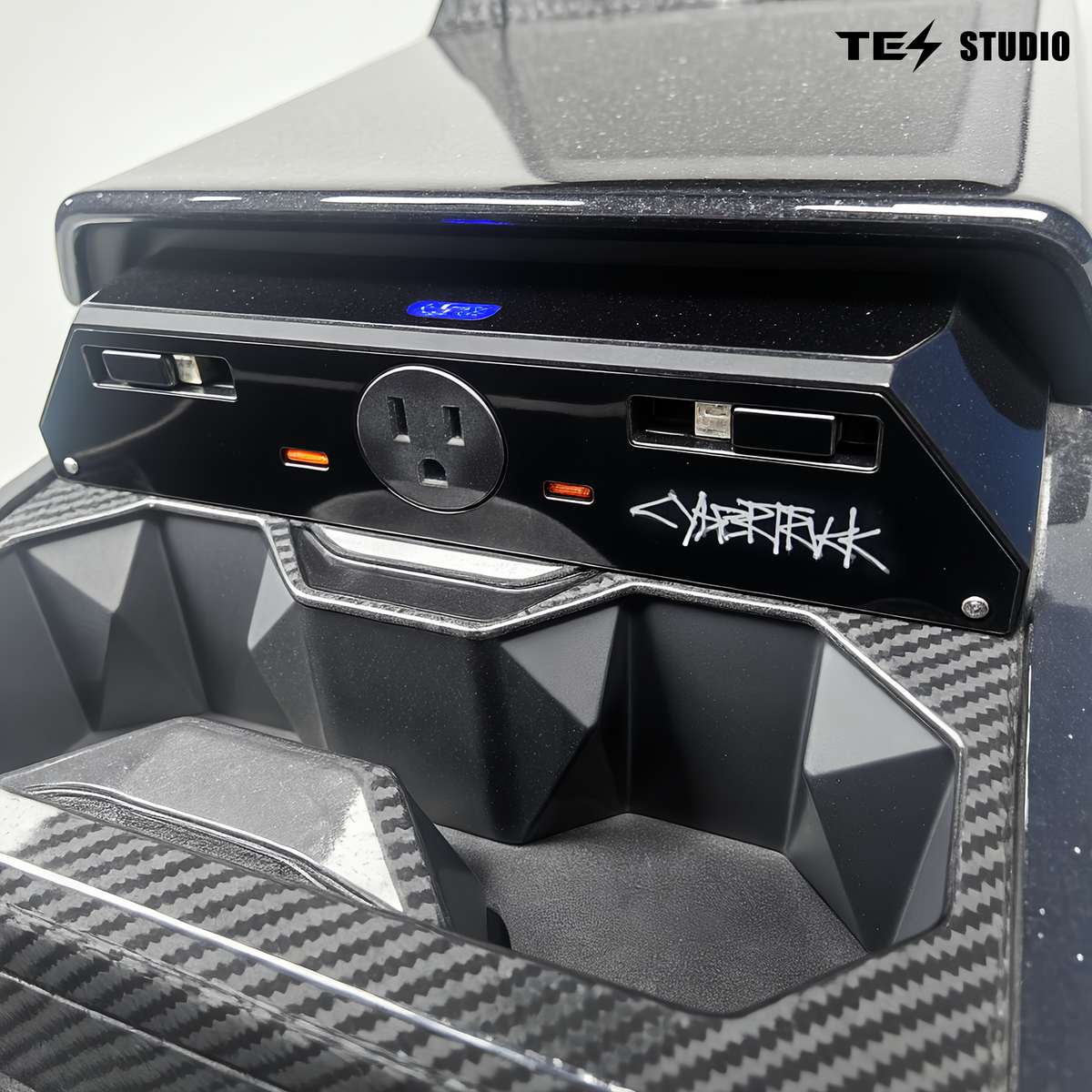
Compare the console and outlet arrangement with the product images. Ask us about your vehicle’s production date or existing console modifications.

Sprache
Warenkorb
Dein Warenkorb ist leer



15%OFF
US$59+18%OFF
US$159+20%OFF
US$299+A cleaner console. Power within reach.
Optionen auswählen
TESSTUDIO / CYBERTRUCK CONSOLE
Charging connections where you need them. Cables that tuck away when you don’t.
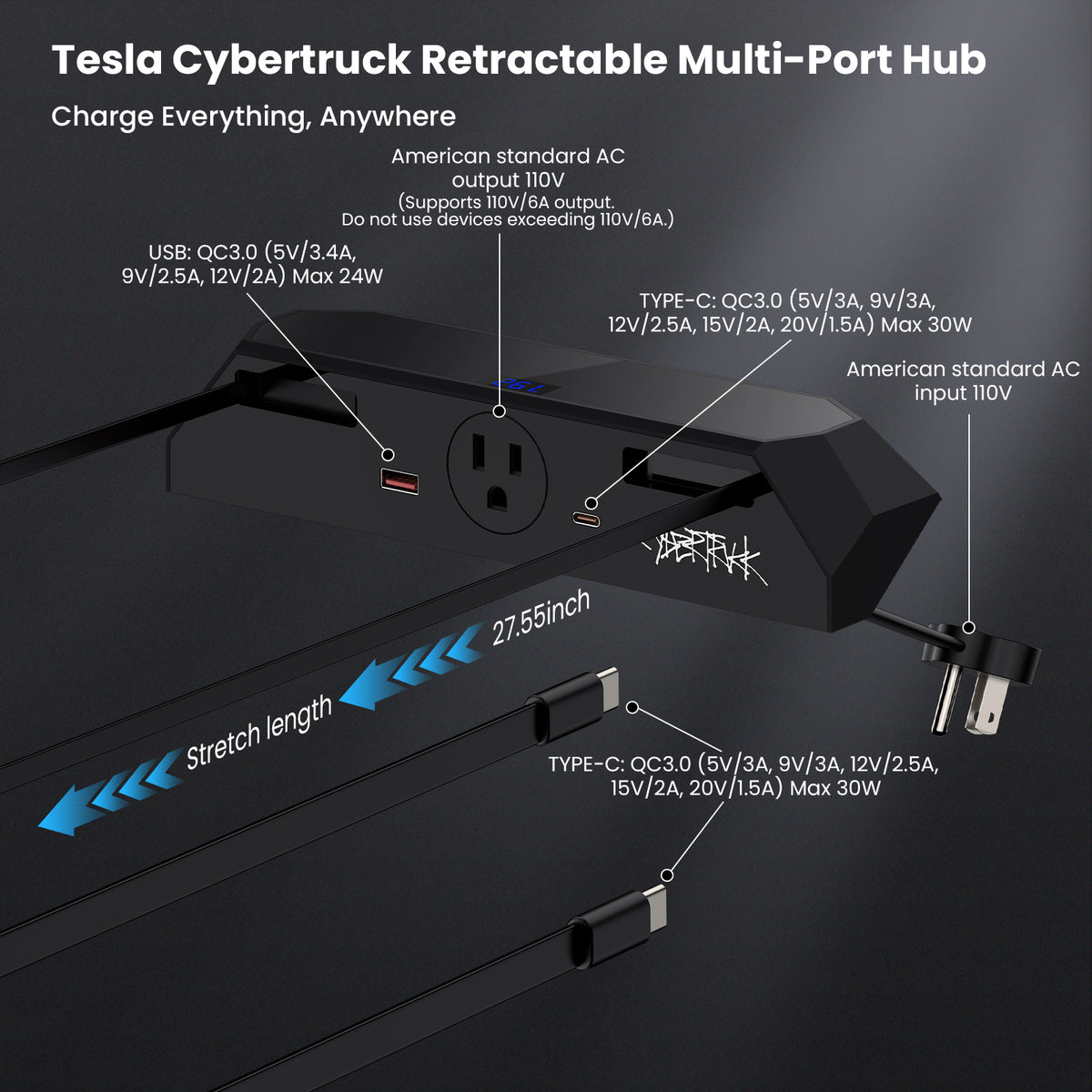
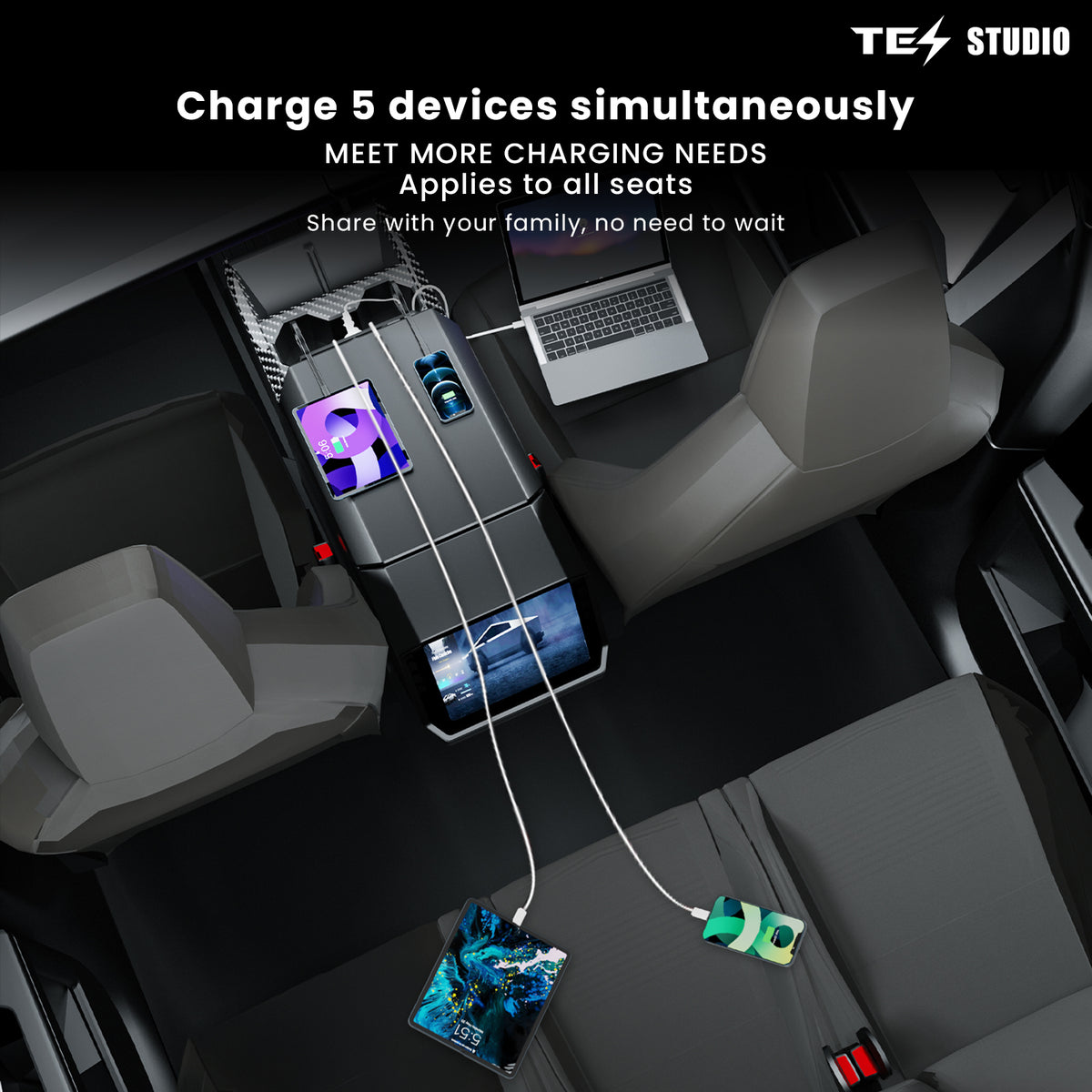
The Tesstudio Center Console Hidden Charging Hub brings USB charging, retractable USB-C leads and an AC outlet into the Cybertruck console area. It helps organize everyday device charging while keeping loose cables easier to manage.
Find the right connection →
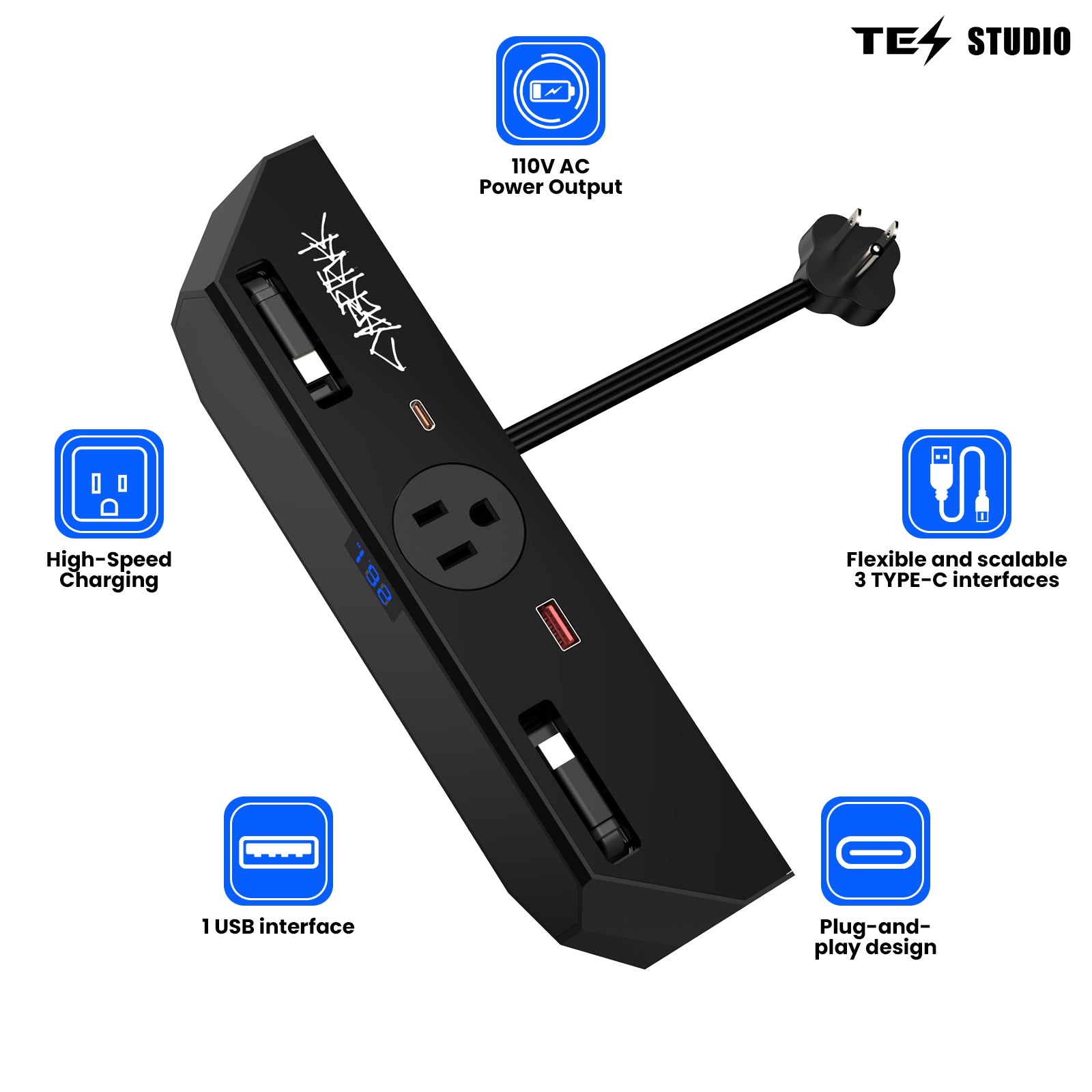
Two retractable USB-C leads
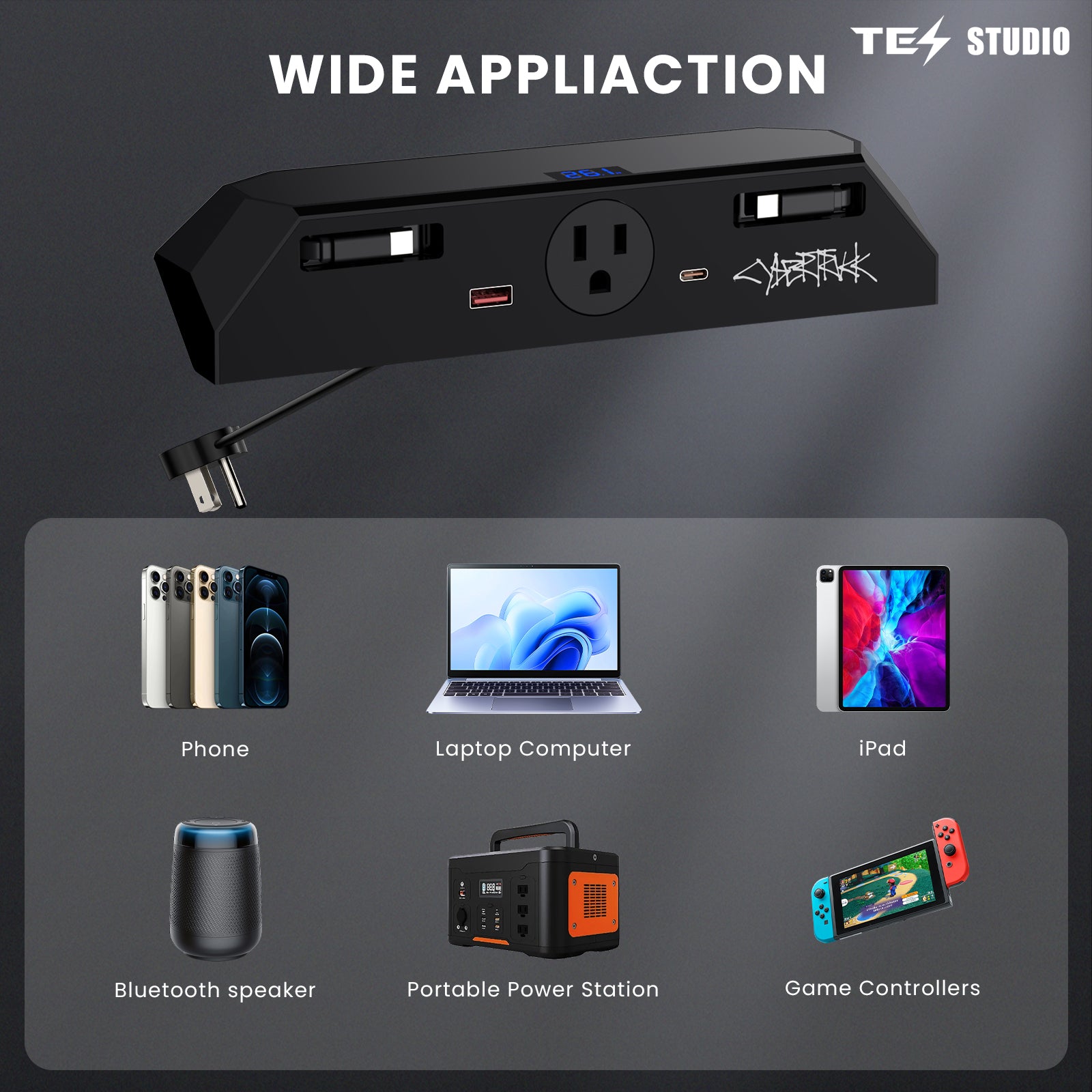
USB-A, USB-C and AC access
A dedicated Cybertruck layout
START WITH THE RIGHT FIT
Match the console shape in the installation photo and confirm access to the vehicle’s cabin AC outlet before ordering. This accessory powers personal devices; it does not charge the vehicle.

CONNECTIONS, EXPLAINED
Separate connections for different devices, with the important limits in plain sight.

| Connection | Listed output / detail |
|---|---|
| USB-A × 1 | Up to 24W |
| USB-C port × 1 | Up to 30W |
| Retractable USB-C × 2 | Up to 30W per lead; approx. 70cm / 27.55in extension |
| AC outlet × 1 | 110V / 6A limit |
| Intended use | Device charging and compatible AC loads |
Listed maxima are from the product specifications and depend on compatible devices and operating conditions. They are not a combined-output rating. Follow the supplied unit’s label and instructions; do not exceed the 110V/6A AC limit.
READY WHEN YOU ARE
Use the built-in leads for everyday USB-C charging, then retract them when you are done. Fewer loose leads make it easier to reset the console between trips.

SETUP & SUPPORT
Compare the console and outlet arrangement with the product images. Ask us about your vehicle’s production date or existing console modifications.
Follow the supplied instructions for positioning the hub and connecting its input lead. Keep the route clear of hinges and moving trim.
Confirm that the hub is secure, the console operates freely and connected devices remain within the unit’s ratings.
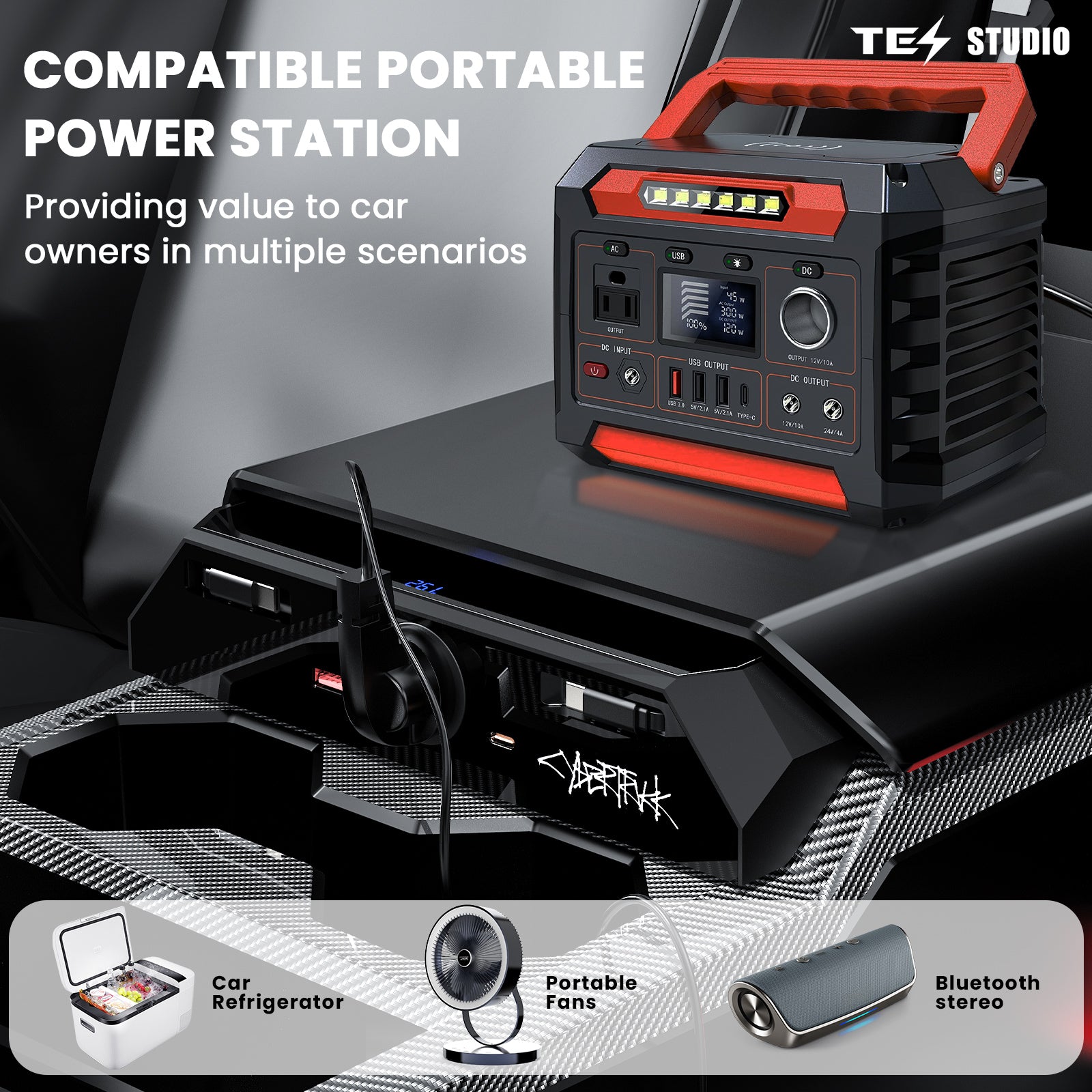
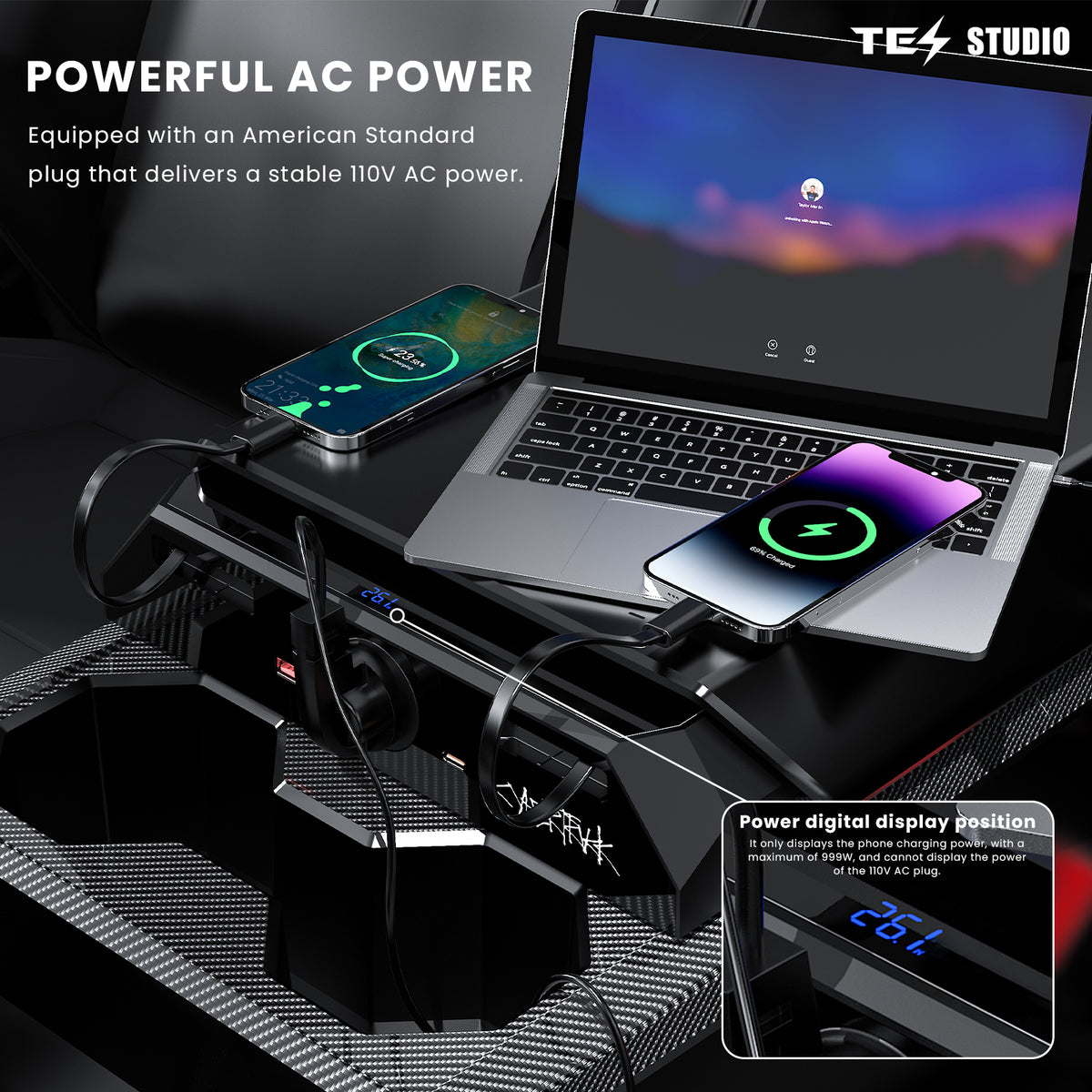
The pictured hub has two retractable USB-C leads and an AC input lead. Phones, computers, cup holders and other accessories shown in lifestyle images are not part of this hub listing. Contact us if you need confirmation of a particular mounting part before ordering.
Get installation help →CHARGE. ORGANIZE. PROTECT.
Explore three complementary upgrades for cup-holder care, screen-area storage and side storage. Match each option to your vehicle; ask us to confirm combined fit if your console is modified.


Charging hub × 1
Item subtotal: $112.00 USD
Before discounts, shipping and taxes. Eligible discounts are applied by Shopify.ANSWERS BEFORE YOU ORDER
Check power, fitment and device requirements before building your setup.
Ask Tesstudio a question →The hub is designed around the Cybertruck center console shown in the installation images. Console layouts and power equipment can vary. Before ordering, compare your console and send your production date and a console photo to Tesstudio if you are unsure. Compatibility with every trim or revised console is not assumed.
The illustrated installation connects the hub to the vehicle’s cabin AC outlet. It is not a standalone battery or an EV charger. Confirm that your vehicle has the matching outlet and follow the vehicle manual for enabling cabin power.
The pictured unit has one USB-A port, one USB-C port, two retractable USB-C charging leads and one AC outlet. The listed USB-A maximum is 24W; the listed USB-C maximum is 30W per connection under supported conditions. These are not additive total-output ratings.
Charging speed depends on the device, its supported charging protocol, battery level, temperature and other connected devices. A USB-C connector alone does not guarantee a specific fast-charge protocol or maximum speed. Contact us with your device model if a particular charging mode is essential.
Check the device or its power adapter against the hub’s rated output before use. The listed AC limit is 110V/6A. Do not exceed it or assume the vehicle outlet’s higher rating also applies to this hub. Laptop charging over USB-C depends on the laptop’s input requirements; a 30W connection may be insufficient.
Individual port maximums do not establish a simultaneous combined rating. Do not add them together. Follow the supplied unit’s instructions and contact support before connecting a load that requires a confirmed combined-power rating.
This page describes a charging accessory. Data transfer, Sentry Mode and Dashcam storage support are not confirmed. Keep recording storage connected to the vehicle’s designated data port as described in the vehicle manual.
Check clearance with the hub positioned and with your usual cables, bottles and organizers in place. Do not trap a lead under the cover. The suggested accessories use other cabin storage areas, but their combined fit should be confirmed for your exact console and existing modifications.
Keep the packaging and contact support@tesstudio.com with your order number, vehicle details and clear photos or a short video. Review our linked returns policy for eligibility and instructions before sending anything back.
HELP THAT CONTINUES AFTER CHECKOUT
Send your vehicle details and a console photo for help choosing the right setup.
Contact Tesstudio →Check delivery conditions for your destination and track your order after dispatch.
Shipping policy →Keep your packaging and order number. Our returns policy explains eligibility. For product warranty questions, contact our support team.
Returns policy →New fitment guides, owner tips, product drops, and subscriber-only offers—sent occasionally.
Nice addition t my car. Easy to install. I didn't use the tape, but put the lights in the slot in the air duct.
I like being able to close the shade quickly when the sun angle changes. It is simple and useful.
The shade gives better control over roof light and makes the car more comfortable for passengers.
A noticeable upgrade for summer. The glass roof no longer makes the cabin feel too bright or warm.
The frame sits cleanly and the shade fabric rolls evenly. It feels appropriate for the car interior.